39
40
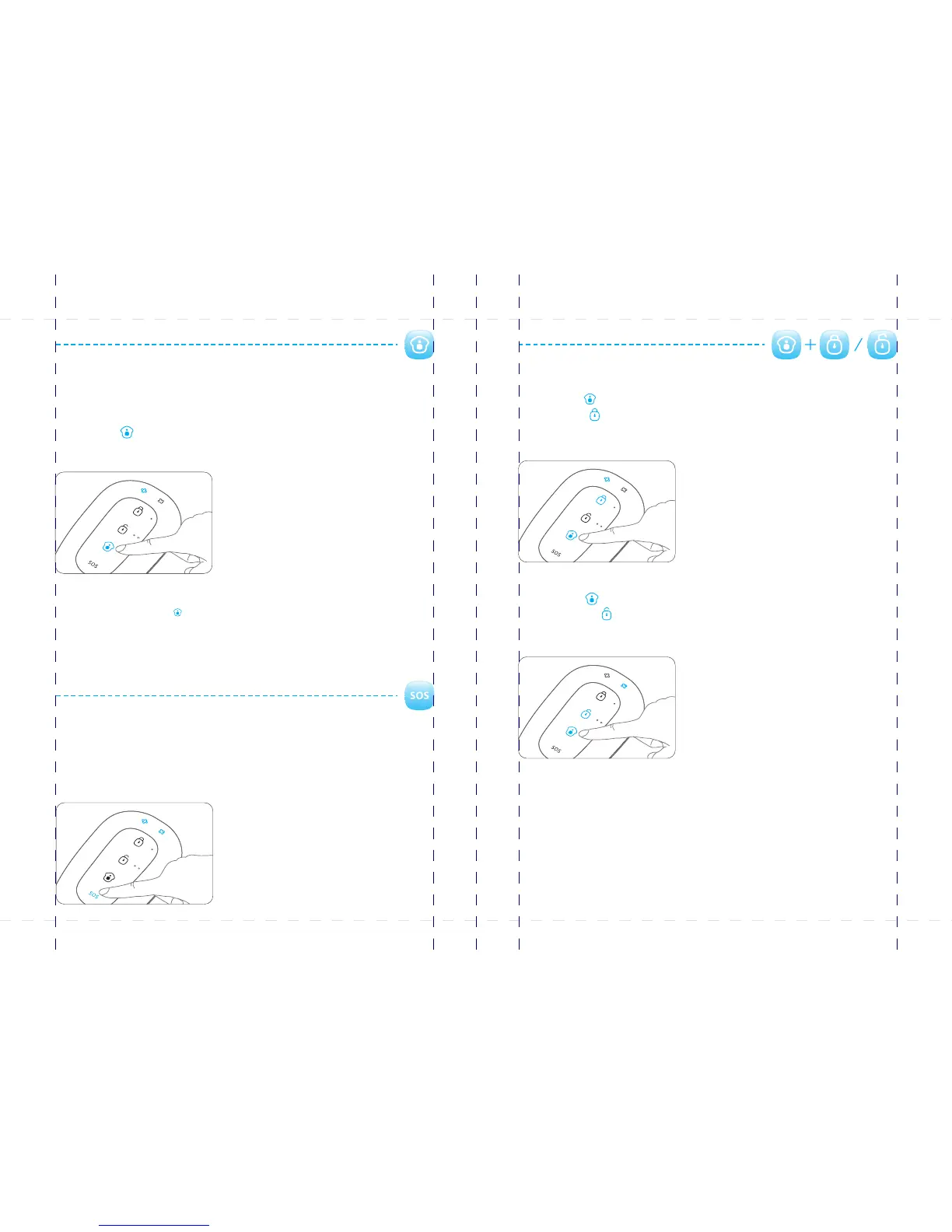
Mute operation
You can arm and disarm the system silently.
Press the [Stay ] button, the LED indicator on the remote control flashes once, and
then press [Arm ] button within 3 seconds. The alarm system will be armed without
making any noise.
Press the button, the LED indicator on the remote control flashes once, and [Stay ]
then press button within 3 seconds. The alarm system will be disarmed [Disarm ]
without making any noise.
Note: If wireless strobe sirens are used, they will not beep either.
Home mode (Part arm)
In home mode, detectors setting to home zone are in disarm state; the other detectors
are still in arm state. That is, you can move freely in the home zone area; however, the
rest areas are still being protected.
Press the button, 3 seconds later, the control panel beeps once and the [Stay ]
mode LED is on.
Note: The PIR detector is set to home zone by default. That is, the PIR detector will not trigger an
alarm after you press the button. [Stay ]
The zones include home zone, normal zone, 24-hour zone and single zone. For details of each
zone, please refer to page 5.
SOS
In case of emergency, you can press the button.[SOS]
Whenever you press the button on the remote control, the system will alarm [SOS]
immediately. The control panel will send SMS with the content "Emergency call" to user
and call the pre-stored phone numbers.
PIR-900 Wireless PIR Motion Detector
IMPORTANT: WHEN SINGLE DELAY ZONE IS SELECTED, THE SENSOR
WILL ALWAYS BE IN THE NORMAL ZONE. IT IS NOT POSSIBLE TO PLACE IT IN
THE HOME GROUP.
5
TIP: Always start the SIM card telephone number with the area code of your
country (eg. 0031 for the Netherlands). This will allow you to operate the alarm
system abroad.
8
17
18
19
20
24
X500 Alarm
X500 Alarm
smanos holding...



 To Next Page