47
48
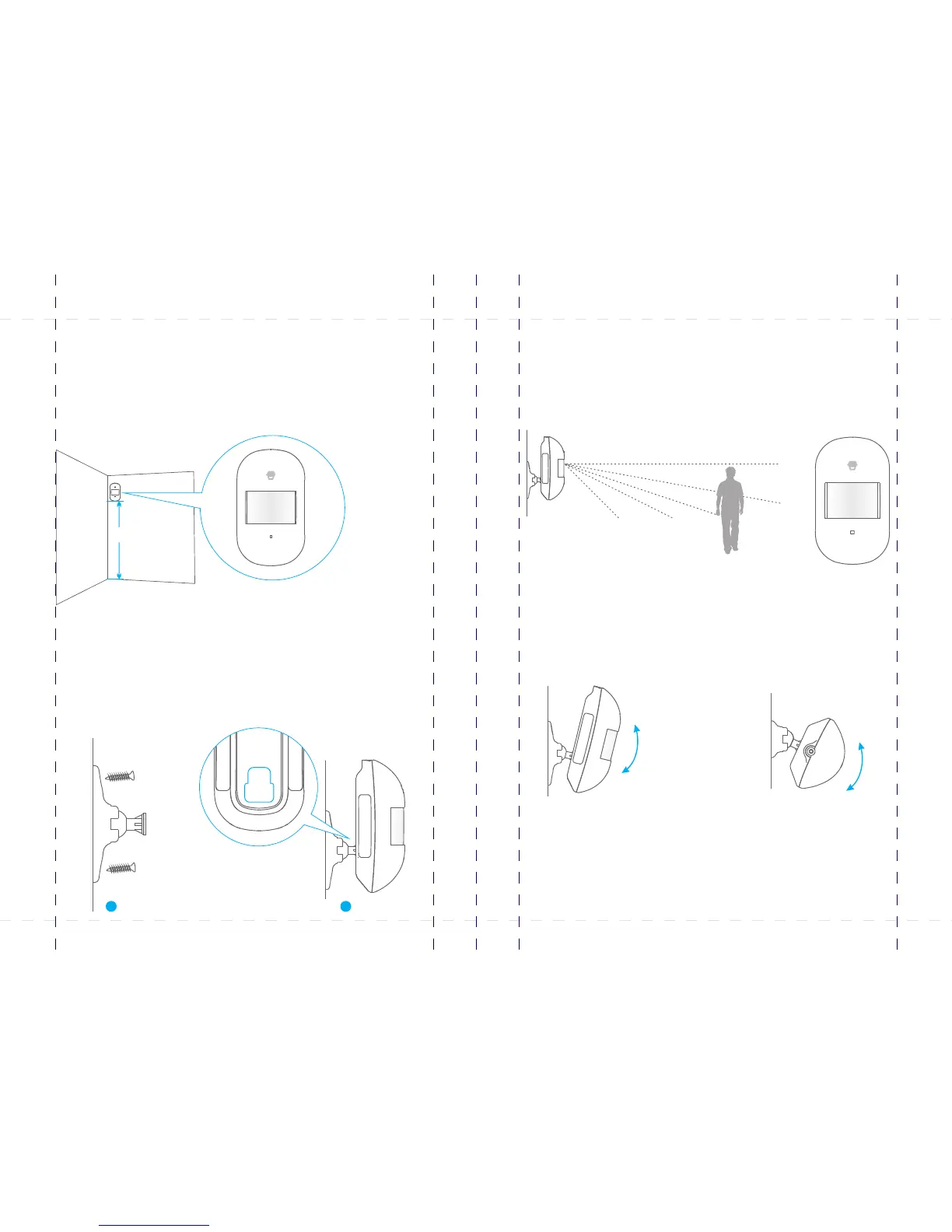
4. Adjust the angle
Adjust the bracket angle to achieve the best detection effect.
Side view Top view
3. Test the PIR motion detector
Press the test button at the back. It switches to the testing mode and sustains for 3
minutes. Walk in the detection scope and observe the LED. When human movement is
detected, the LED flashes once.
Install the PIR motion detector
For installation notices, please see page 49-50.
1. Choose a suitable installation location
After making sure the detector works normally, do as follows:
2. Fix the detector
Fix the installation bracket on the wall with screws, and then fit the groove at the back
of the detector on the bracket. For the detector of this model, you can stick it at the
corner with double-sided tapes.
1
2
2m
PIR-900 Wireless PIR Motion Detector
IMPORTANT: WHEN SINGLE DELAY ZONE IS SELECTED, THE SENSOR
WILL ALWAYS BE IN THE NORMAL ZONE. IT IS NOT POSSIBLE TO PLACE IT IN
THE HOME GROUP.
5
TIP: Always start the SIM card telephone number with the area code of your
country (eg. 0031 for the Netherlands). This will allow you to operate the alarm
system abroad.
8
17
18
19
20
24
X500 Alarm
X500 Alarm
smanos holding...



 To Next Page