Chapter 2
5 smarttech.com/kb/170910
Chapter 2: Installing the interactive whiteboard
system
Choosing a location 5
Choosing a height 6
Securing the projector to the boom 6
Routing the cables 7
Installing SMART software 7
Consult the SMARTBoard interactive whiteboard system installation document included with your
product for instructions on how to install and secure the system.
IMPORTANT
Use the
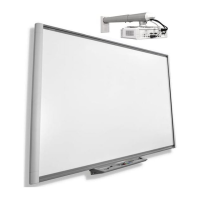
SMARTBoard M600ix3 interactive whiteboard system installation guide
(smarttech.com/kb/170886) to install the interactive whiteboard and projector.
This chapter provides additional considerations and details for installing the interactive whiteboard
system.
Choosing a location
Choose a location for the interactive whiteboard system that’s far from bright light sources, such as
windows and strong overhead lighting. IR lighting can cause issues with the performance of the
cameras and can lead to unintentional or missed touches.
Select a wall with a flat, regular surface and sufficient clearance to accommodate the interactive
whiteboard system. Install the projector and your interactive whiteboard on the same flat surface.
For best presentation alignment, mount the interactive whiteboard system in a location that’s
central to your audience’s viewing direction.
For mobile or adjustable installation options, contact your authorized SMART reseller.


 To Next Page