SDRe Programming Software
4.6.1.1. Adding a new Analog Profile
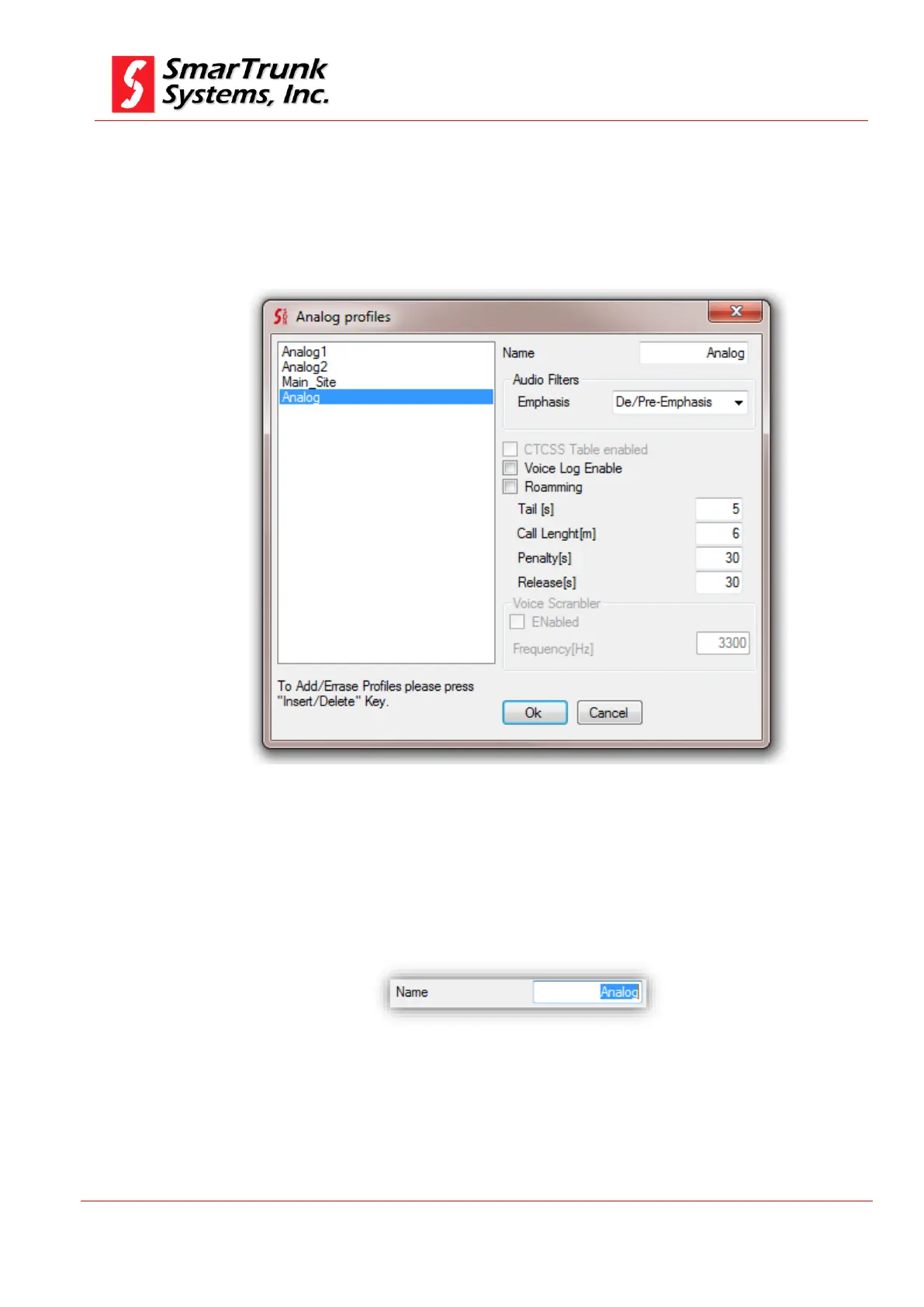
To add a new Analog Profile, get focus on Analog Profiles list then
press Insert Key on your keyboard.
A new profile with default parameters will be created.
Figure 54: Default Analog Profile
4.6.1.2. Edit Analog Profile Name:
To edit the analog Profile name, focus your mouse pointer over
the Name filed on the Analog Profile TAB, then edit current name
as per your desires. Space character is invalid.
Figure 55: Changing the Analog Profile Name
Once you click on any other screen area, the new Profile Name is
updated.


 To Next Page