SDRe Programming Software
5.4. Changing the TX sub audio signaling of a channel
Just proceed as in the previous item but in TX signaling column.
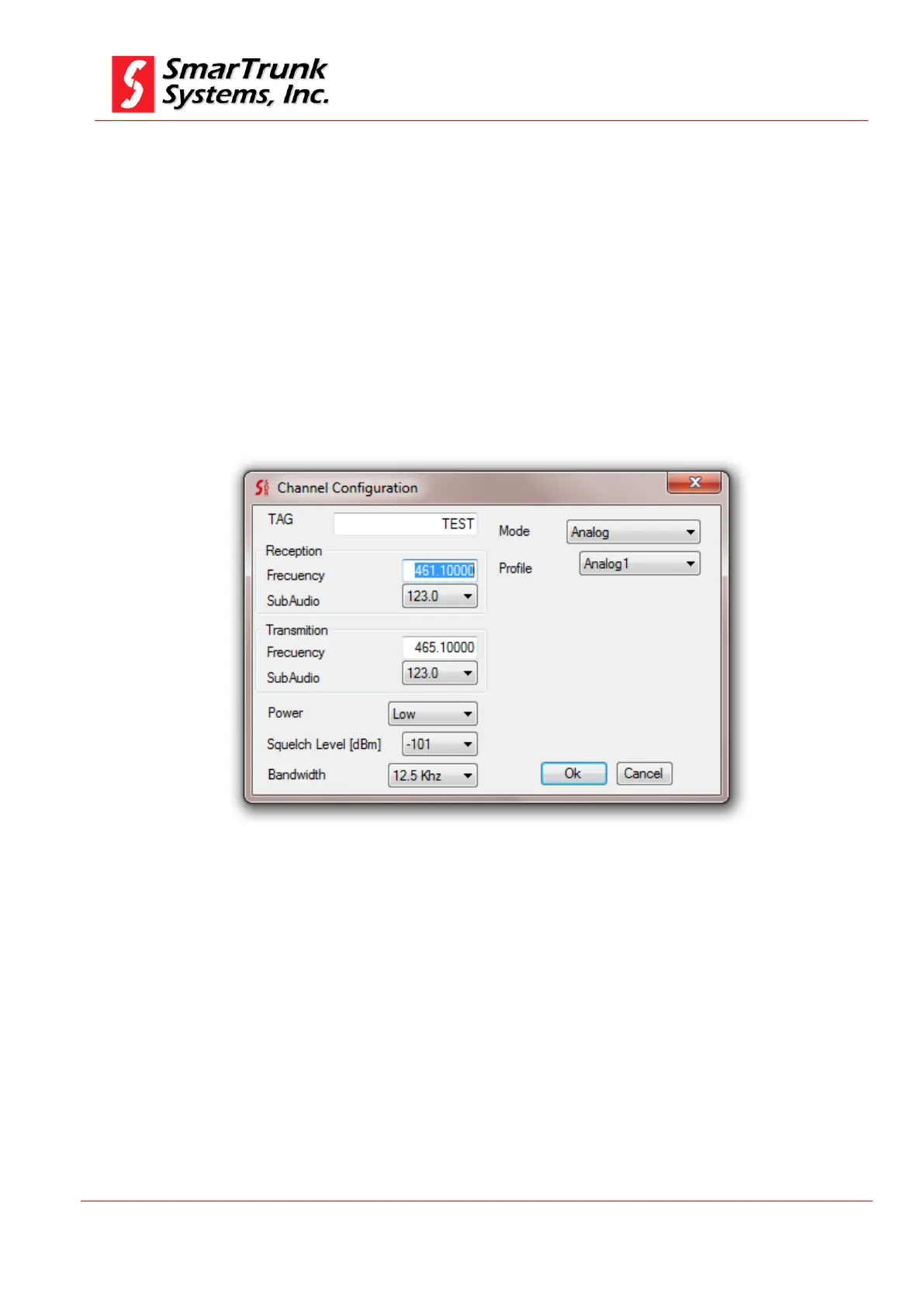
5.5. Advanced channel configuration
After the basic channel information has been loaded, you must double
click on the channel number to access to the advanced features
programming screen.
Figure 81: advanced channel configuration screen
5.5.1. Advanced configuration general tag
This tag shows mostly the same information than the main
dashboards.
5.5.1.1. Channel Tag
Shows the name of the channel. You can edit it just typing on the
field.


 To Next Page