SDRe Programming Software
As soon as this process ends, the radio will do a power cycle to load the
new parameters.
10. Repeater Firmware Update:
Smartrunk will continue working into the new features and services
development for our repeaters so frequently you will find firmware
updates into our web site.
To download a new firmware to you repeater, once you have downloaded
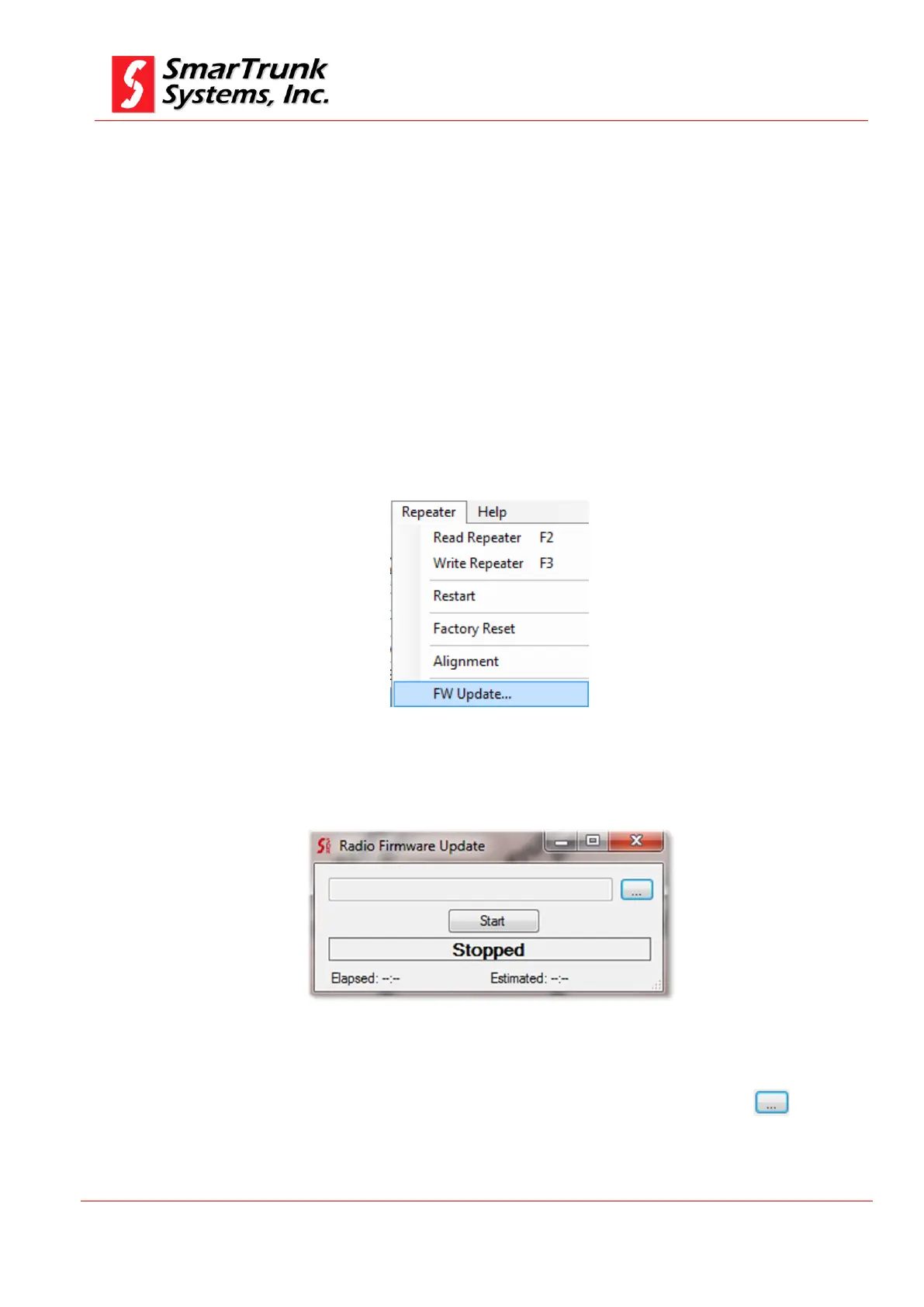
it into your computer, please clock on [Repeater] then [FW Update]
Figure 100: Accessing to Repeater firmware update screen
A soon as you click on [FW Update] a new screen will pop up.
Figure 101: Repeater FW Update application screen
To find the new firmware to be downloaded to the repeater press to
proceed to open the Windows Explorer to look for the new file previously
downloaded to your computer.


 To Next Page