-35-
No.PS※※-OMM0003-J
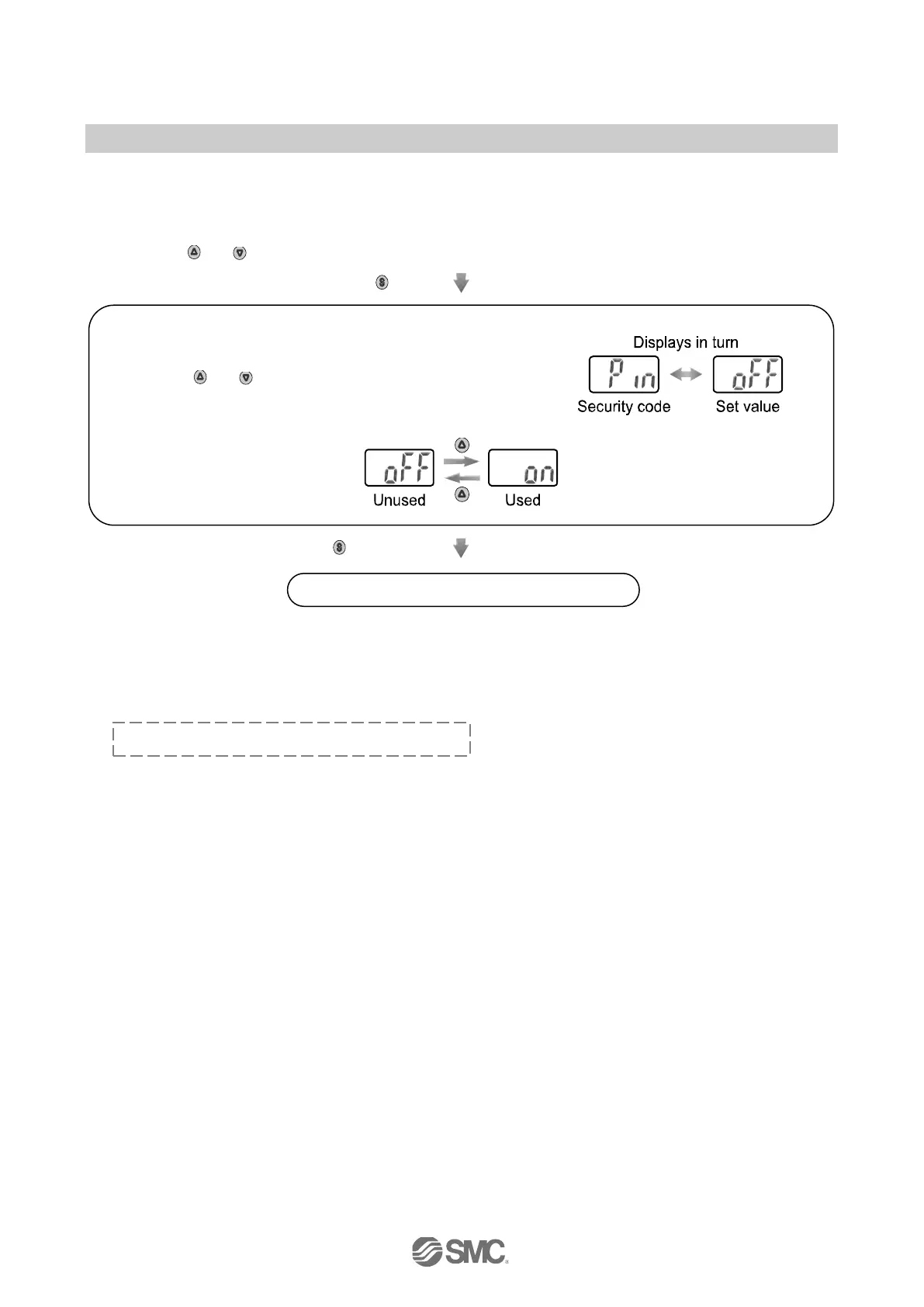
■[F10] Security code
A security code can be selected, which must be entered to unlock the keys when the keys are locked.
<Operation>
Press the
or button in function selection mode to display [F10].
Press the
button.
Move on to setting of security code.
Press the
button to set.
Return to function selection mode.
Setting of [F10] Security code completed
If the security code is used, it becomes necessary to enter the security code to release the key lock.
The security code can be decided optionally by the operator.
The default setting is "000".
Refer to page 40 for the security code input.
[Pin] and the set value are displayed in turn.
Press the
or button to select security code.



 To Next Page
 Loading...