-36-
No.PS※※-OMM0003-J
■Special function setting
■[F98] Setting of all functions
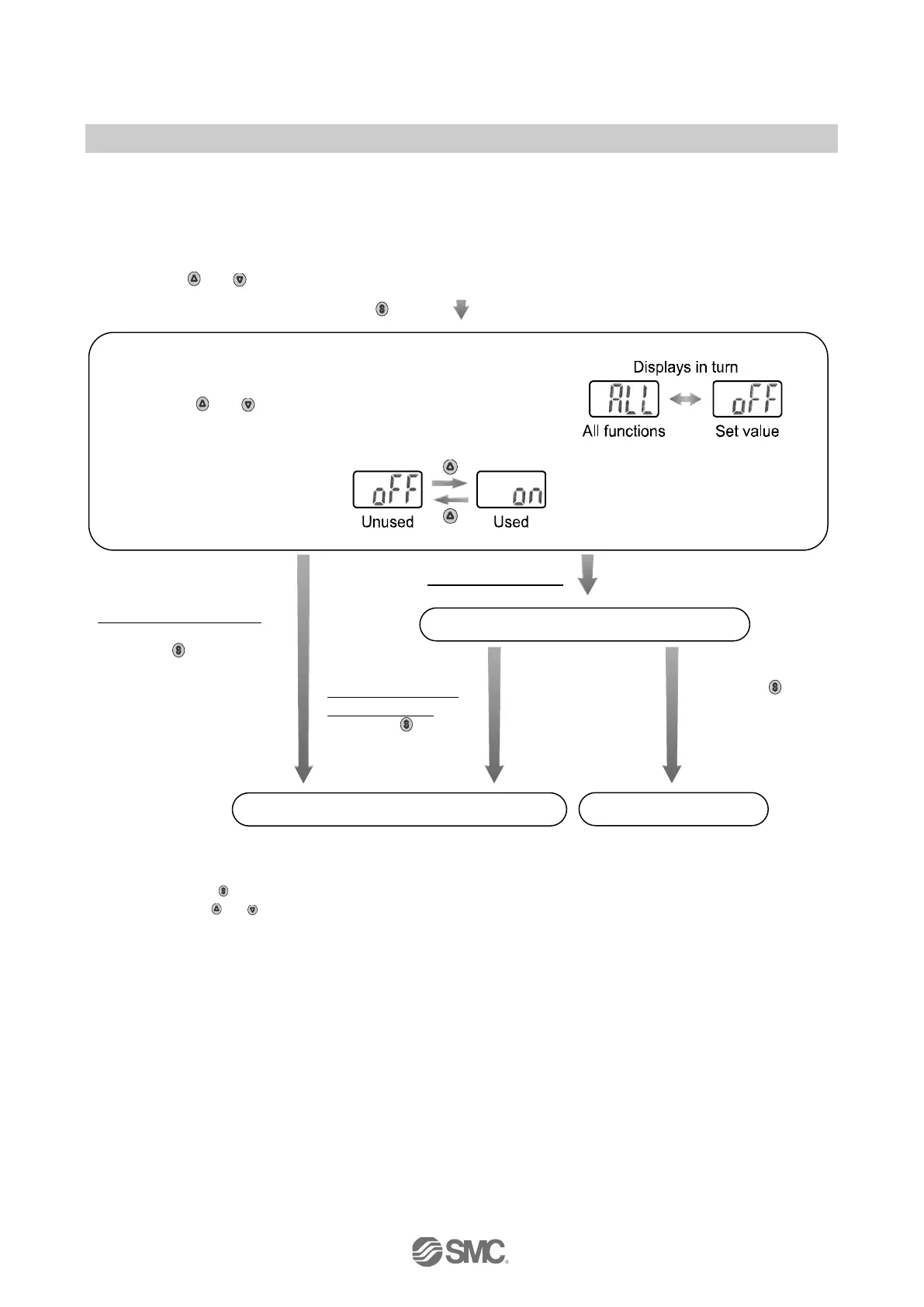
All functions can be set, one after the other.
<Operation>
Press the
or button in function selection mode to display [F98].
Press the
button.
Move on to setting of all functions.
[oFF] (unused) selected
Press the button to
set.
Return to function
selection mode.
[on] (used) selected
Setting of each function
∗1
After the change to
[oFF] (unused),
press the button
to set.
Return to function
selection mode.
Press the
button for
2 seconds or
longer.
∗1: Setting of functions
Every time the
button is pressed, the function steps in the “Order of Function setting" on page 37.
Set using the
or buttons.
Refer to each section for further details of the setting.
[ALL] and the set value are displayed in turn.
Press the
or button to select all functions.
[F98] Setting of all functions completed


 To Next Page
 Loading...