33 / 58
Use and maintenance manual BP700AR/310
ENGLISH
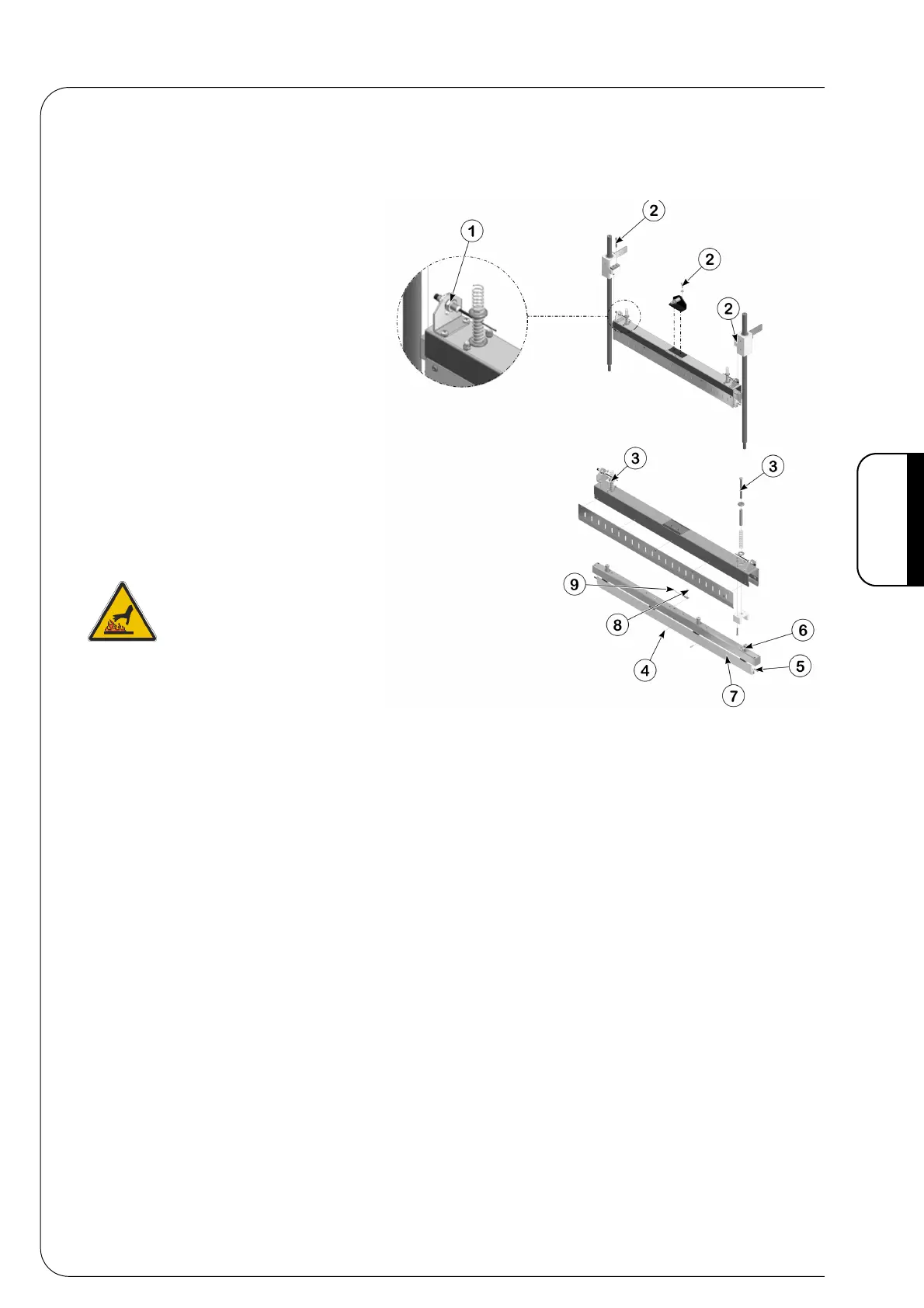
6.5 REPLACING THE COMPONENTS OF THE SEALING BAR
• To replace the pieces of the sealing bar operate as follows:
• Disconnect all the wires
of the resistor and
unscrew the nuts 1 of the
photoelectric cells.
• Unscrew the 2 screws to
separate the sealing bar
from the rest of the
machine.
• Loosen the dowels 4 if
you have to replace the
resistor 5.
• Unscrew the 6 screw if you have to replace the
profile 7.
• Unscrew the 8 screw to replace the
thermosensor 9.
If you have to change the sealing bar you
can order the complete MH250002 unit
from SMIPACK.
NB. For an ideal assembly of this group you
must bring the sealing bar's temperature to
about 130°C before screwing up the 2
screws.



 To Next Page