142
https://snapmaker.com/
6.2.2 Fasten the Material
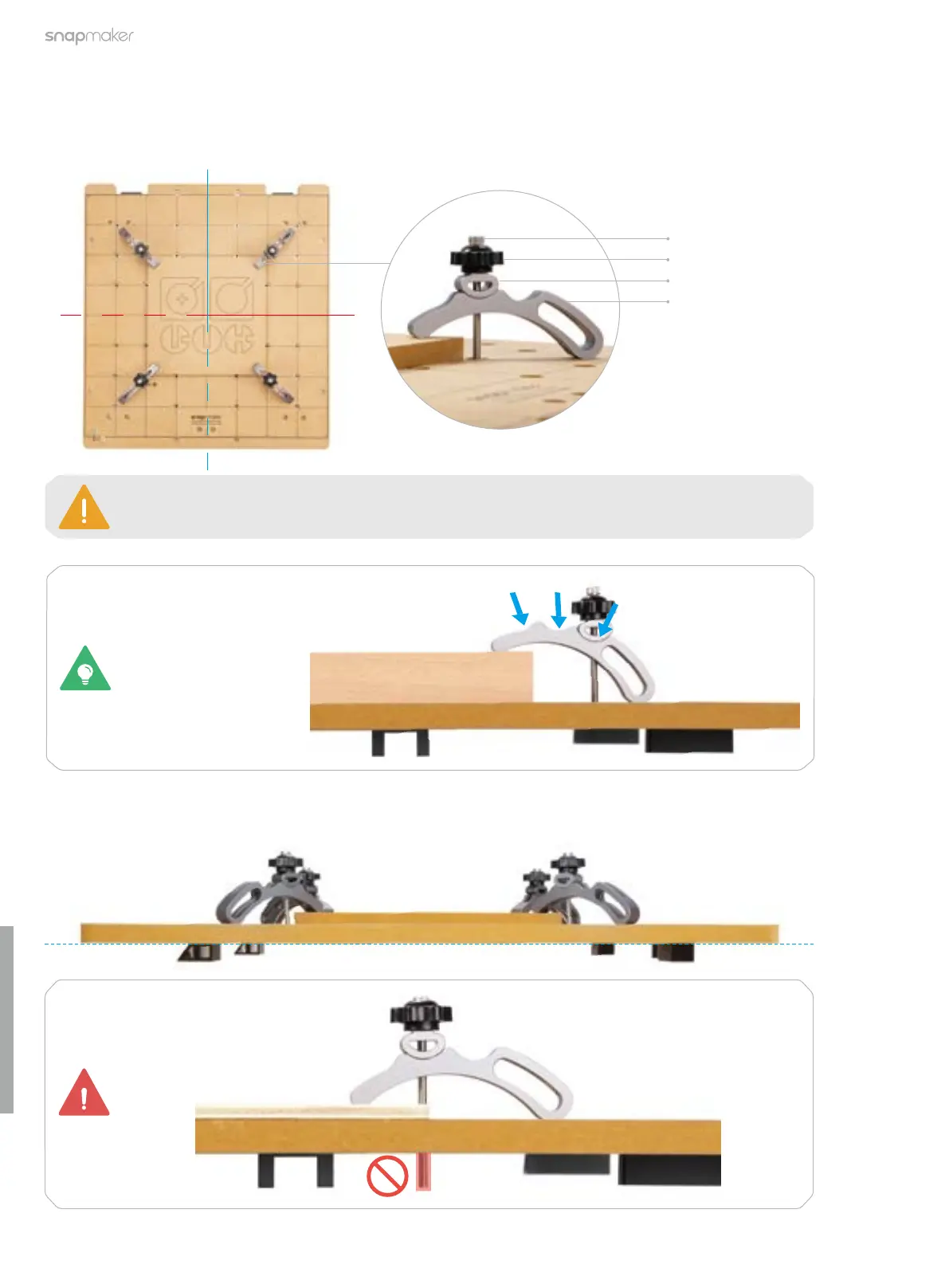
1. Detach the CNC carving and cutting platform and place the provided HDF sheet on the platform center. Then,
assemble the clamp set as illustrated and fasten the material by tightening the star knobs.
The size of our test model is 152.2 mm × 123.9 mm. Ensure that the clamp set will not impede
the movement of the CNC bit.
M4 × 60 Screw
Star Knob
Fixture Accessory
Arched Fixture
2. Check the positions of the screws to ensure that they are not over-screwed and penetrating the CNC carving
and cutting platform.
All the three slots as
illustrated can be used
to fasten the material.



 To Next Page