144
https://snapmaker.com/
How to Attach the CNC Bit
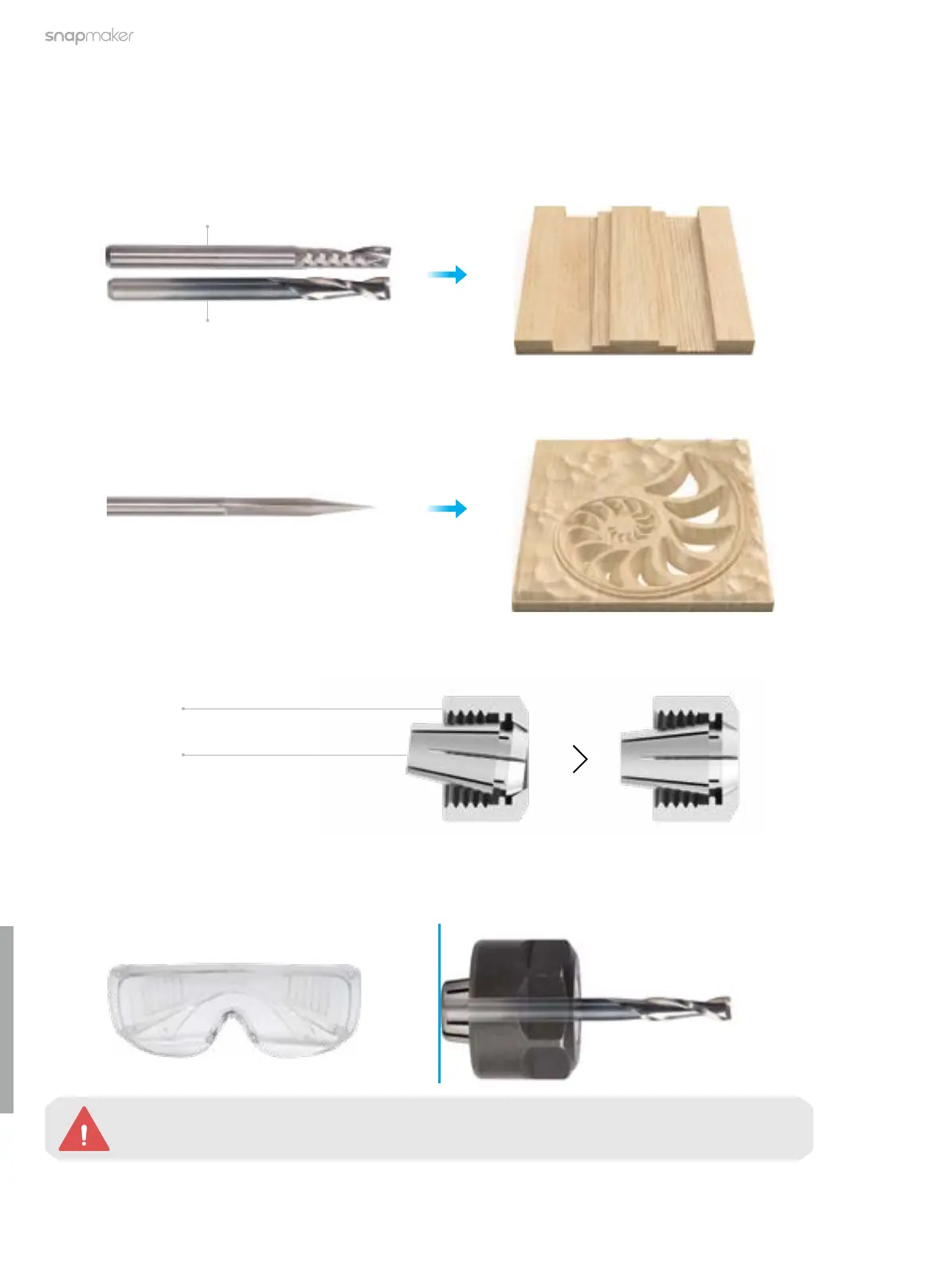
1. Obliquely insert the ER11 collet into the ER11 nut until it snaps into place.
ER11 Nut
ER11 Collet
(The provided collet is for 3.175 mm CNC bits only)
Straight Groove V-bit (Double-ute)
The straight groove V-bit (double-flute) is typically used for precision machining, such as relief carving and
curved surface milling.
6.2.3 Attach the CNC Bit
CNC Bit Introduction
Flat End Mill (Single-ute) and Flat End Mill (Double-ute)
The flat end mill is typically used for drilling, slotting, or cutting materials into flat surfaces. With a larger flute
valley for better chip evacuation, the flat end mill (single-flute) is ideal for machining plastic materials.
2. First, put on the CNC Safety Goggles. Then, insert the CNC bit into the ER11 collet (the double-flute flat end
mill is required for our test model) and keep pushing the bit until its end bottoms against the shell of the ER11
collet.
Handle the CNC bits with caution and keep them away from children.
Double-flute
Single-flute



 To Next Page