Maintenance
162-163
7.1.4 Clean the Extruder Gears
Why
Strong friction will be generated between the extruder gears and the filament during printing, due to which
lots of small shavings will be ground away from the filament. If not cleaned regularly, the teeth of the extruder
gears may be flattened by the accumulated shards and particles, which will inhibit the gears from gripping and
pushing the filament through the hot end and finally affect the printing results.
When
At least once every two weeks.
How
1. Prepare the cleaning tool: a banister brush (not provided);
2. Unload the filament from the module;
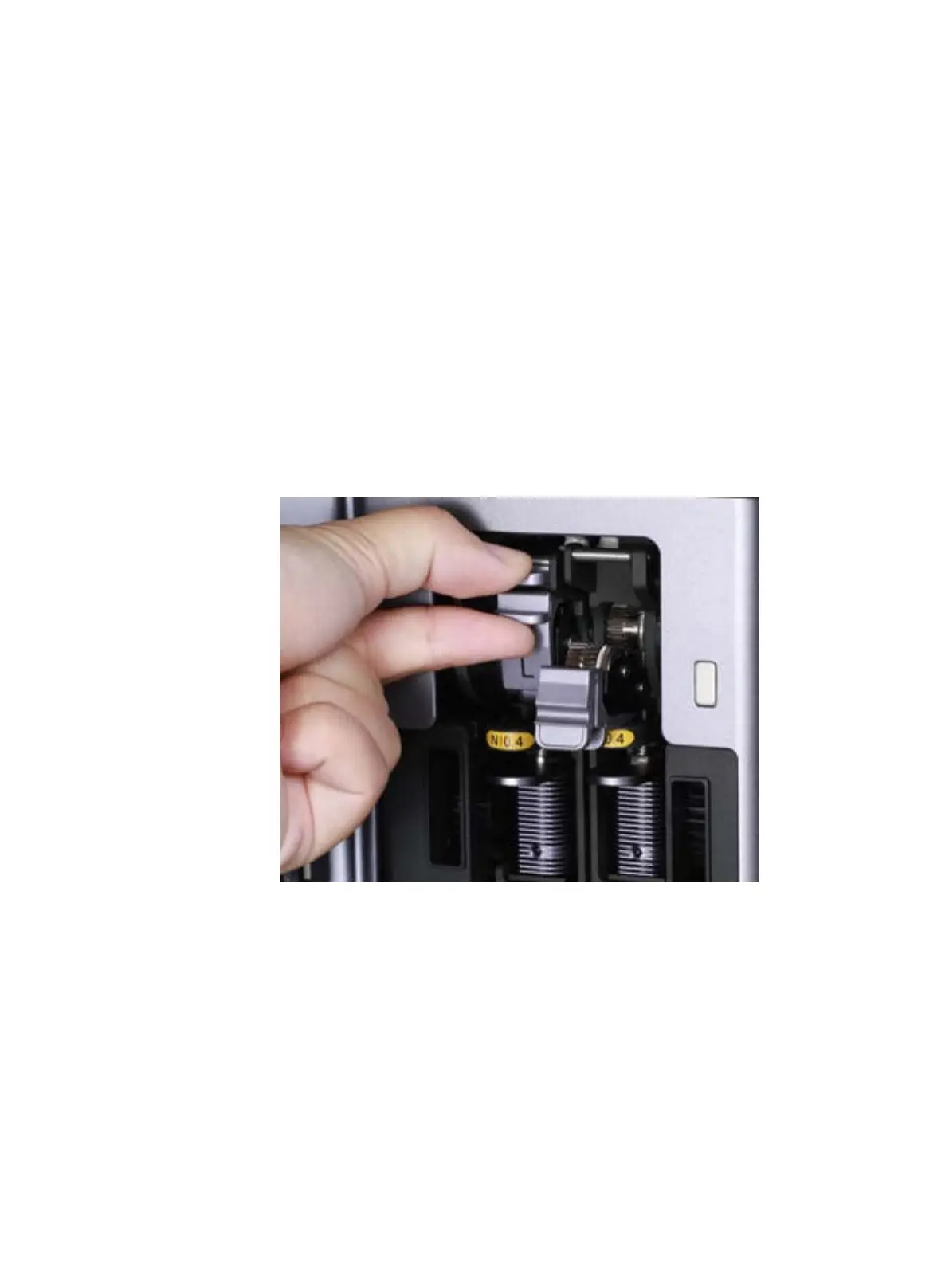
3. Power off the machine, open the front cover of the module, and press the extruder buckle downwards to
expand the dual-gear extruder;
4. Clean the filament shavings from the extruder gears with the banister brush.
7.1.5 Store the Filament
Most 3D printing filaments (especially PA, PVA, and PETG) absorb moisture from the air, while printing with
wetted filament is likely to clog the nozzles or affect the printing quality. Therefore, the filament should be used
up within one month once unpacked.
If a spool of filament will be left unused for a long time, take the following steps to store it properly:
1. Unload the filament from the module;
2. Store the filament in a vacuum-sealed bag filled with desiccant;
3. Mark the unpacking date on the bag.



 To Next Page