42
https://snapmaker.com/
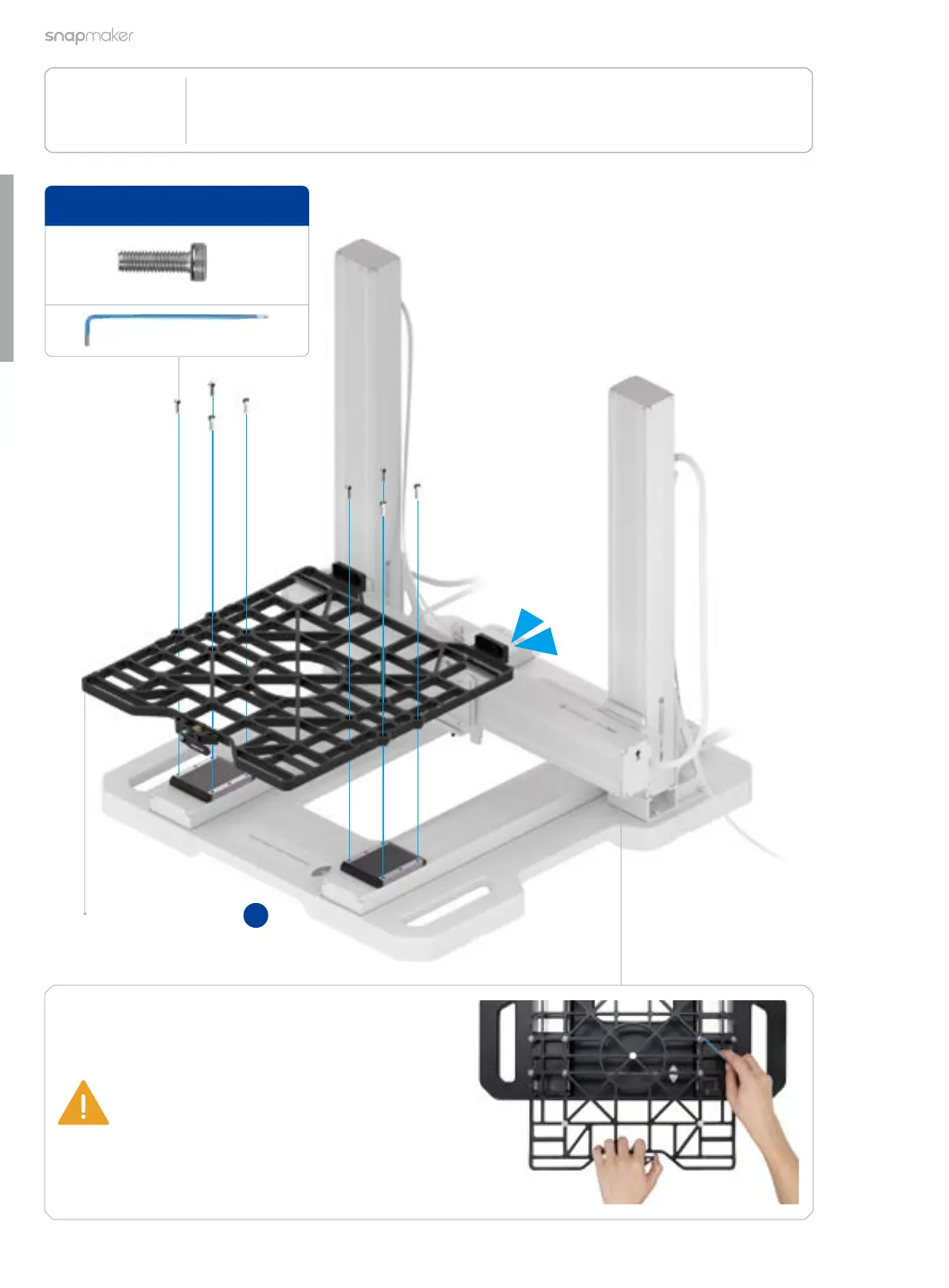
Attach the support platform to the Y-axis sliders.
Support Platform × 1
21
/22
The support platform is pre-installed
underneath the laser platform. Please separate
them first.
To install the screws:
1. Pre-tighten the four outermost screws;
2. Pre-tighten the remaining screws;
3. Pull the support platform forward and
meanwhile tighten all the screws.
M5 × 16 Low Head Cap Screw × 8
1:1
B4



 To Next Page