BTP-M280 User’s Manual
- 10 -
4 Installing
4.1 Unpacking
When unpacking, you should check whether all parts are present and undamaged in accordance with the
packing list. If any part is missing or damaged, please contact SNBC or your local agent.
4.2 Mounting the Printer
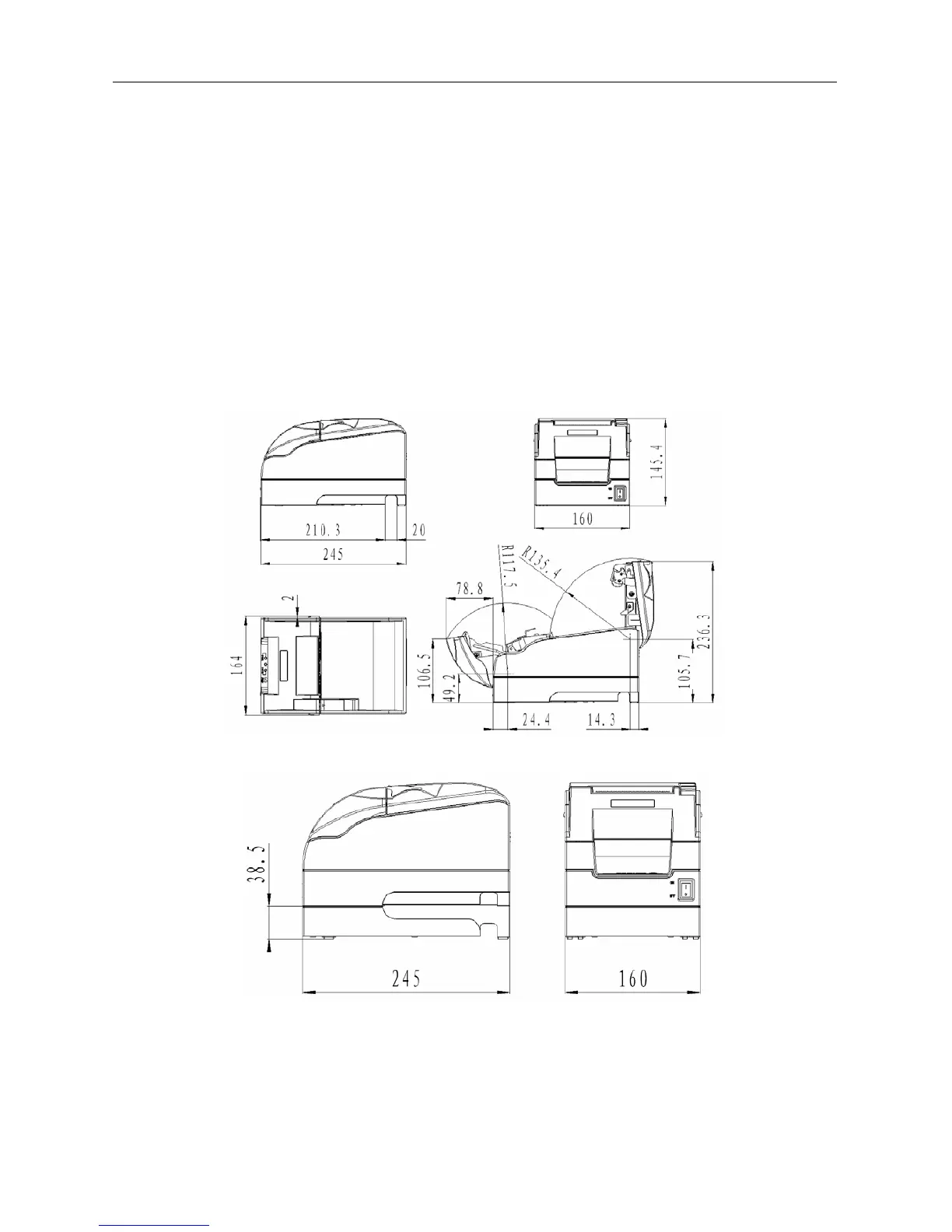
BTP-M280 has two mounting modes: horizontal mounting and wall-mount.
4.2.1 Horizontal mounting
The printer should be mounted on a flat and stable surface. For operation and maintenance, we suggest
you reserve space below the printer to ensure its reliability and easy operation.
¾ BTP-M280 power supply external:
¾ The height of printer will increase 38.5mm while using power pack:



 To Next Page