BTP-M280 User’s Manual
- 19 -
4.11.3 Installing the USB device driver
If printer is using a USB interface to communicate, before installing the printer driver, the user needs to
install the USB device driver first. The steps for installing the USB device driver are as follows: (Take XP
system as example for detailed introduction)
¾ Windows XP system
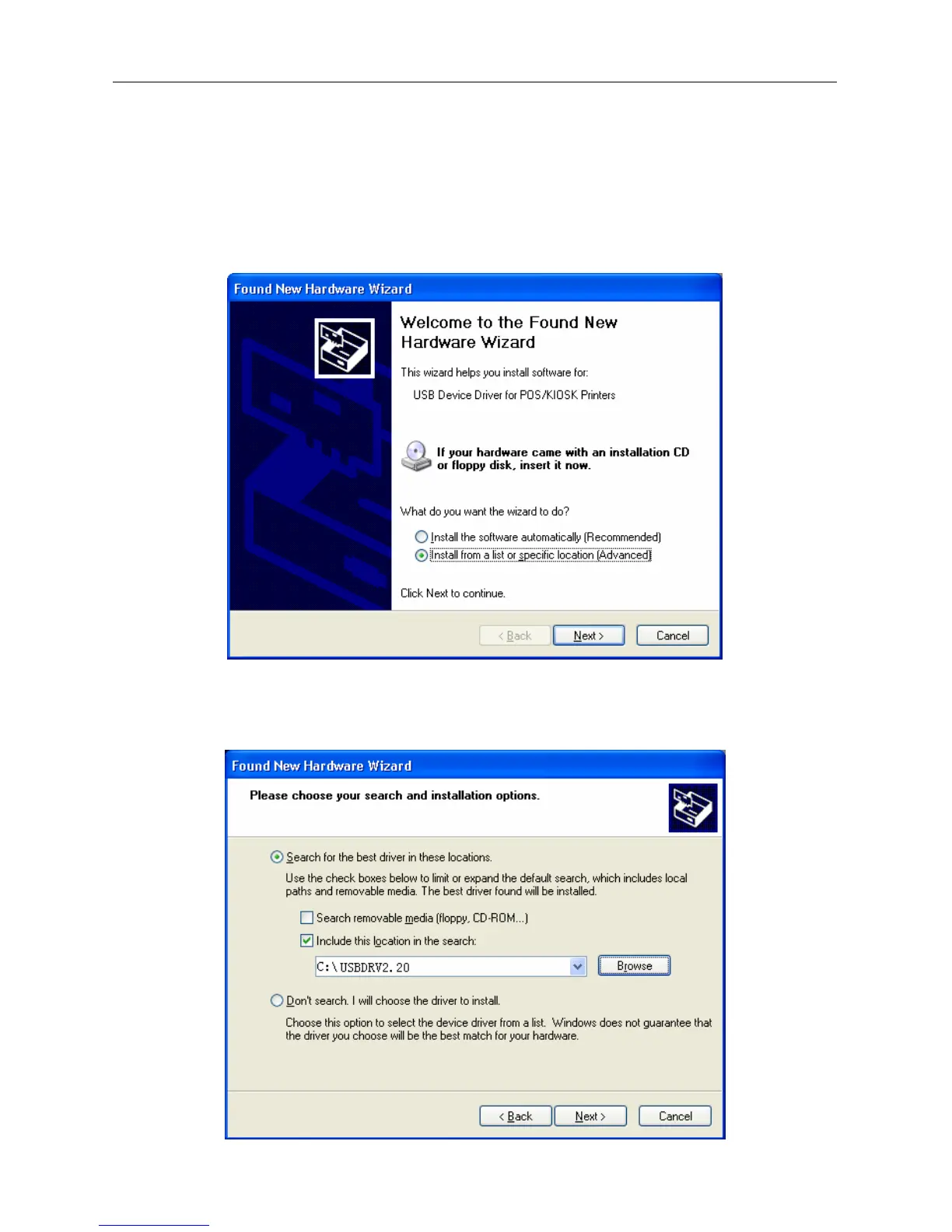
1) Connect the printer USB interface with idle USB PC interface using USB cable. System will recognize
USB device automatically and popup "Add New Hardware Wizard". Select "Install from a list or
specific location", then click "Next".
2) Select "Search for the best driver in these locations" and "Include this location in the search", then
Click "Browse..." to browse the driver document. Default directory is “Driver installing
package\USBDRV2.20. Then click "Next".



 To Next Page