BTP-M280 User’s Manual
- 18 -
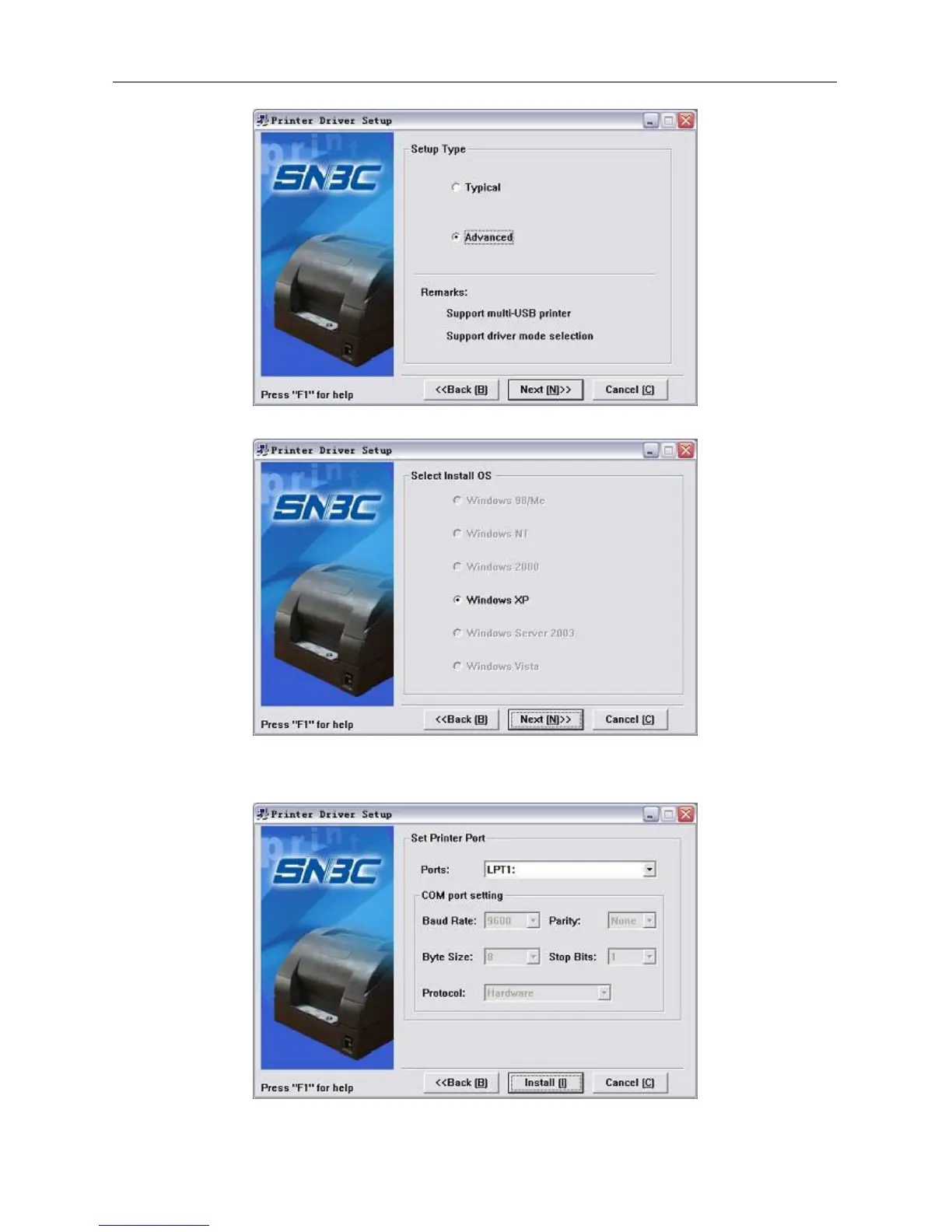
3) Select the setup type “Advanced”, then click “Next” button.
4) Select the current system type and click “Next” button.
5) Set driver mode and printer port of the printer. Default settings are: port is "LPT1" as default port and
supporting Multi USB printers. Click "Finish" to end the installation.
6) If the current system is Windows 98/Me, click “Yes” in the pop-up window to restart the computer



 To Next Page