BTP-M280 User’s Manual
- 16 -
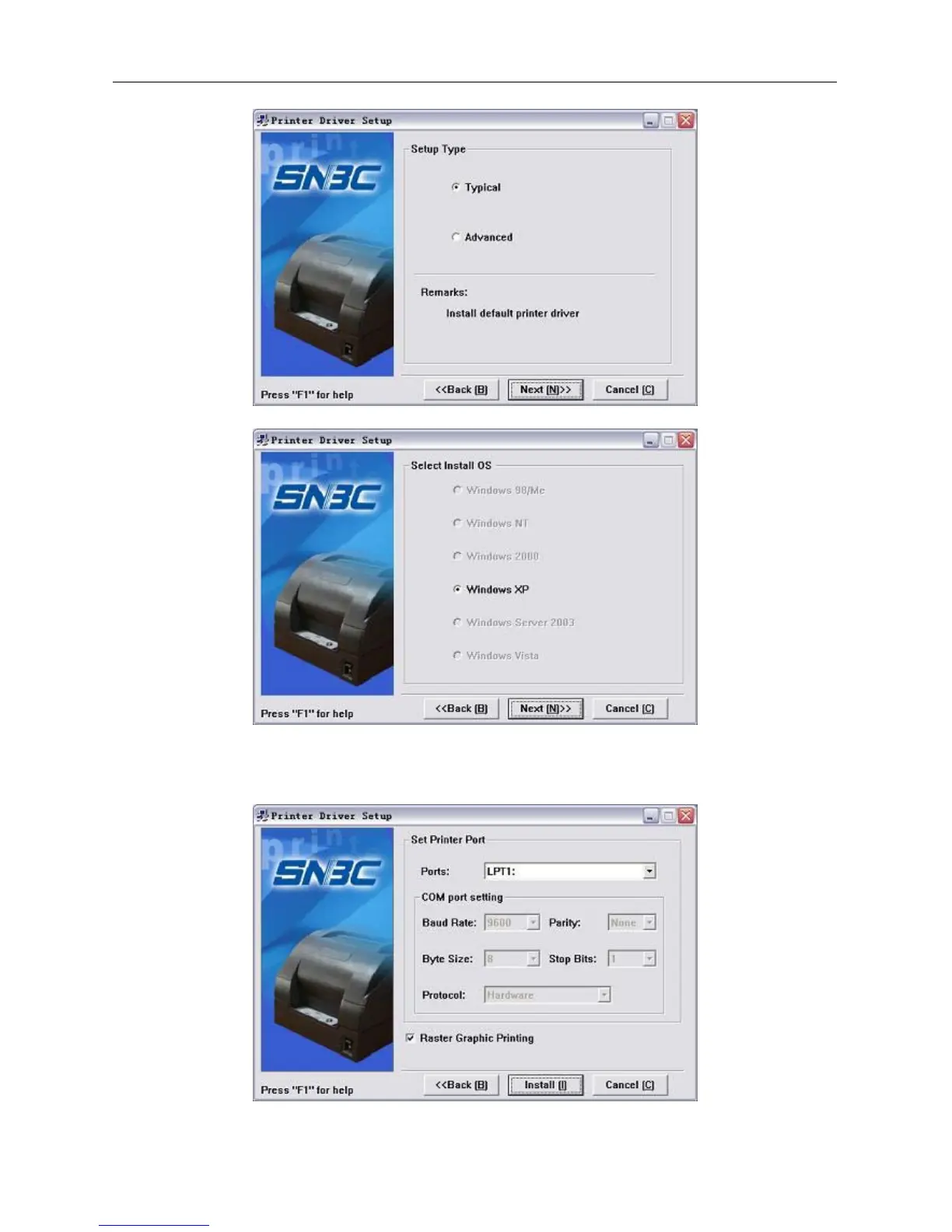
3) Select the setup type “Typical”, then click “Next” button.
Select the current system type and click “Next” button.
4) Set printer port. The default port is “LPT1”. User can install it based on actual port. Under Windows
NT4.0 or above, please select “BYCOMx” for serial driver (x equals to 1,2,3,4,5,6,7 or 8). Click
“Finish” button to end the installation.
5) If the current system is Windows 98/Me, click “Yes” in the pop-up window to restart the computer.



 To Next Page