22
User Manual M70 / M80 / M90 Setting up the Phone
Registering the handset at the base station
To be able to register the handset at a base station, an extension must have been set up for it on that
base station. Please refer to the manual of the base station on how to set up extensions.
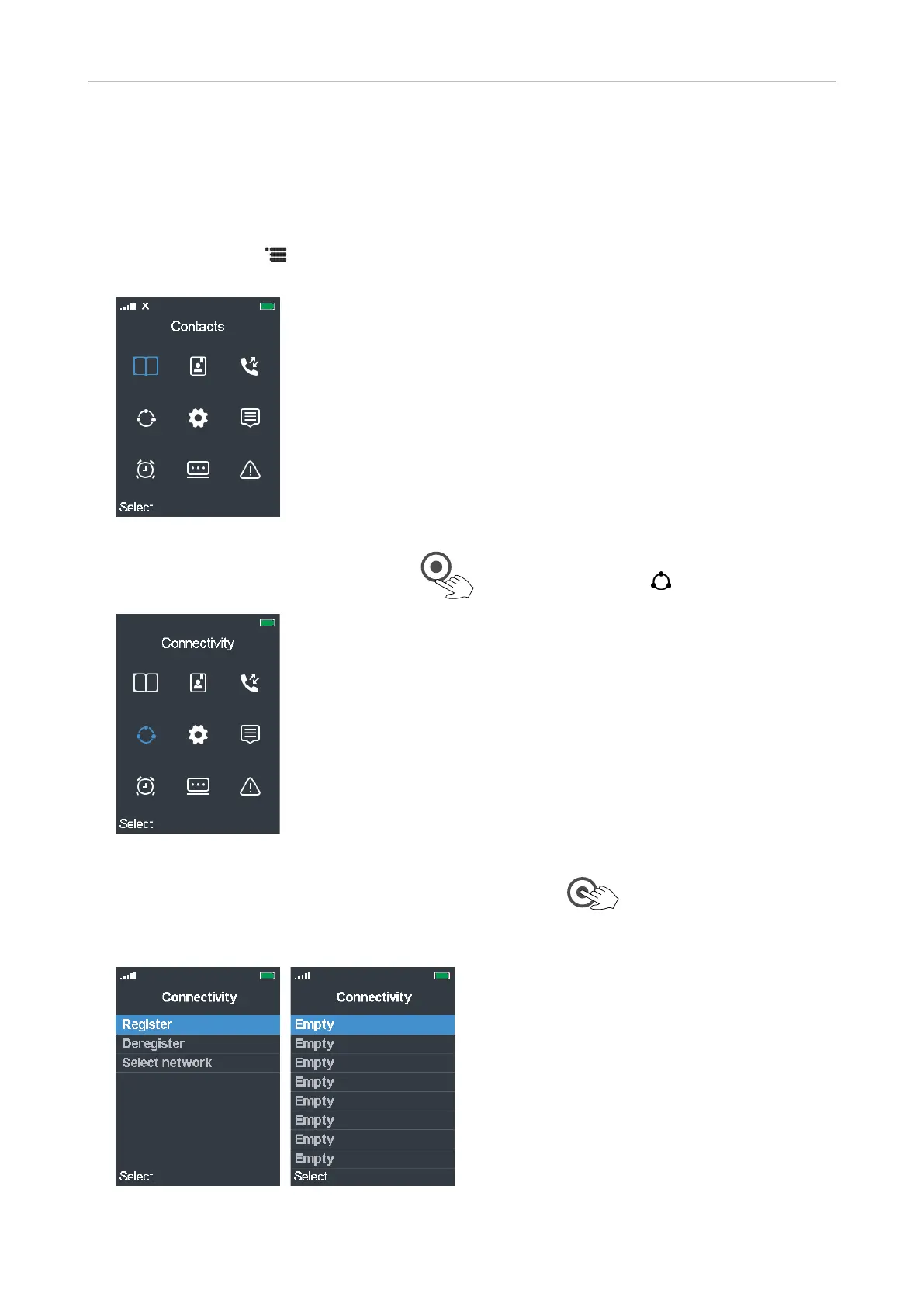
1. Press the menu key . The top menu opens; the symbol highlighted in blue is the one currently
selected (Fig. 1).
Fig. 1
2. Press the lower rim of the navigation key once to scroll down to Connectivity (Fig. 2).
Fig. 2
3. Press Select or the OK key in the center of the navigation key . The Connectivity menu
opens (Fig. 3). The blue bar highlighting one of the list items indicates that this is the currently
selected one. To register the handset at the base station, Register must be selected.
Fig. 3 Fig. 4



 To Next Page