50
User Manual M70 / M80 / M90 Getting to know
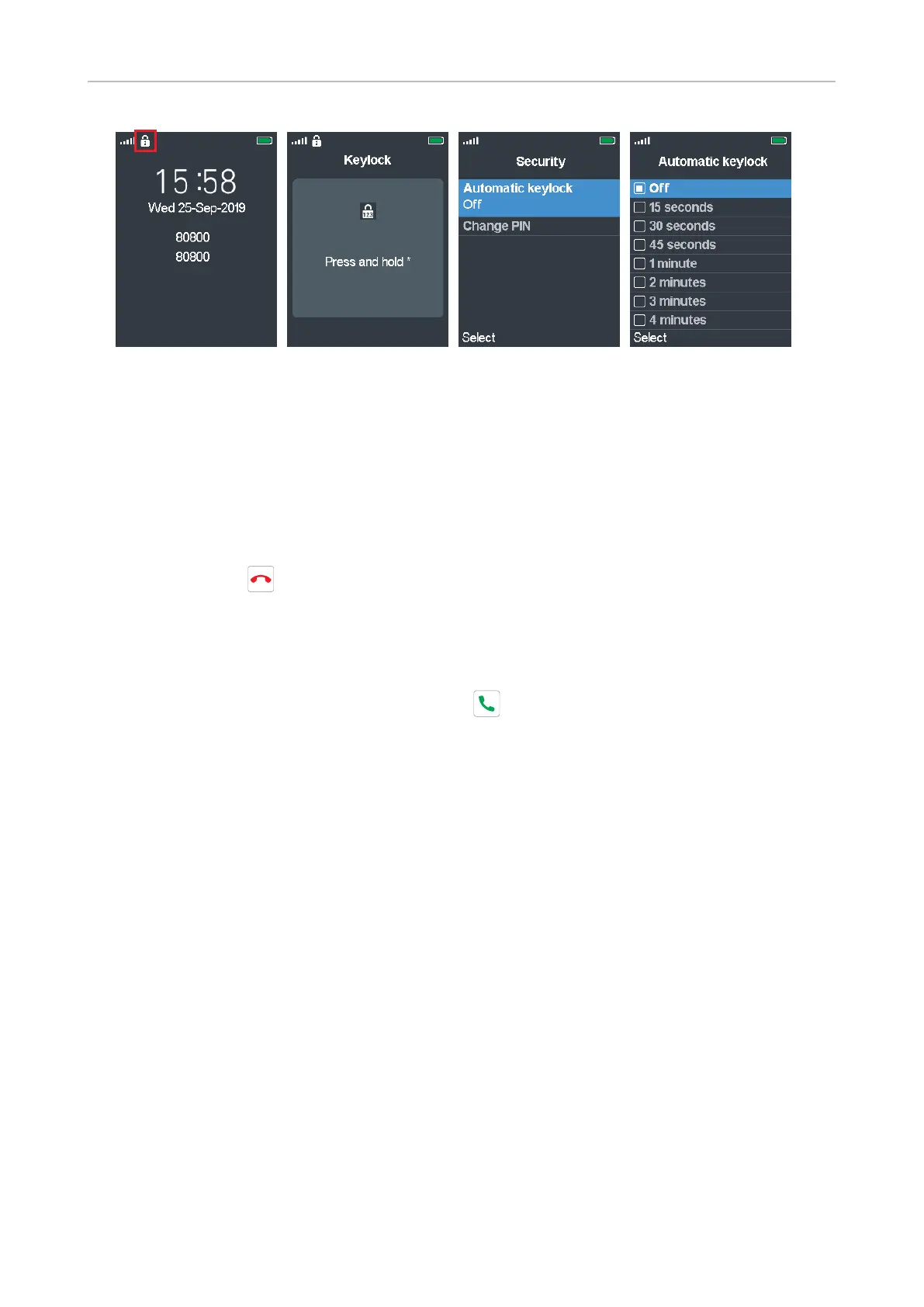
Fig. 1 Fig. 2 Fig. 3 Fig. 4
Setting:
1. In the Settings menu, select Security.
2. Select Automatic keylock (Fig. 3). The default is O.
3. If you select a period of inactivity, the keyboard will be locked automatically when the period has
elapsed (Fig. 4).
4. Press Select to save and return to the Security menu.
5. Press the red key to return to the Settings menu.
Unlocking the keypad
To unlock the keypad after it has been locked manually or automatically, press the star key until
the lock symbol disappears. Pressing the green key to accept a ringing call will also unlock the
keypad.
Change PIN
This is the PIN that is required for deregistering the handset from the base and to reset it to factory
values. The default is 0000.



 To Next Page