46
User Manual M70 / M80 / M90 Getting to know
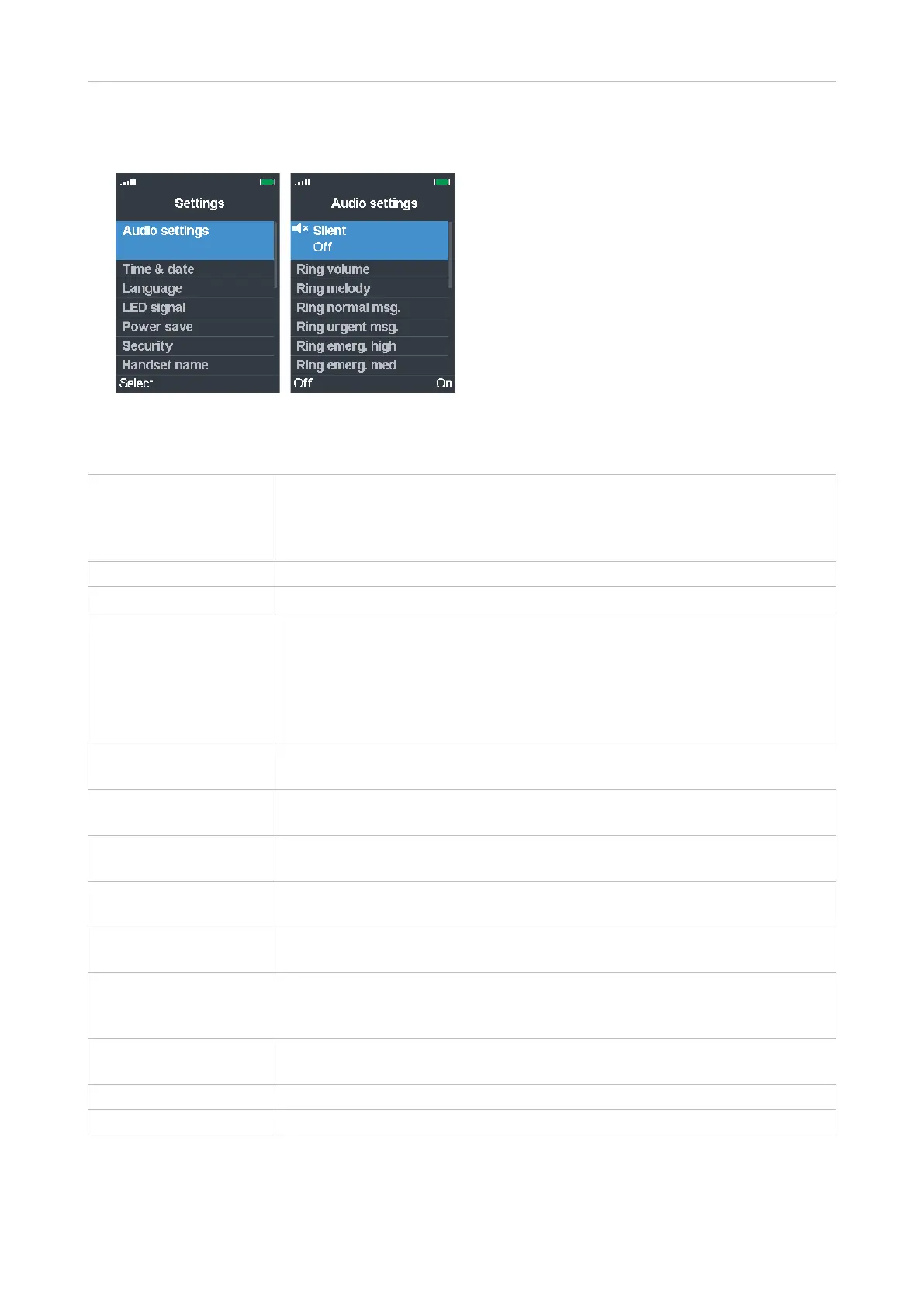
Audio settings
The audio settings contain the available ringer and alert tones and their volume settings, various
other sounds like key and confirmation sounds, etc., and the vibrator settings.
Silent This setting determines whether incoming calls will be announced visually
only or visually and acoustically. The options are on and o. When set to
"on", incoming calls will be announced visually only. The default is o. It is
possible to add the vibrator to the visual announcement.
Ring volume Setting the ringer volume. See "Ring volume" on page 47
Ring melody Selecting a ringer. See "Ring melody" on page 47
Ring settings (normal,
urgent, emergency)
Selecting a ringer for normal and urgent calls and for emergency calls
with high, medium, and low priority. The settings are done the same way
as Ring melody.
Ring emergency: This is the ringer played during the pre-alarm delay, if
available and configured (see chapter "Emergency alarm" in the "M900
Admin and Installation Guide" or ask your administrator).
Alert volume Setting the volume for the alarm clock tones (single alarm and recurrent
alarm). See Ring volume on how to increase and lower the volume.
Alert tone Selecting the ringtone for the alarm clock (one-time-only alarm and
recurrent alarm). See Ring melody on how to do the selection.
Vibrator Having the phone indicate incoming calls by vibration with or without
ringer. See "Vibrator" on page 47.
Key sound Determines whether pressing a key will result in a Click or beeping Tone
or no sound. The default is Silent.
Confirmation sound Determines whether the handset will emit a beep when a setting is
changed. Select On or O. The default is On.
Coverage warning Determines whether the handset will emit a warning tone when it
is getting close to the coverage limit of the base station or multicell
installation. The default setting is O.
Charger warning Determines whether the handset will emit a beep when it is placed in the
charger. Select On or O. The default is On.
Speakerphone profiles Options: Balanced (default) and Loud
Noise cancel mode Options: O (default), Low, High



 To Next Page