53
User Manual M70 / M80 / M90 Getting to know
• Normal: Calls are accepted by pressing the green key or the speakerphone key .
• Any key: Calls are accepted by pressing any key - with the exception of the red cancel key -
on the keypad.
Exception: Pressing the red cancel key will reject the ringing call; the caller hears the
busy signal.
• Automatic: Calls are accepted automatically, as indicated by the line Auto answer on the idle
screen (Fig. 3). The handset will announce the incoming call once in accordance with its audio
settings (see "Audio settings" on page 46) and then accept the call.
Exception: Calls waiting when you are in a call will not be accepted automatically but continue
to be announced visually and/or acoustically.
1. In the Settings menu, select Auto answer.
2. Scroll up or down to the setting you want to select.
3. Press Select or the center of the navigation key to save and return to the Settings menu.
Do not disturb (DND)
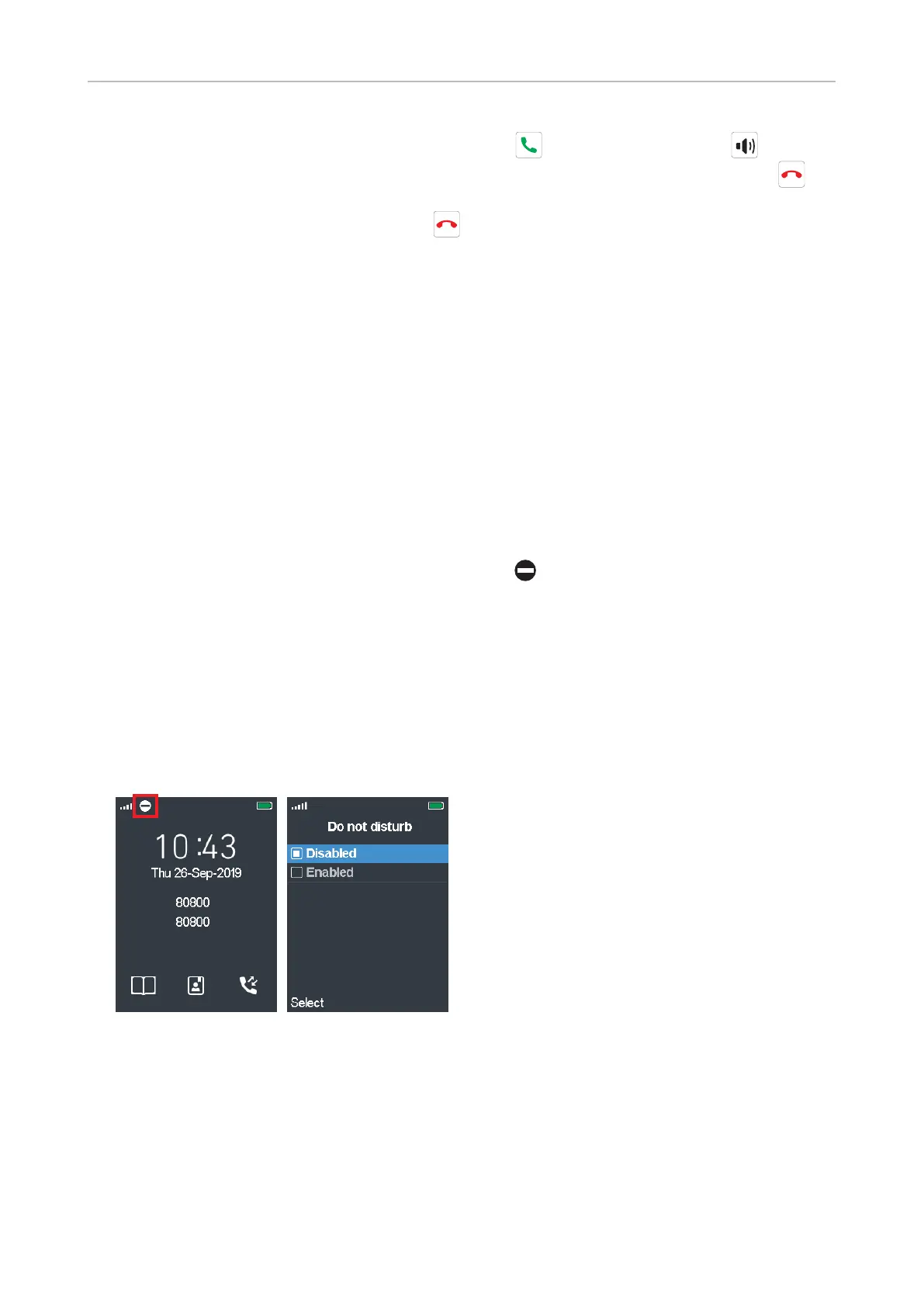
When this setting is activated. as indicated by the symbol to the right of the signal strength
indication in the upper left corner of the display (Fig. 1), incoming calls will be rejected and callers
hear the "busy" signal.
Turning DND on:
1. In the Settings menu, select Do not disturb.
2. Scroll down to Enabled (Fig. 2).
3. Press Select or the center of the navigation key to save and return to the Settings menu.
Fig. 1 Fig. 2
Turning DND o:
1. In the Settings menu, select Do not disturb.
2. Scroll up to Disabled.
3. Press Select or the center of the navigation key to save and return to the Settings menu.



 To Next Page