47
User Manual M70 / M80 / M90 Getting to know
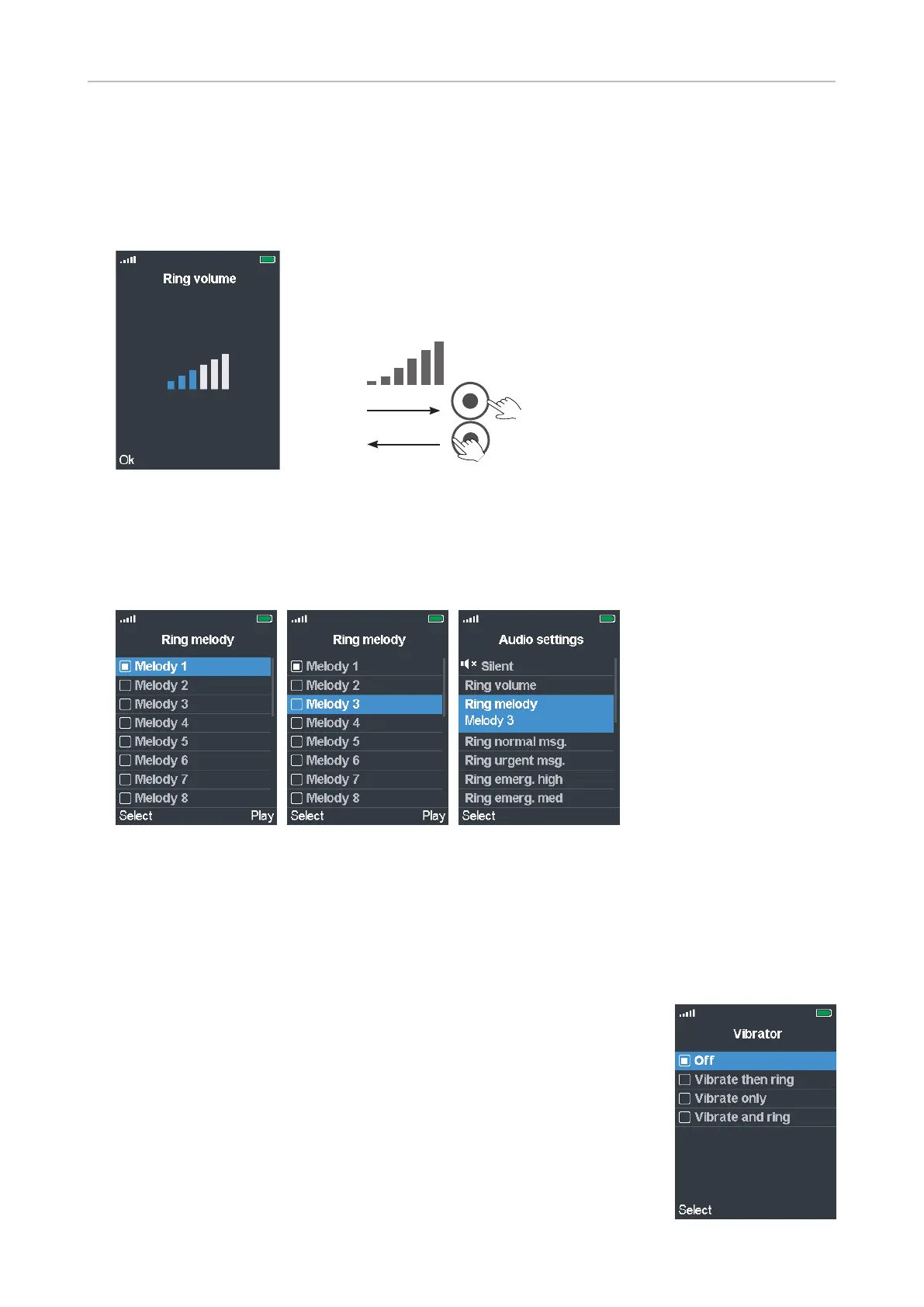
Ring volume
Increase/lower the volume of the ringer by pressing the right or left rim of the navigation key. When
you navigate to a dierent volume bar, the ringtone is played at the new volume. Press the function
key underneath OK to set and save the current volume and return to the previous screen.
Ring melody
Twenty (20) ringtones are available. Please note that these ringtones can be set for calls in general
and for individual contacts to announce ringing calls from selected phonebook entries.
Fig. 1 Fig. 2 Fig. 3
• Scroll to a ringtone and press the function key underneath Play to listen to the ringtone. The text
above the key changes to Stop. Press the key again to stop the playing of the ringtone.
• Press the function key underneath Select to set the highlighted ringtone.
Vibrator
Three vibration settings and the O setting are available.
• Vibrate then ring: The handset will vibrate four times, then start ringing.
• Vibrate only
• Vibrate and ring: The handset will simultaneously ring and vibrate.
The default setting is O . To change the setting, scroll to a dierent one,
and press the function key underneath Select.



 To Next Page