30
User Manual M70 / M80 / M90 Getting to know
Red key
Depending on the context, the red key serves to:
• end calls;
• cancel actions & input;
• return the display to the previous screen.
• The key is also used to turn the handset on and o.
◦ Press the key for at least 3 seconds to turn the handset o.
◦ Press the key briefly to turn the handset on.
Star key
The star key serves three dierent purposes:
• When entering numerals, pressing the key briefly will enter the asterisk *.
• When editing in letter mode, the key is used to manually switch the input mode between upper
and lower-case letters.
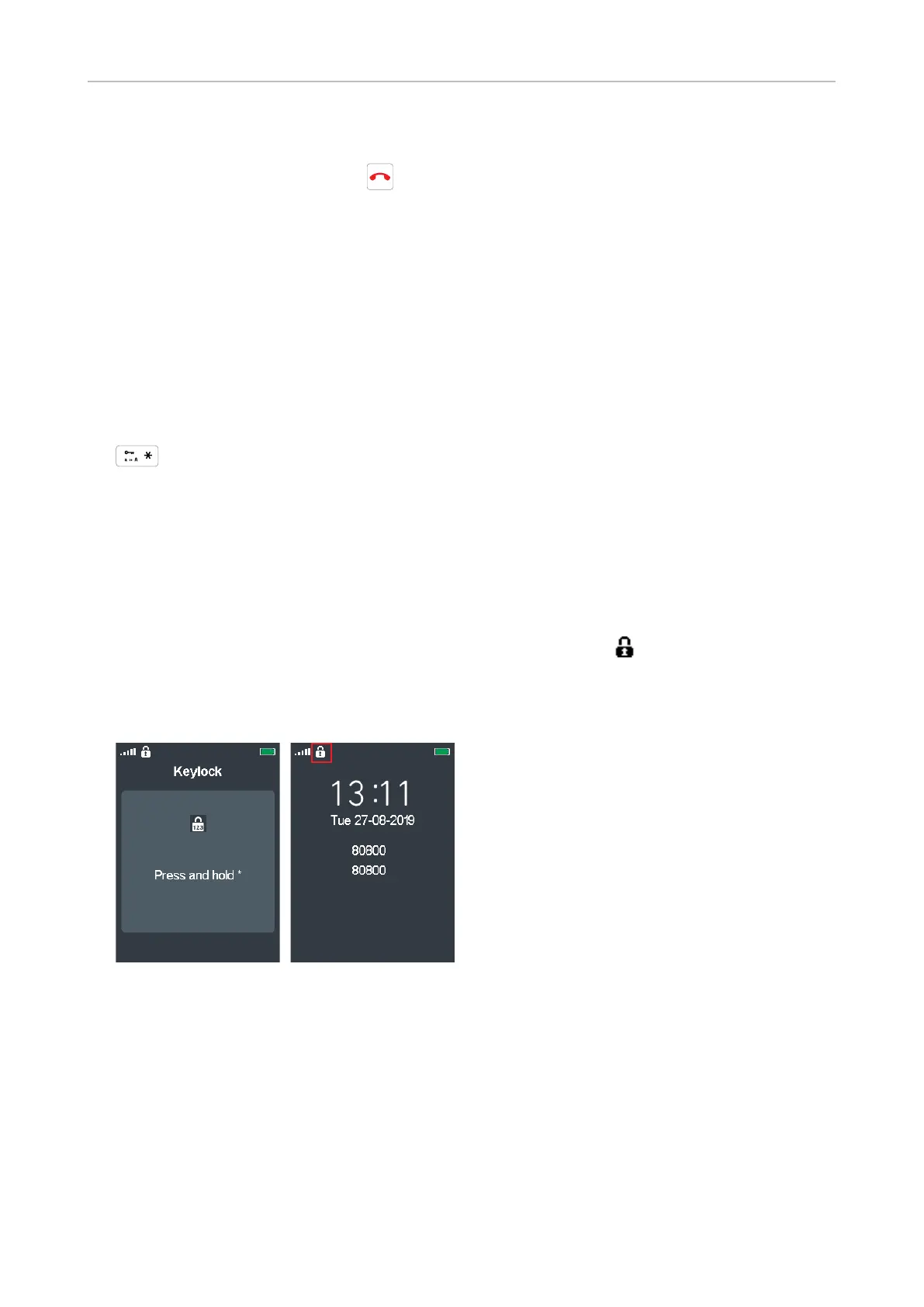
• On idle screen: Locking and unlocking the keypad. To prevent accidental dialing, press the
key for 3 seconds to lock the keypad. You will briefly see the Keylock screen (Fig. 1) before the
display returns to the idle screen with the keyboard locked symbol next to the signal strength
indicator in the upper left corner (Fig. 2).
On a locked keyboard, press the key briefly to display the Keylock screen (Fig. 1); press it for 3
seconds to unlock the keypad.
Fig. 1 Fig. 2



 To Next Page