57
User Manual M70 / M80 / M90 Getting to know
Alarm clock settings
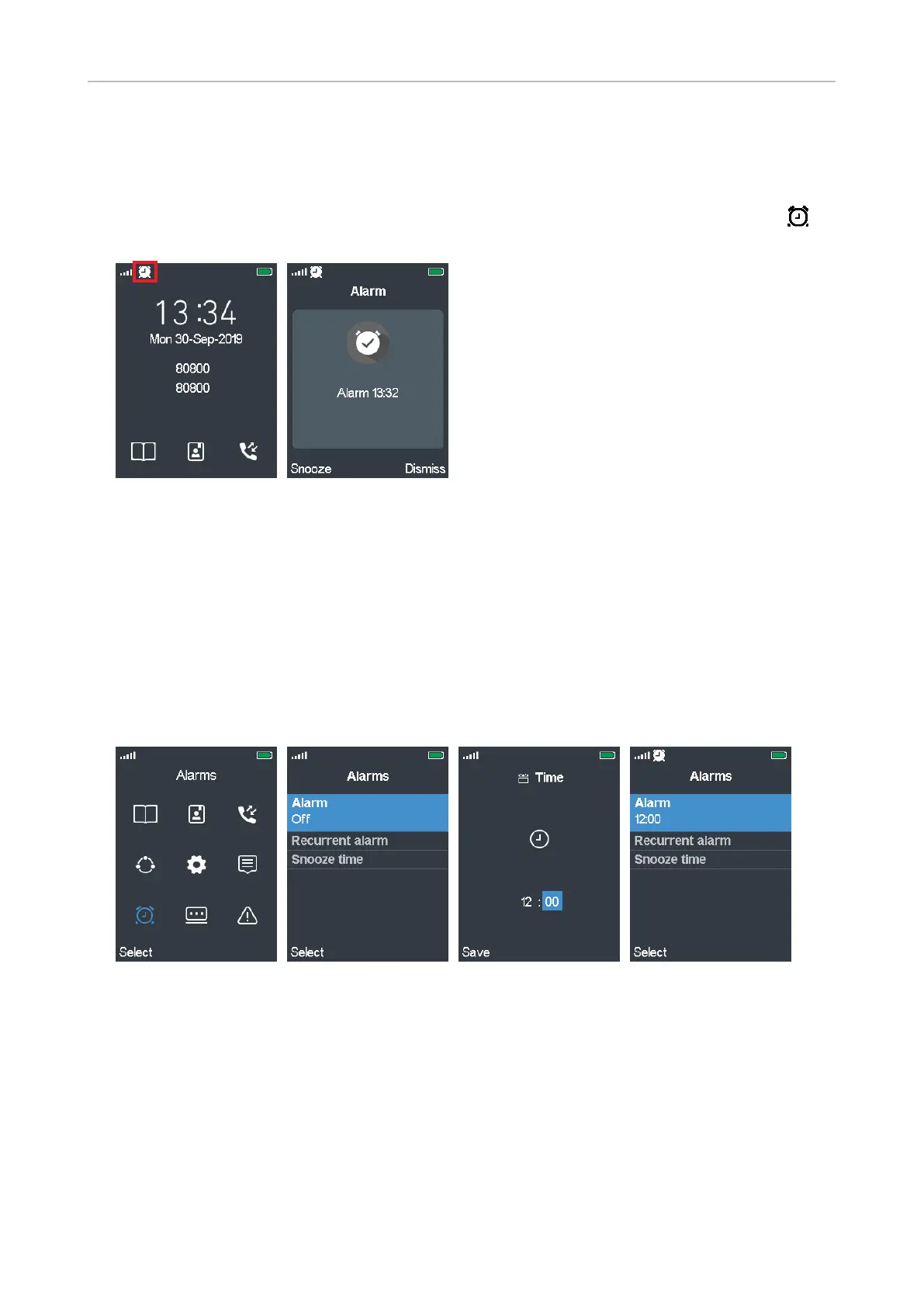
The phone has two alarm clock settings, for a one-time alarm and for a recurring alarm at the same
time on specified days of the week, and a snooze setting that applies to both. The clock symbol in
the top line to the right of the signal strength symbol indicates that an alarm setting is active (Fig. 1).
Fig. 1 Fig. 2
• When the alarm goes o, the display indicates the time the alarm is set for (Fig. 2).
• You can turn the alarm o by pressing the function key underneath Dismiss.
• Press the function key underneath Snooze to turn on the snooze function so that the alarm will go
o again after the specified snooze time period in minutes has elapsed.
Alarm
The one-time alarm is set to go o at the specified time every day unless it is turned o in the menu
or dismissed when it is ringing.
Fig. 3 Fig. 4 Fig. 5 Fig. 6
Setting the alarm
1. In the main menu, scroll to the Alarms symbol (Fig. 3) and press the function key underneath
Select.
2. In the Alarms menu, select Alarm and press the function key underneath Select (Fig. 4).
3. To set the time, use the navigation key to select hour and minute, respectively; use the keypad
keys to enter the digits (Fig. 5).
4. Press the function key underneath Save to save the setting and return to the Alarms menu
(Fig. 6).



 To Next Page