28
User Manual M70 / M80 / M90 Getting to know
Context-sensitive function keys
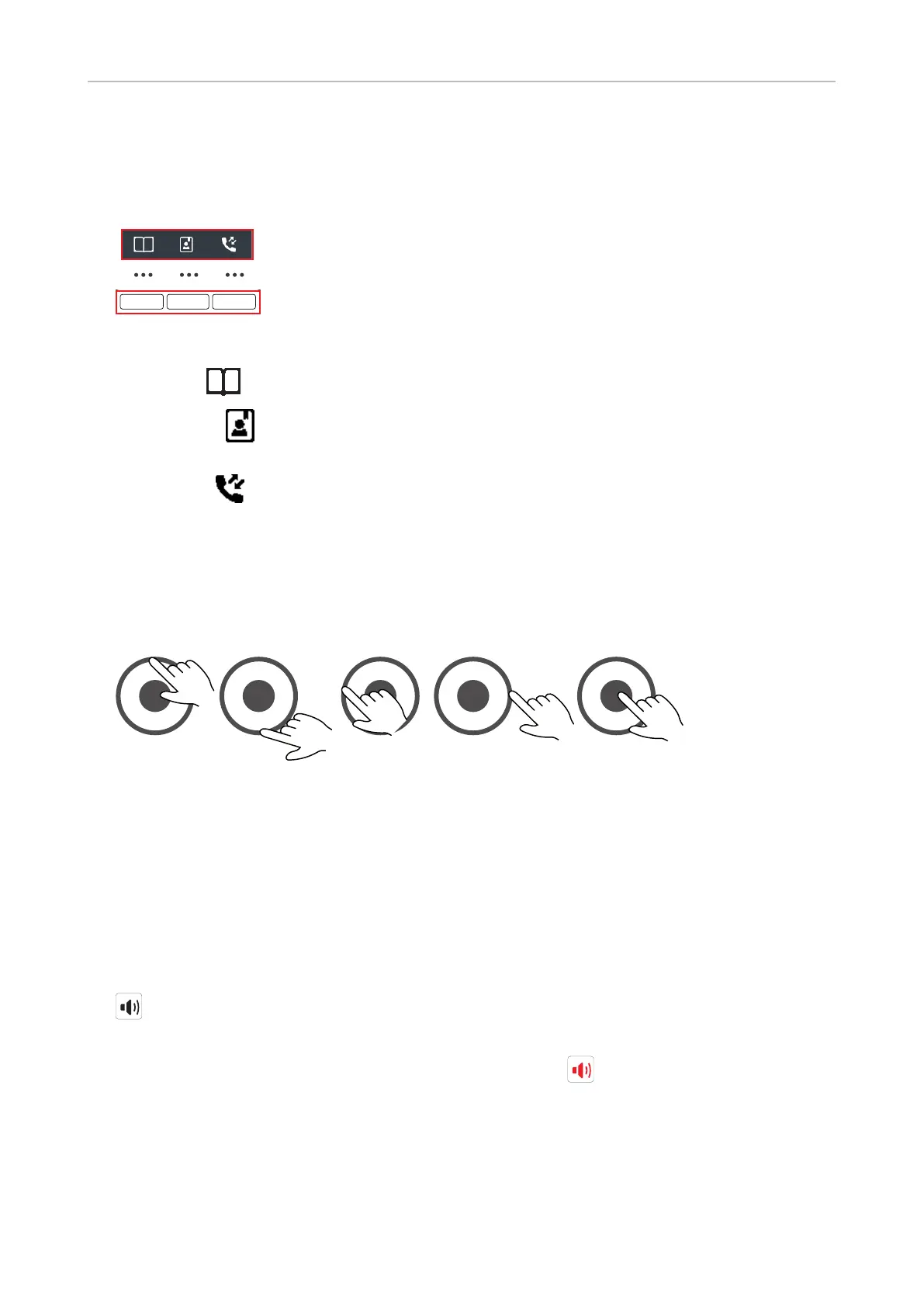
The three keys above the navigation key are context-sensitive function keys.
• When the phone is idle, they are shortcuts to directories and call lists.
◦ Left key . Personal contacts stored on the handset only.
◦ Center key . The central directory on the base station or a server directory, depending on
the setting on the base station. If neither is available, the symbol is not displayed.
◦ Right key . The four call lists (all, received, dialed, and missed calls) .
• During calls or when you are editing settings, contacts etc., the function key line on the display
directly above the context-sensitive function keys shows the functions available at that particular
moment (hold, transfer, etc.).
Navigation and "OK" keys
"OK"
Fig. 1 Fig. 2 Fig. 3 Fig. 4 Fig. 5
• Outer ring: Navigation keys. Press the top (Fig. 1), bottom (Fig. 2), left (Fig. 3) or right (Fig. 4) of
the outer ring to navigate up , down , left , or right , respectively, on the display.
• Center: OK key for confirming actions and settings. Press the center key (Fig. 5) to confirm
actions and settings.
Speakerphone key
• During a call, press the speakerphone key to turn on speakerphone. The speakerphone symbol
appears on the display. The key's bright-red LED will light up and remain illuminated as long
as speakerphone is on.
• Press the key again to turn o speakerphone. The speakerphone symbol disappears from the
display. The key's red LED goes out.



 To Next Page