67
User Manual M70 / M80 / M90 Using the handset
Hold
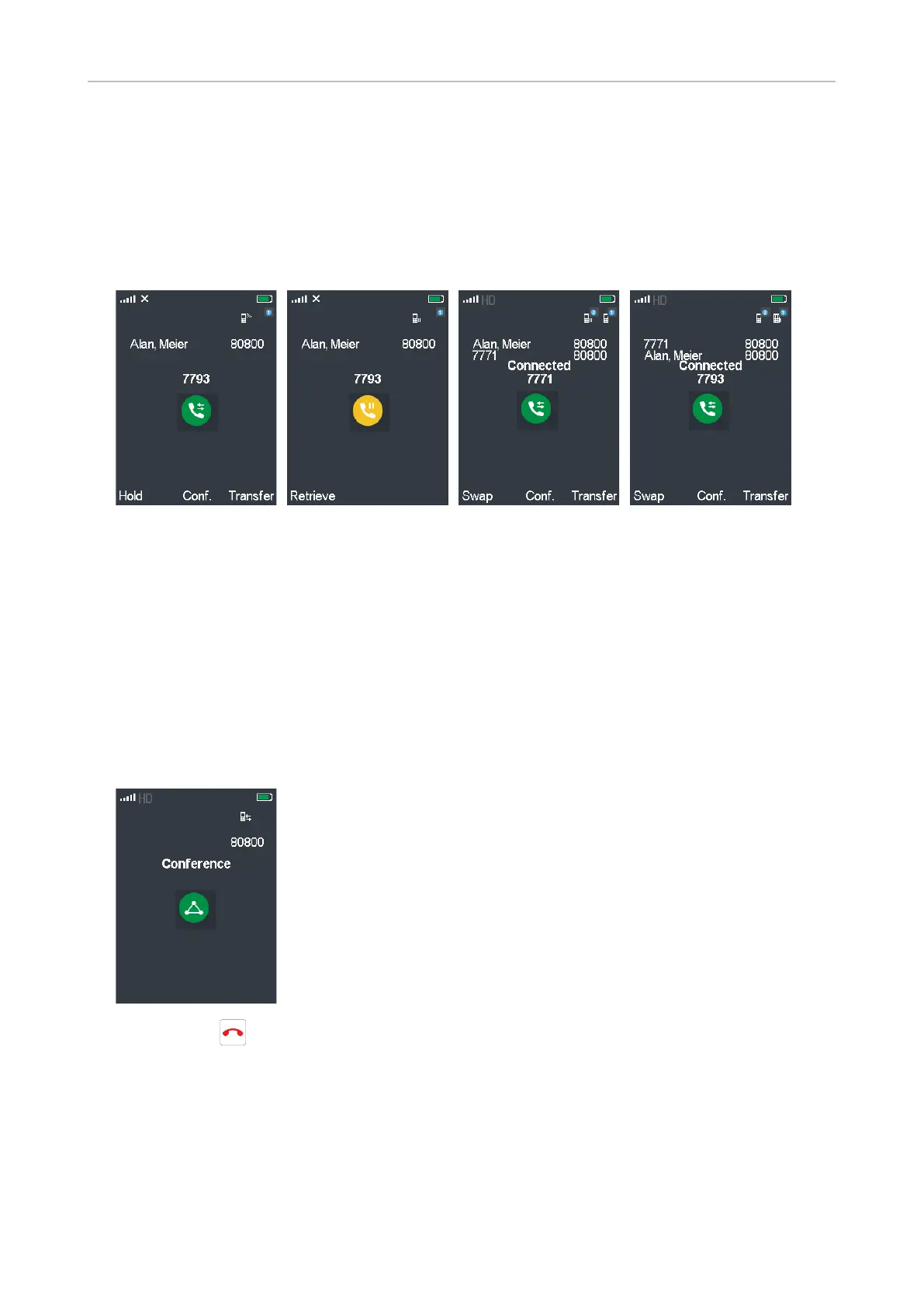
When you are in a call, press the function key underneath Hold to put the call on hold (Fig. 1). Press
the function key underneath Retrieve to resume the call (Fig. 2).
With the call on hold you can call another number to confer with that party (Fig. 3), for example, if you
want to transfer the held call or if you want to initiate a conference with both parties.
Connected
Hold
Fig. 1 Fig. 2 Fig. 3 Fig. 4
Swapping calls
When you have one call on hold and you are connected to a second call, press the function key
underneath Swap to connect to the held call and put the connected call on hold (Fig. 4, above).
Conference
When you are connected to two parties, one on hold and one on the line, press the function key
underneath Conf. (Fig. 3 and 4, above) to start the conference.
Press the red key to terminate the conference and the connection to both parties.



 To Next Page