63
User Manual M70 / M80 / M90 Getting to know
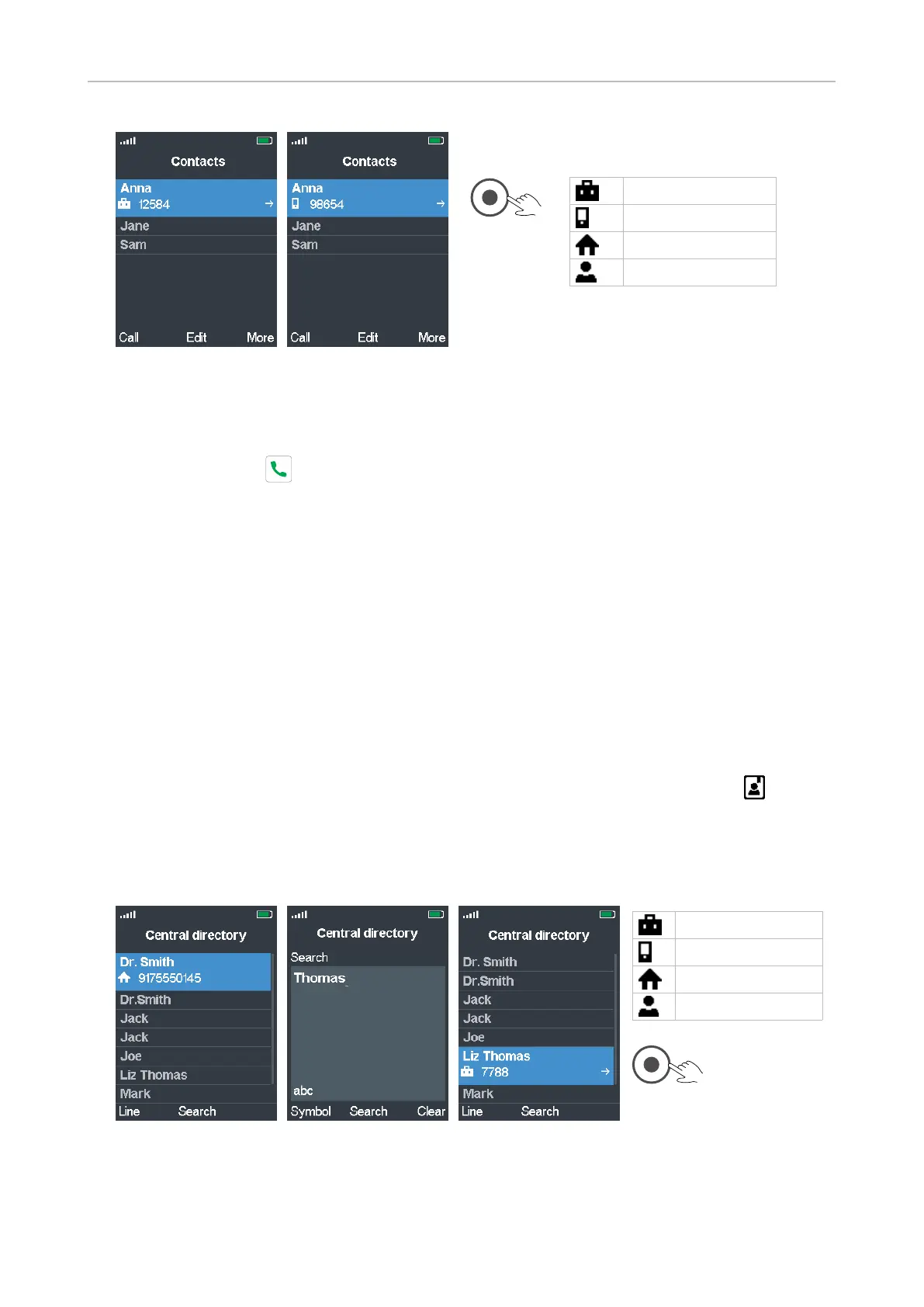
Fig. 1 Fig. 2
3. If the contact has more than one number, as indicated by the arrow at the left edge of the contact's
line (Fig. 1), and the number on the display is not the one you want to dial, use the navigation key
to select a dierent one (Fig. 2).
4. Press the green key to dial the number of the highlighted contact.
Speed dialing a contact
For information on assigning keys 2-9 for speed dialing contacts, see "Assigning speed dial key to
contact" on page 39.
To speed dial a contact, long-press the assigned speed dial key for approx. 3 seconds. To view the list
of assigned speed dial numbers, open the main contact menu (see page 56, Fig. 2), select any of your
contacts, and press the function key underneath More.
Calling a number from the Central Directory
See "Central directory" on page 40 for more information on this directory.
1. From the idle screen, press the function key underneath the Central Directory symbol to open
the Central Directory (Fig. 1).
2. Select a name by scrolling to it or by entering the first letter of the name, or by pressing the
function key underneath Search (Fig. 1), entering the name (Fig. 2), and pressing the function key
underneath Search again.
Fig. 1 Fig. 2 Fig. 3
3. If there is more than one number assigned to a name, as indicated by the arrow at the left edge
of the entry's line (Fig. 3), and the number on the display is not the one you want to dial, use the
navigation key to select a dierent one.
Work number
Mobile number
Home phone number
Other phone number
Work number
Mobile number
Home phone number
Other phone number



 To Next Page