8 SWEEP
The d.c. polarisation
signal may be applied to the cell as a specified number
of
smooth analog ramps, or as a number of digitally stepped ’staircase’ voltages
or
currents. A cycle of four sweep "segments" is defined
by the
user
and this cycle is
repeated
in accordance with a user-defined number of segments
(1
to
99,999). At
the end of the sweep the SI 1287 switches automatically
to
’Standby’
or ’freeze’
depending
on
the
setting of "OFF MODE", see section 8.2.
To run a sweep, set the SI1287 to the appropriate
mode (P
STAT
or G STAT) and
enter the required
SWEEP action key selection (sweep ramp or sweep step). The
third SWEEP selection (off) may be used to step
a
sweep before
its normal end.
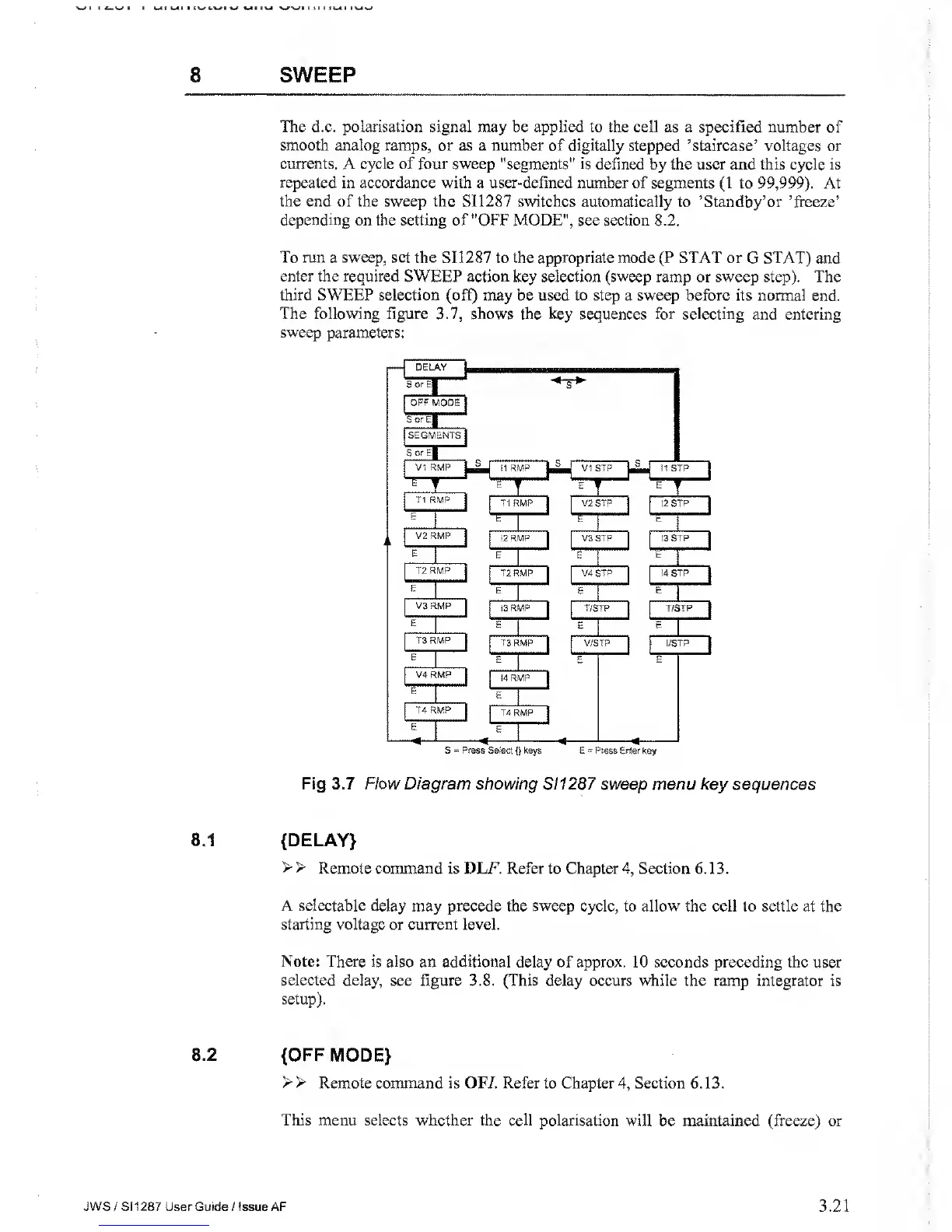
The following figure
3.7,
shows the
key sequences for selecting and entering
sweep
parameters:
Fig
3.7 Flow Diagram showing S1 1287 sweep menu key sequences
8.1
{DELAY}
> >
Remote command is DLF. Refer to Chapter
4,
Section
6.13.
A selectable delay may precede the sweep cycle, to allow the cell
to
settle
at the
starting voltage or current level.
Note: There is also
an
additional
delay of approx. 10 seconds preceding the user
selected delay, see figure
3.8.
(This delay occurs while the ramp integrator
is
setup).
8.2
{OFF MODE}
> >
Remote command is OFI. Refer to Chapter
4,
Section 6. 13.
This menu selects whether the cell polarisation
will be maintained (freeze) or
JWS
/ S1
1287
User Guide / Issue AF
3.21



 To Next Page