EasyManua.ls Logo

Solartron 1287 - RS423 Interface

Default Icon
134 pages
Print Icon
To Next Page IconTo Next Page
To Previous Page IconTo Previous Page
Loading...
2
RS423 INTERFACE
2.1
RS423
CONNECTION
DETAILS
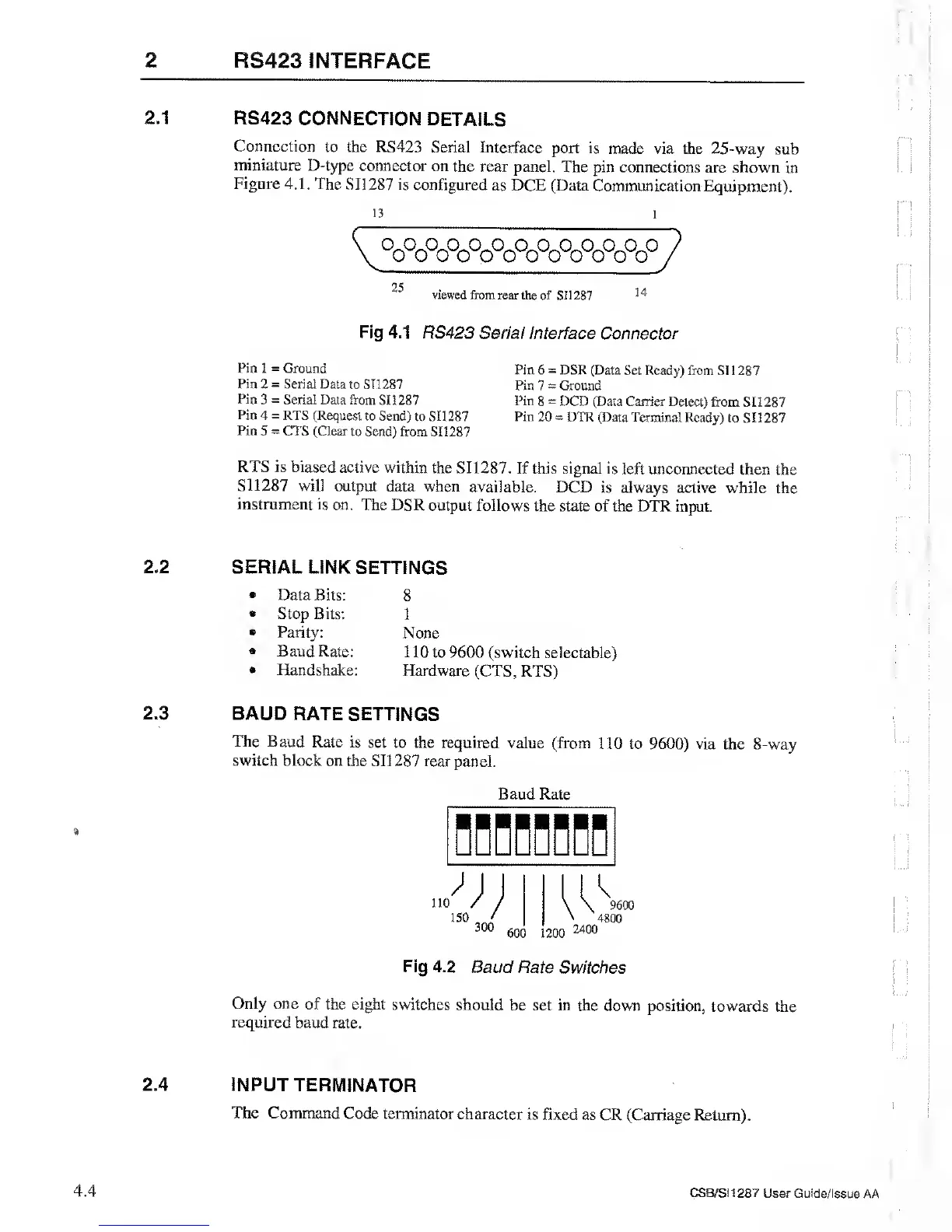
Connection to
the RS423
Serial Interface
port is made via
the 25-way
sub
miniature
D-type
connector on
the rear panel.
The pin connections are
shown in
Figure
4.1. The
SI1287 is
configured
as DCE (Data Communication
Equipment).
13
WoWoWoWo
0
25
viewed
from rear the of
SI 1287
14
Fig 4.1
RS423 Serial
Interface Connector
Pin 1
=
Ground
Pin
6
=
DSR (Data
Set Ready) from SI
1 287
Pin 2
=
Serial Data
to SI 1287
Pin 7
=
Ground
Pin
3
=
Serial Data from
SI 1 287
Pin
8
=
DCD (Data Carrier Delect)
from SI 1
287
Pin
4
=
RTS (Request
to Send)
to SI1287 Pin
20
*
DTR (Data Terminal
Ready) to SI 1287
Pin
5
=
CTS (Clear
to Send) from SI 1287
RTS is biased
active within
the SI1287.
If this signal
is
left
unconnected
then the
SI1287
will output
data when
available. DCD
is always
active while the
instrument
is on. The DSR
output follows
the state
of
the DTR
input.
»
2.2
2.3
SERIAL LINK
SETTINGS
Data Bits:
Stop Bits:
Parity:
Baud Rate:
Handshake:
8
1
None
1 10 to
9600
(switch selectable)
Hardware
(CTS, RTS)
BAUD RATE
SETTINGS
The Baud Rate
is
set to the required
value (from 110
to
9600)
via
the 8-way
switch
block on the
SI1287 rear
panel.
Baud Rate
Fig 4.2
Baud Rate
Switches
Only
one of the eight
switches should
be set in the
down position,
towards the
required
baud rate.
2.4
INPUT TERMINATOR
The Command
Code terminator
character
is fixed as
CR (Carriage Return).
4.4
CS8/SI1287 User Guide/Issue
AA