EasyManua.ls Logo

Solartron 1287 - Text; Title

Default Icon
134 pages
Print Icon
To Next Page IconTo Next Page
To Previous Page IconTo Previous Page
Loading...
ut lupiui
v/
9.4
{TEXT}
>>
Remote command
is PT/.
Refer to Chapter
4,
Section
6.21.
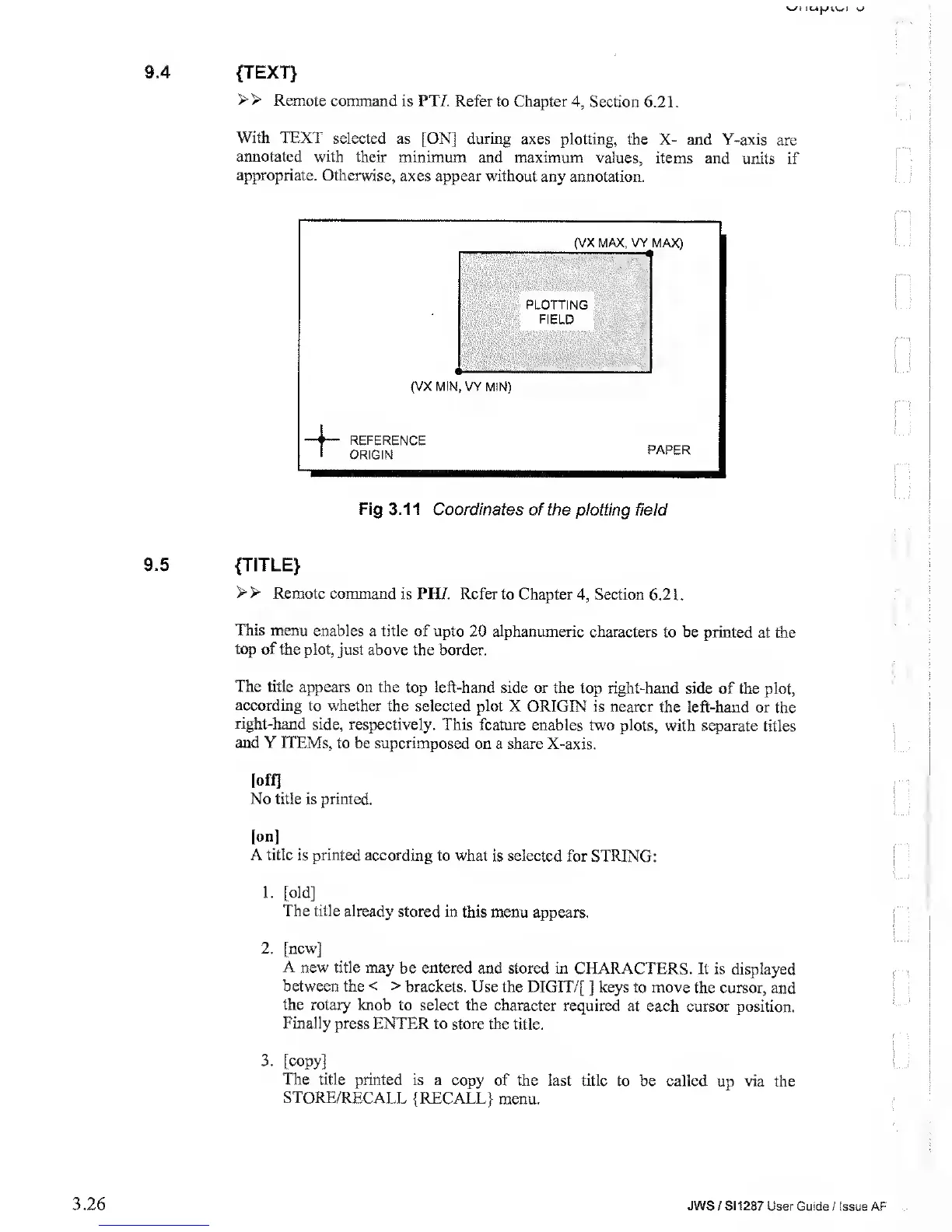
With
TEXT selected
as [ON] during
axes plotting, the
X- and Y-axis
are
annotated
with
their minimum
and maximum values,
items and units
if
appropriate.
Otherwise,
axes appear without
any annotation.
(VX MAX, VY
MAX)
D
(VX MIN,
VY
MIN)
REFERENCE
ORIGIN
PAPER
Fig 3.11
Coordinates of the
plotting field
9.5
{TITLE}
> >
Remote command
is PH/.
Refer to Chapter
4,
Section 6.2 1
.
This
menu enables
a
title
of upto
20
alphanumeric
characters
to be printed at
the
top of the
plot, just above the
border.
The
title appears
on the top left-hand
side or the top right-hand
side of the
plot,
according
to whether
the selected plot X
ORIGIN is nearer the left-hand
or the
right-hand
side, respectively.
This feature
enables
two
plots, with
separate titles
and Y ITEMs,
to be superimposed
on a share X-axis.
[off]
No title
is printed.
[on]
A title
is printed according
to what is selected
for STRING:
1.
[old]
The
title already stored in
this menu appears.
2.
[new]
A
new title may
be
entered
and stored in
CHARACTERS. It
is displayed
between the
<
>
brackets. Use the
DIGIT/[
]
keys to move
the cursor,
and
the rotary knob
to select the character
required at
each cursor position.
Finally
press ENTER to store the
title.
3.
[copy]
The title
printed is a
copy of the last title
to be called
up
via
the
STORE/RECALL
{RECALL}
menu.
3.26
JWS / S1
1
287 User Guide
/ Issue AF