To
cancel
loading
1 Select "Cancel," and press e .
The display asks for confirmation.
2 Select "OK" using +1+, and press e.
"Updating the database" appears and the
loaded data
is
saved.
.
~.
When pressing LOAD, the player loads the
information
of
unknown discs.
5
Select
the
desired
disc
information
from
options
using
+/+,
and
press
e.
The information you selected is
registered
as
the disc information.
()
0
:"'-""-."':":,'-,"
..
'.'".,
..
!3T.·/::::;,.·.·.c:::iT.:c:::~~
,,:-;
t='(.==r:.o.·~
HOME
-+-==-'
.........
-OPTIONS
Select
the
disc
Information.
5Uus
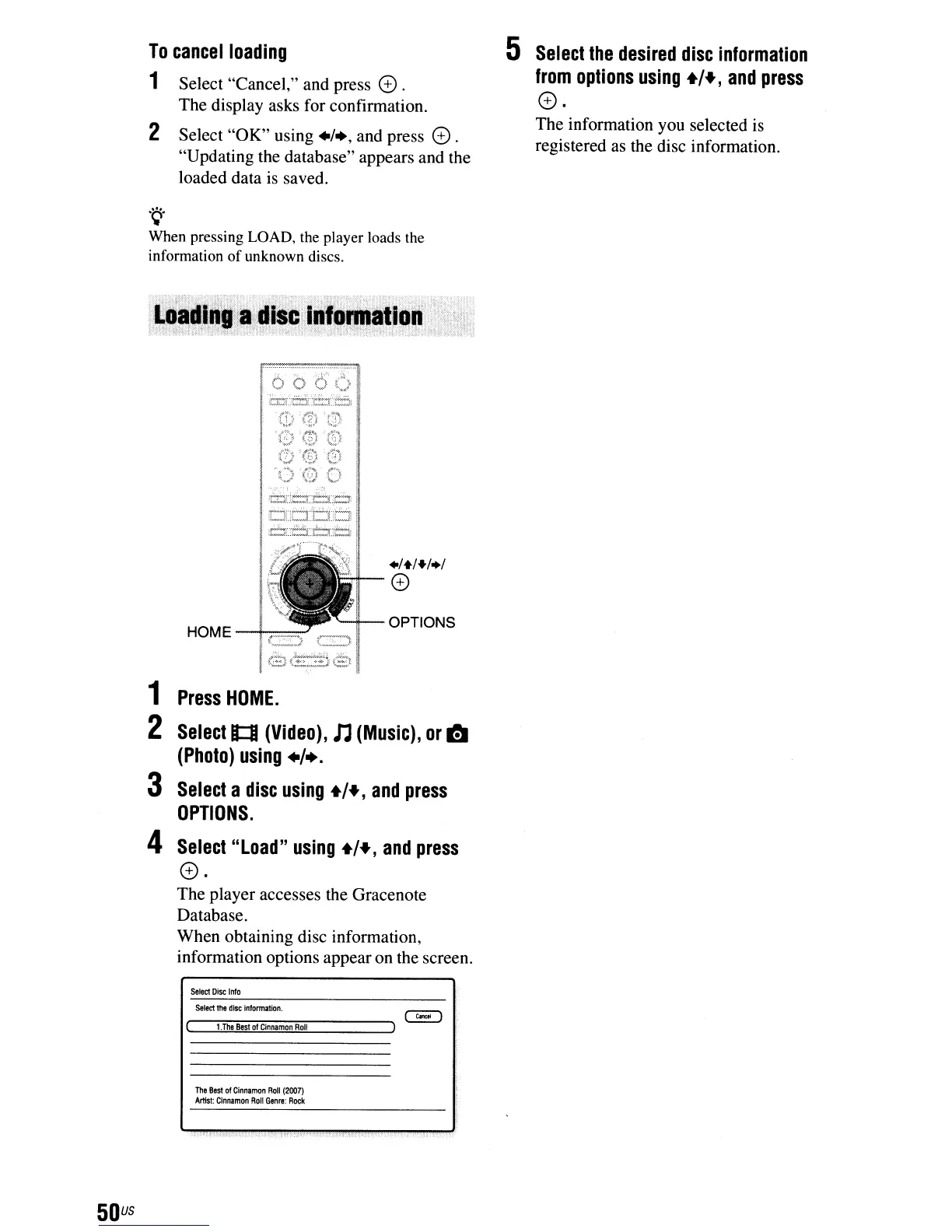
1
Press
HOME.
2
Select
B::I
(Video),
n
(Music),
or
ITJ
(Photo)
using
+/+.
3
Select
a
disc
using
+/+,
and
press
OPTIONS.
4
Select
"Load"
using
+/+,
and
press
e.
The player accesses the Gracenote
Database.
When obtaining disc information,
information options appear
on
the screen.
Select
Disc
Info
~
r---;l";;:.The::;;"ae::;"st
::;";ofCi:;::'n
n::::am:::"on
R;;:;oll~---""')
The
Best
01
Cinnamon
Roll
(2007)
ArtIst:
Cinnamon
Roll
Genre:
Rock
.....



 To Next Page