[ID
[Clear]
Erases the character to the right
of
the
cursor. Erases the character to the left
of
the
cursor
when no character is to the
right
of
the cursor.
To
enter
characters
using
+/+/+/+
Example:
To
enter
"Sea"
1 Select [PQRS7] and press 0 .
Character options appear.
2 Select [S] and press
0.
3 Select [DEF3] and press
0.
Character options appear.
4 Select [e] and press
0.
5 Select [ABC2] and press
0.
Character options appear.
6 Select [a]
and
press
0.
7 Select [Finish] and press
0.
To
enter
characters
using
number
buttons
Example:
To
enter
"Sea"
1 Press
"7"
four times to select [S].
2 Press
RED
to switch to the
lower
case
letters.
3 Press
"3"
twice to select [e].
4 Press
"2"
once
to select [a].
5 Press ENTER.
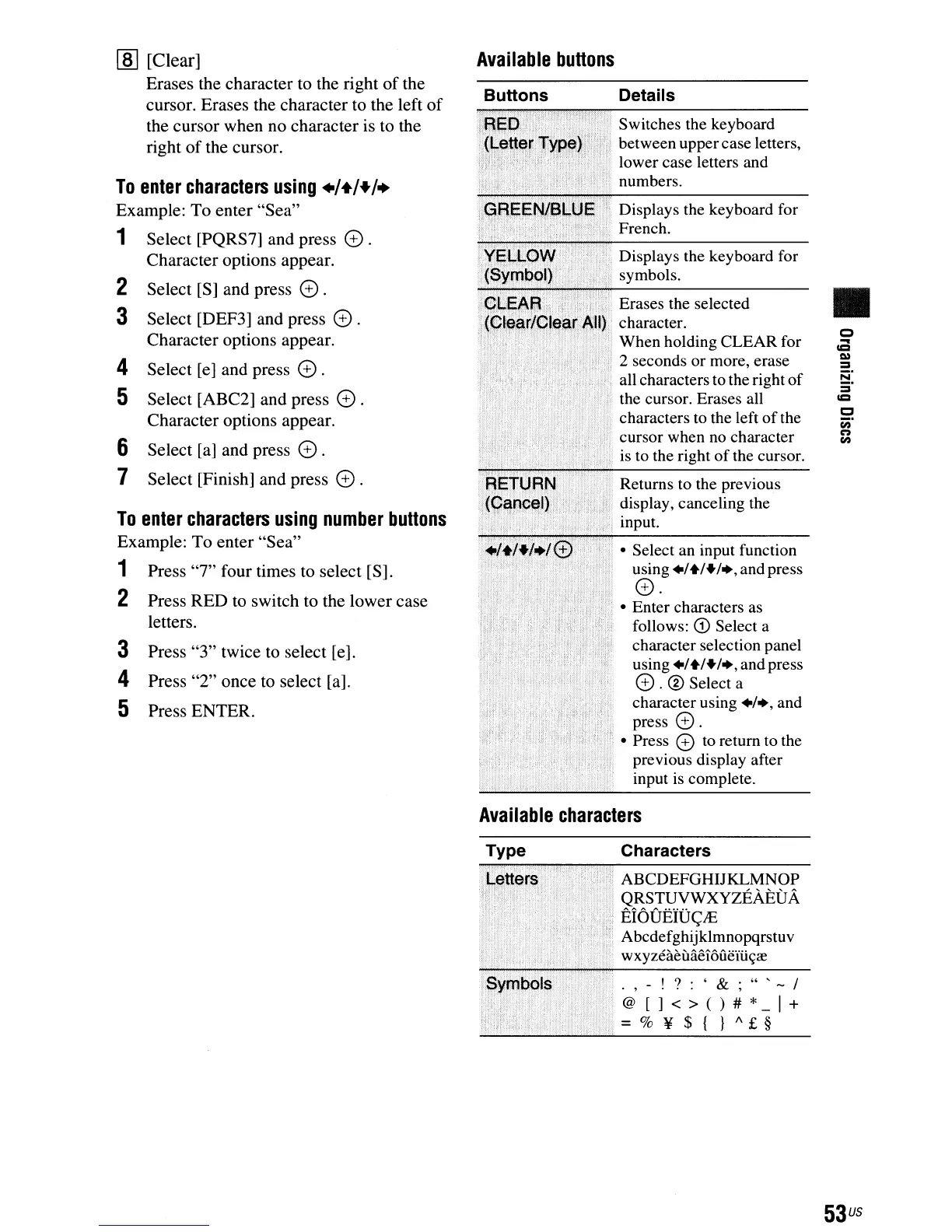
Available
buttons
Buttons Details
~---------
Switches the keyboard
between uppercase letters,
lower case letters and
numbers.
Displays the keyboard for
French.
Displays the keyboard for
symbols.
Erases the selected
character.
When holding CLEAR for
2 seconds or more, erase
all characters to the right
of
the cursor. Erases all
characters to the left
of
the
cursor when
no
character
is
to the right
of
the cursor.
Returns to the previous
display, canceling the
input.
• Select an input function
using
.1+1+1.,and press
0.
• Enter characters as
follows:
CD
Select a
character selection panel
using
.1+1+1.,and press
0.
® Select a
character using
.1.,
and
press
0.
• Press 0 to return to the
previous display after
input is complete.
Available
characters
•
Type
Characters
ABCDEFGHIJKLMNOP
QRSTUVWXYZEAEUA
EI6
VElD
<;JE
Abcdefghijklmnopqrstuv
wxyzeaeuaei6uem~re
.,-!?:'&;"'-I
@[]<>()#*-I+
=%¥${
}A£§
53
us



 To Next Page