['
A
..
]
(GREEN
button)
Displays for French.
[E
c;
tE](BLUE
button)
Displays for French.
[Symbol]
(YELLOW
button)
Displays symbols.
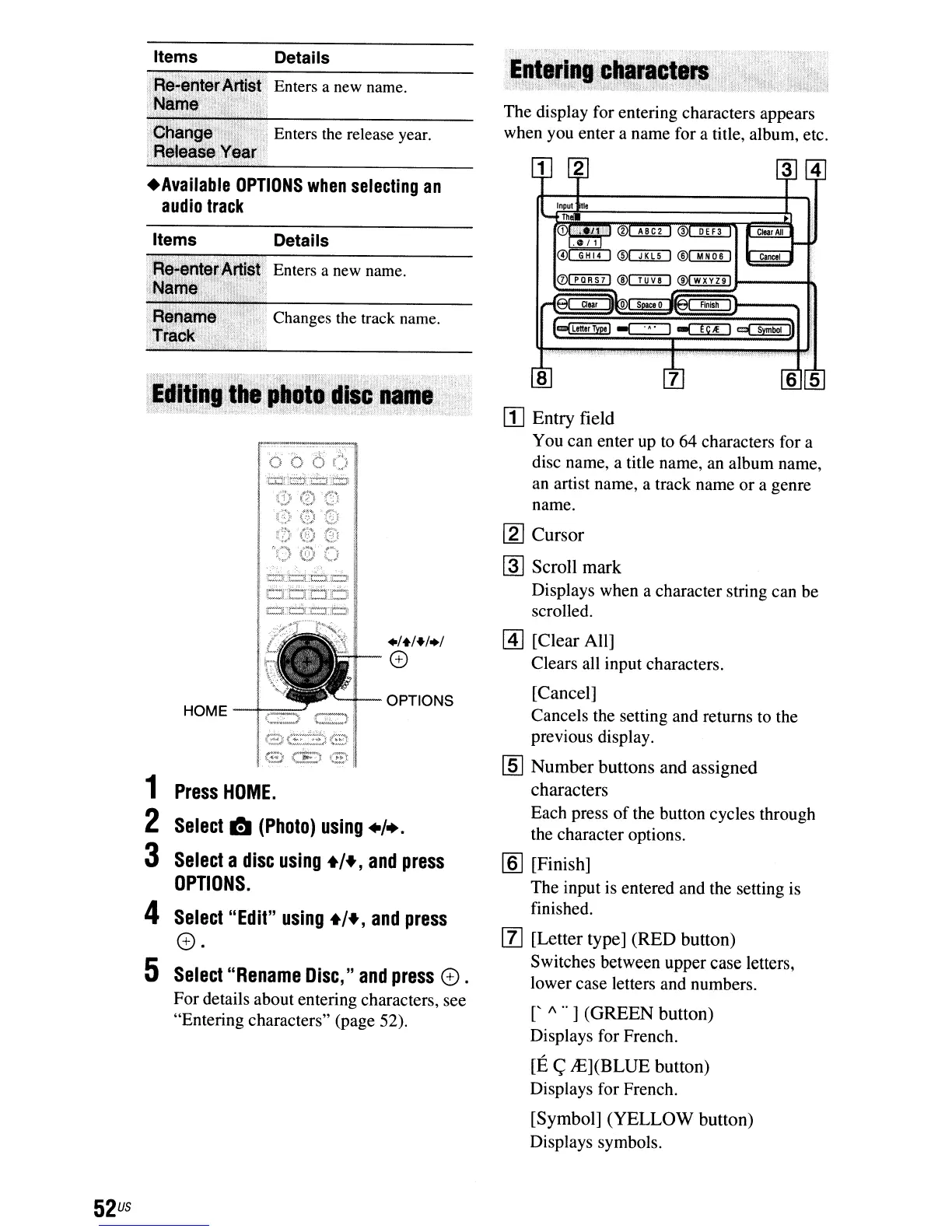
[1]
Entry field
You can enter up to 64 characters for a
disc name, a title name, an album name,
an artist name, a track name or a genre
name.
The display for entering characters appears
when you enter a name for a title, album, etc.
[2]
Cursor
~
Scroll
mark
Displays when a character string can be
scrolled.
@]
[Clear All]
Clears all input characters.
[Cancel]
Cancels the setting and returns
to
the
previous display.
[§]
Number
buttons
and
assigned
characters
Each press
of
the button cycles through
the character options.
[§]
[Finish]
The input is entered and the setting is
finished.
[l]
[Letter type]
(RED
button)
Switches between upper case letters,
lower case letters and numbers.
'---'/.-
OPTIONS
Enters a
new
name.
Changes
the
track name.
Enters
the
release year.
Details
Details
rlli
'····
--.
-.-':':
..
--"<'
00
b
t)
I
rc:or·';;':'·;:±l:C::i
i
HOME
-.+---'
Items
Items
1
Press
HOME.
2
Select
~
(Photo)
using
./+.
3
Select
a
disc
using
+/+,
and
press
OPTIONS.
4
Select
"Edit"
using
+/+,
and
press
0.
5
Select
"Rename
Disc,"
and
press
0 .
For details about entering characters, see
"Entering characters" (page 52).
+Available
OPTIONS
when
selecting
an
audio
track
52
us



 To Next Page