16
Location and Function of Parts
Chapter 1 Overview
CAUTION
• For safety, do not connect the connector for peripheral
device wiring that might have excessive voltage to this
port. Follow the instructions for this port.
• When you connect the LAN cable of the unit to
peripheral device, use a shielded-type cable to prevent
malfunction due to radiation noise.
• To connect the monitor to the LAN (10/100) connector
of the controller in 1 to 1 connection (NETWORK switch
is set to PEER TO PEER), use a straight (shielded-type)
cable.
• The connection speed may be affected by the network
system.
e NETWORK switch
LAN: To connect to the network.
PEER TO PEER: To connect to the LAN (10/100)
connector of the controller in 1 to 1 connection.
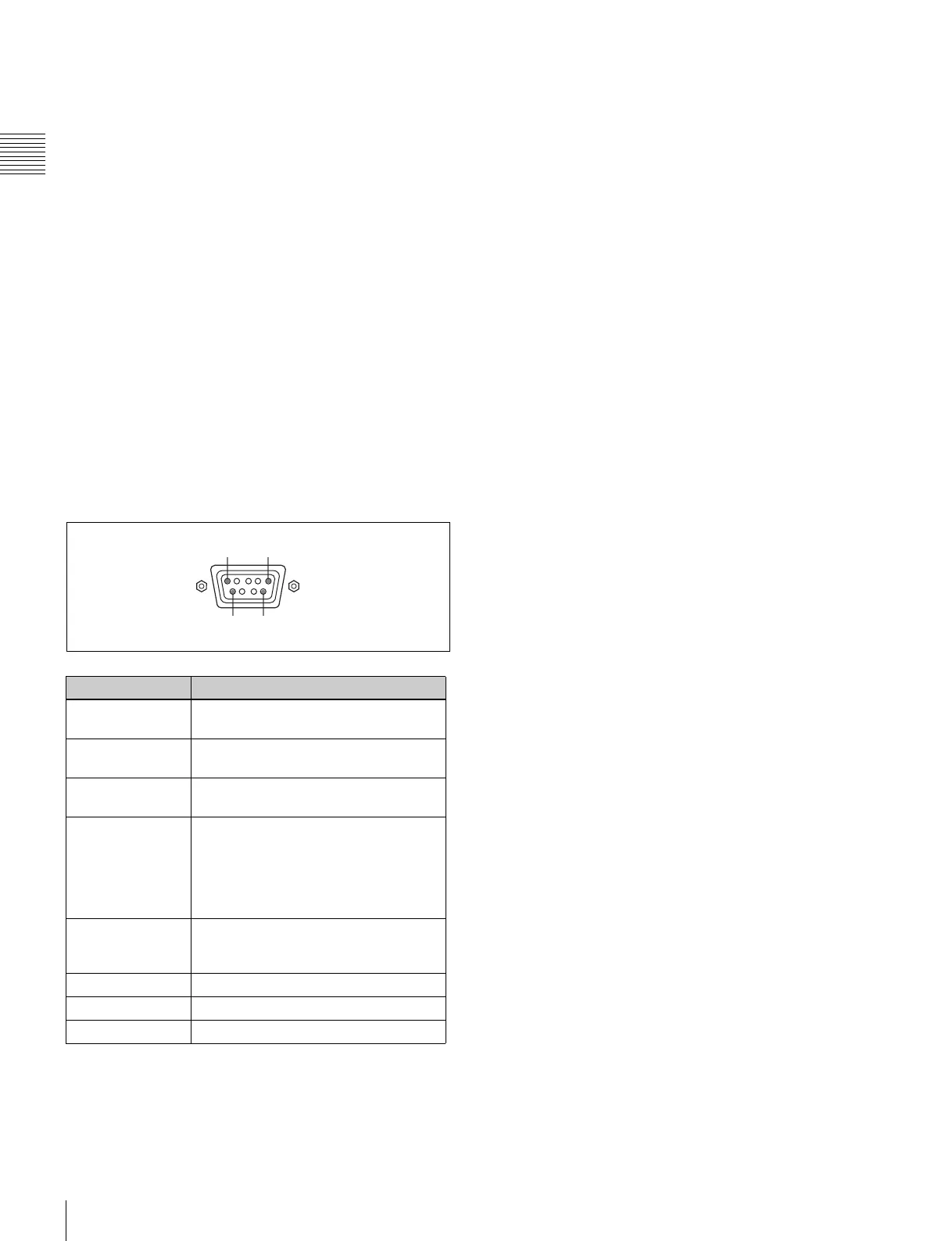
f PARALLEL REMOTE connector (D-sub 9-pin,
female)
Forms a parallel switch and controls the monitor
externally. The pin assignment and factory setting
function assigned to each pin are given below.
All pin function assignments can be changed with the
Parallel Remote menu.
For information about the Parallel Remote menu, see
“Parallel Remote” (page 70) of the System Configuration
Menu.
To switch each function between On and Off or between
enable and disable, change pin connections in the
following way.
On or enabled: Short each pin and pin 9 together.
Off or disabled: Leave each pin open.
g DVI-D (digital DVI) input connector
Inputs DVI Rev.1.0 applicable Single-link digital RGB
signal.
To monitor the DVI signal of SXGA or higher resolution,
use the cable within 3 m (118
1
/8 inches) in length.
h Input option slots
Used to install the optional input adaptors.
For installing the input adaptor, see page 18.
For the input signals, see “Input/Output Connector and
Adaptor” on page 12.
Pin number Function
1 Sets input signal channel 1 (numeric
keypad function).
2 Sets input signal channel 2 (numeric
keypad function).
3 Selects sync signal (SYNC button
function).
4 Selects whether monochrome image is
displayed or the monitor switches the
display mode automatically between
color image and monochrome image
depending on the input signal (MONO
button function).
5 Marker (set in the Marker Setting
menu) On/Off (MARKER button
function).
6, 7 Not connected
8 Tally lamp On/Off
9Ground
15
96







 To Next Page