112
GB
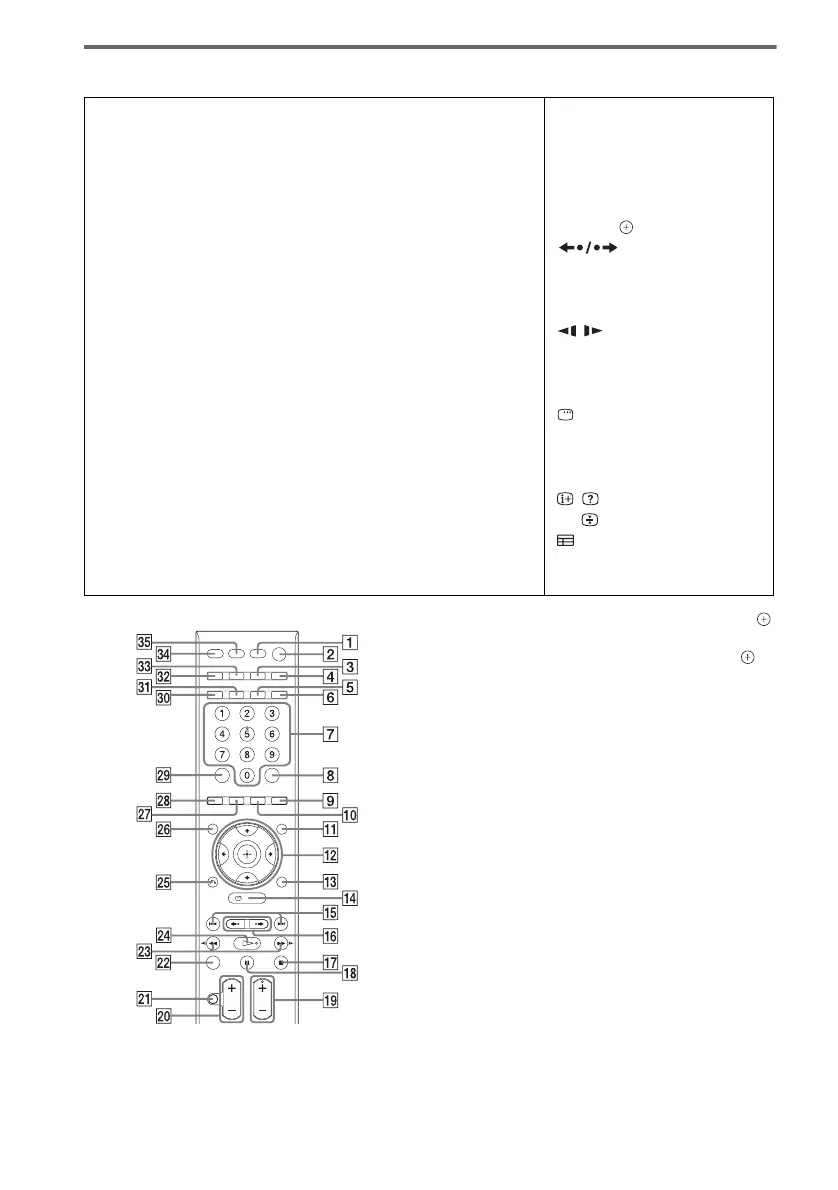
Remote control
1)
The ENTER button has the same function as the
button. When you operate the TV, the ENTER button
is used for selecting a channel, and the button is
used for selecting menu items.
2)
This button is only available for the “DVD” or
“DMPORT” function. Depending on the DIGITAL
MEDIA PORT adapter, this button may not work.
3)
The 5, H, PROG +/SOUND MODE, and AUDIO
buttons have tactile dots. Use the tactile dots as
references when operating the system.
4)
These buttons change to the TV operation buttons
when the remote is in TV mode. The remote is in TV
mode when TV button ws is lights up.
ALPHABETICAL ORDER BUTTON DESCRIPTIONS
A – O P – Z
ANALOG
4)
5
ANGLE 9
AUDIO
3)
wj
CLEAR wl
D.TUNING 0
DIGITAL
4)
6
DIMMER 5
DISPLAY 3
DVD MENU qa
DVD TOP MENU wh
ENTER 8
FUNCTION 4
MENU/HOME
4)
qf
MUTING
4)
wa
NIGHT ea
ONE-TOUCH PLAY eg
PICTURE NAVI wk
PRESET +/– qg
PROG +/–
3)4)
ql
REPEAT 6
SLEEP ed
SOUND MODE +/–
3)
ql
SUBTITLE 0
SYSTEM MENU qd
THEATRE ef
TONE e;
TOOLS/OPTIONS
4)
qd
TUNING +/– wd
TV ws
TV VOL +/–
4)
w;
VOLUME +/– w;
Numeric buttons
3)4)
7
[/1 (on/standby) 2
TV [/1 (on/standby) 1
C/X/x/c/
1)4)
qs
REPLAY/ADVANCE
qh
./> qg
m/M wd
/ wd
H
3)
wf
x qj
X
qk
DISPLAY
2)
qf
Z
es
-/--
4)
8
O RETURN
4)
wg
/
4)
3
t/
4)
qa
4)
wh
/
4)
wl
c/C
4)
ql












 To Next Page