Advanced Settings and Adjustments
83
GB
You can make various adjustments for items
such as picture and sound.
Displayed items differ depending on the country
model.
Note
• Playback settings stored in the disc take priority over
the Setup Display settings and not all the functions
described may work.
1 Press FUNCTION repeatedly until
“DVD” appears in the front panel
display.
2 Press DISPLAY when the system is
in stop mode.
The Control Menu display appears on the
TV screen.
3 Press X/x to select [SETUP],
then press .
The options for [SETUP] appear.
4 Press X/x to select [CUSTOM], then
press .
The Setup Display appears.
5 Press X/x to select the setup item, then
press .
• [LANGUAGE SETUP] (page 84)
• [VIDEO SETUP] (page 84)
• [HDMI SETUP] (page 86)
• [AUDIO SETUP] (page 88)
• [SYSTEM SETUP] (page 89)
• [SPEAKER SETUP] (page 90)
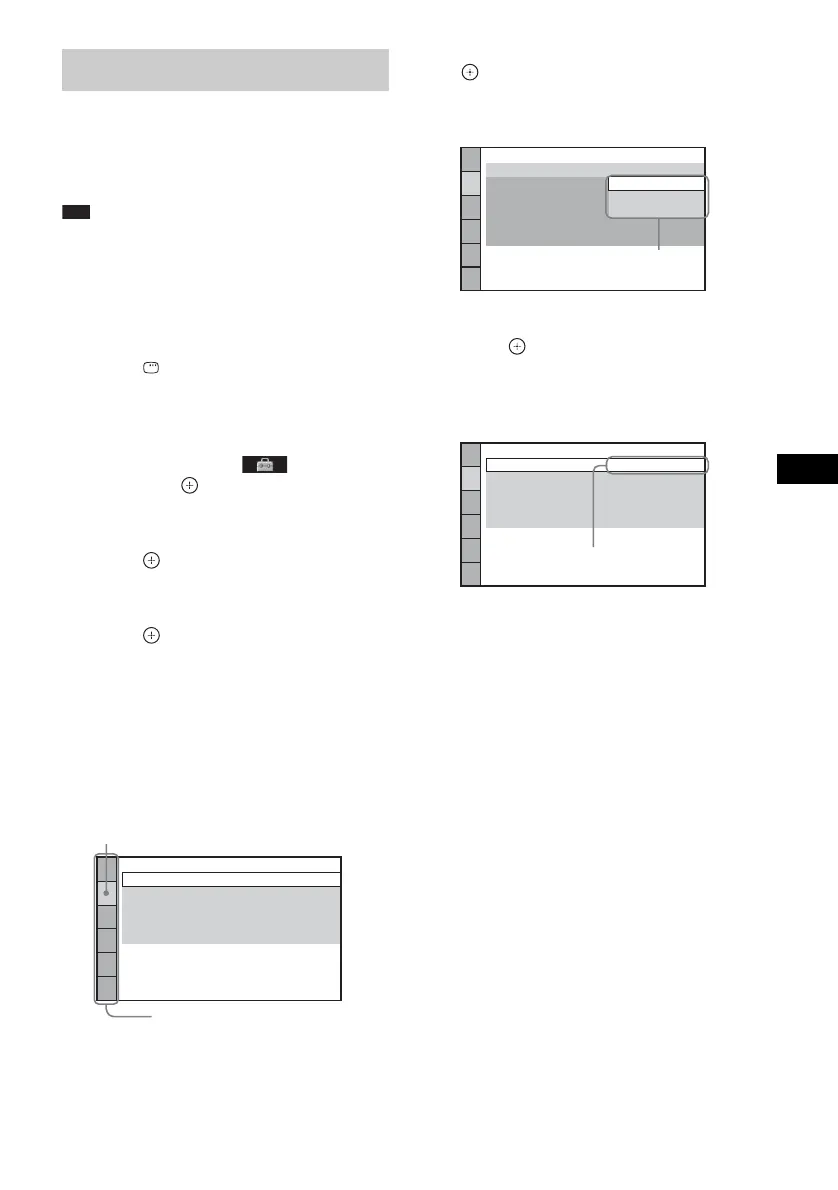
Example: [VIDEO SETUP]
6 Press X/x to select an item, then press
.
The options for the selected item appear.
Example: [TV TYPE]
7 Press X/x to select a setting, then
press .
The setting is selected and setup is
complete.
Example: [4:3 LETTER BOX]
Using the Setup Display
VIDEO SETUP
PROGRESSIVE
(COMPONENT OUT)
:
TV TYPE:
4:3 OUTPUT:
16:9
OFF
FULL
COLOR SYSTEM(VIDEO CD):
PAUSE MODE:
AUTO
AUT
O
Selected item
Setup items
VIDEO SETUP
PROGRESSIVE
(COMPONENT OUT)
:
TV TYPE:
4:3 OUTPUT:
COLOR SYSTEM(VIDEO CD)
PAUSE MODE:
16:9
OFF
L
16:9
4:3 LETTER BOX
4:3 PAN SCAN
AUTO
Options
VIDEO SETUP
PROGRESSIVE
(COMPONENT OUT)
:
TV TYPE:
4:3 OUTPUT:
4:3 LETTER BOX
OFF
FULL
COLOR SYSTEM(VIDEO CD):
PAUSE MODE:
AUTO
AUT
O
Selected setting












 To Next Page