Other Operations
75
GB
Ti
The function of these buttons are same as the remote
buttons of the Sony TV. For details, refer to the
operating instructions of the TV.
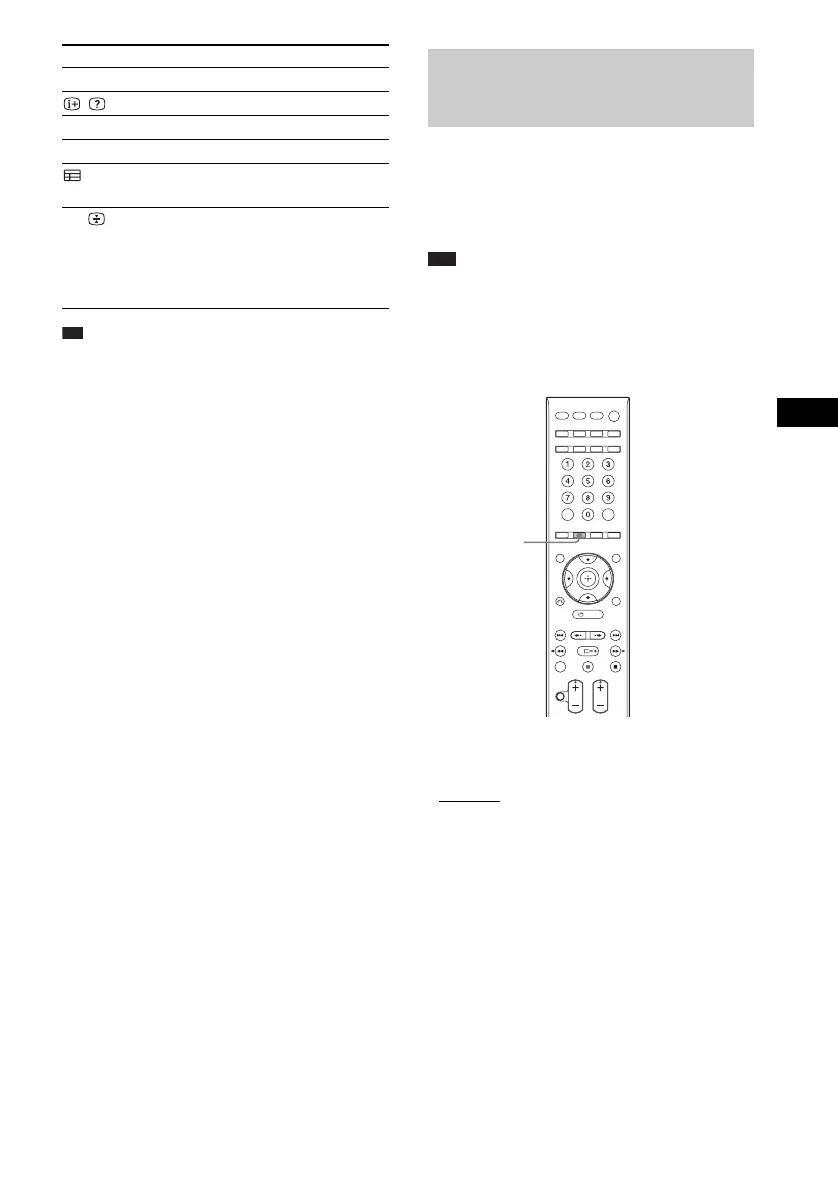
You can enjoy multiplex broadcast sound when
the system receives or plays the Dolby Digital
multiplex broadcast signal.
Note
• To receive the Dolby Digital signal, you need to
connect a TV or other components to the control unit
with an optical or coaxial digital cord (pages 21, 23)
and set the digital output mode of the TV or other
components to Dolby Digital.
Press AUDIO repeatedly until the desired
signal appears in the front panel display.
•“MAIN”: Sound of the main language will be
output.
• “SUB”: Sound of the sub language will be
output.
• “MAIN+SUB”: Mixed sound of both the main
and sub languages will be output.
DIGITAL Switch to digital mode.
/ Display the information.
/ Access Text.
Coloured buttons Select the options on the menu.
Display the Digital Electronic
Programme Guide (EPG).
t/ Switch the TV’s input source
between the TV and other input
sources in TV mode.
After pressing /, you can hold
the current text page.
By pressing You can
Enjoying Multiplex
Broadcast Sound
(DUAL MONO)
AUDIO












 To Next Page