28
GB
Getting Started
Note
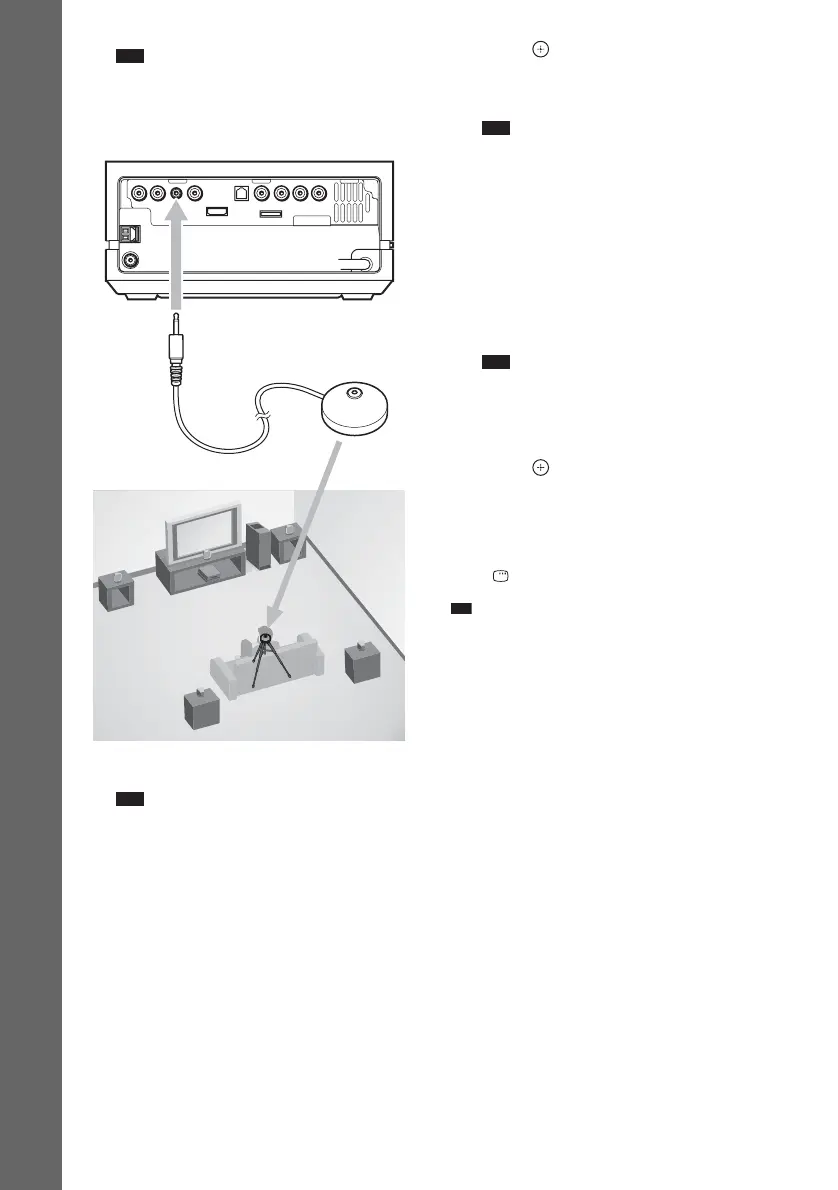
• The ECM-AC2 jack is used for the supplied
calibration microphone only. Do not connect
other microphones.
10Press C/c to select [YES].
Note
• Make sure that the headphones are not
connected to the surround amplifier (not
supplied, page 67). You cannot operate
following steps with the headphones connected.
11 Press .
[AUTO CALIBRATION] starts. Be quiet
during the measurement.
Note
• Loud test sound is output when [AUTO
CALIBRATION] starts. You cannot turn the
volume down. Give consideration to children
and neighbours.
• Avoid being in the measurement area and
making noise during the measurement (which
takes about 1 minute), as it may interfere with
measurement.
12 Unplug the calibration microphone and
press C/c to select [YES].
Note
• The environment of the room in which the
system is installed may affect measurements.
• If measurement fails, follow the message then
retry [AUTO CALIBRATION].
13 Press .
Quick Setup is finished. All connections
and setup operations are complete.
To quit the Quick Setup
Press DISPLAY in any Step.
Ti
• If you cancel [AUTO CALIBRATION], perform the
speaker settings in “Settings for the Speakers”
(page 90).
• If you change the position of the speakers, reset the
speaker settings. See “Calibrating the Appropriate
Settings Automatically” (page 81).
• If you want to change any of the settings, see “Using
the Setup Display” (page 83).
• For details on [AUTO CALIBRATION] and the error
messages of [AUTO CALIBRATION], see
“Calibrating the Appropriate Settings Automatically”
(page 81).
DMPORT
Calibration microphone
Rear of the control unit
To ECM-AC2 jack


 To Next Page
 Loading...







