32
GB
Basic Operations
1 Turn on your TV.
2 Switch the input selector on the TV to this system.
3 Press "/1.
The system turns on.
Unless the mode of the system is set to “DVD,” press FUNCTION on the remote or FUNCTION
(soft-touch button) on the control unit to select “DVD.”
“No Disc” appears in the front panel display and the system is ready for loading the disc.
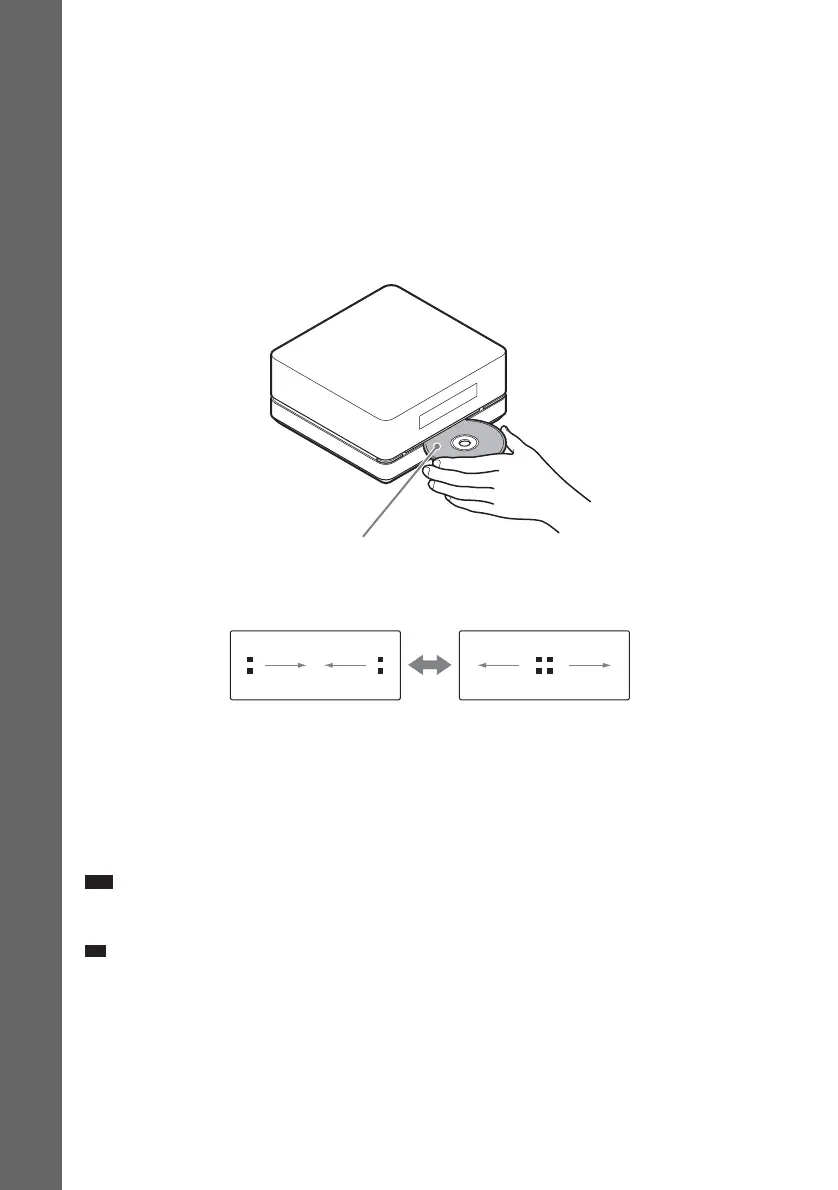
4 Load a disc.
Push the disc into the disc slot until the disc is pulled in automatically.
The disc is drawn into the control unit automatically and the following indication appears in the
front panel display.
5 Press H on the remote, or touch N (soft-touch button) on the control unit.
The system starts playback (continuous play).
6 Adjust the VOLUME +/– on the remote or touch the VOLUME +/– (soft-touch button) on
the control unit.
The volume level appears on the TV screen and in the front panel display. Depending on the system
status, the volume level may not appear on the
TV screen.
Note
• When you set the Control for HDMI function to on, the TV that is connected to the control unit with an HDMI cable
can be sync-operated with the system. For details, see page 63.
Ti
• When you connect the system and TV with an HDMI cable, you can operate them simply using the Control for
HDMI function. For details, see page 63.
Labeled side facing to upper surface












 To Next Page