162
Recording an image from a tape
as a still image
If “ ” appears on the screen
The inserted “Memory Stick” is incompatible
with your camcorder because its format does not
conform with your camcorder. Check the format
of the “Memory Stick.”
If you press PHOTO lightly in the playback
mode
Your camcorder stops momentarily.
Sound recorded on a tape
You cannot record the audio from a tape.
Titles have already recorded on tapes
You cannot record the titles on “Memory Stick”s.
The title does not appear while you are recording
a still image with PHOTO.
When you press PHOTO on the Remote
Commander
Your camcorder immediately records the image
that is on the screen when you press the button.
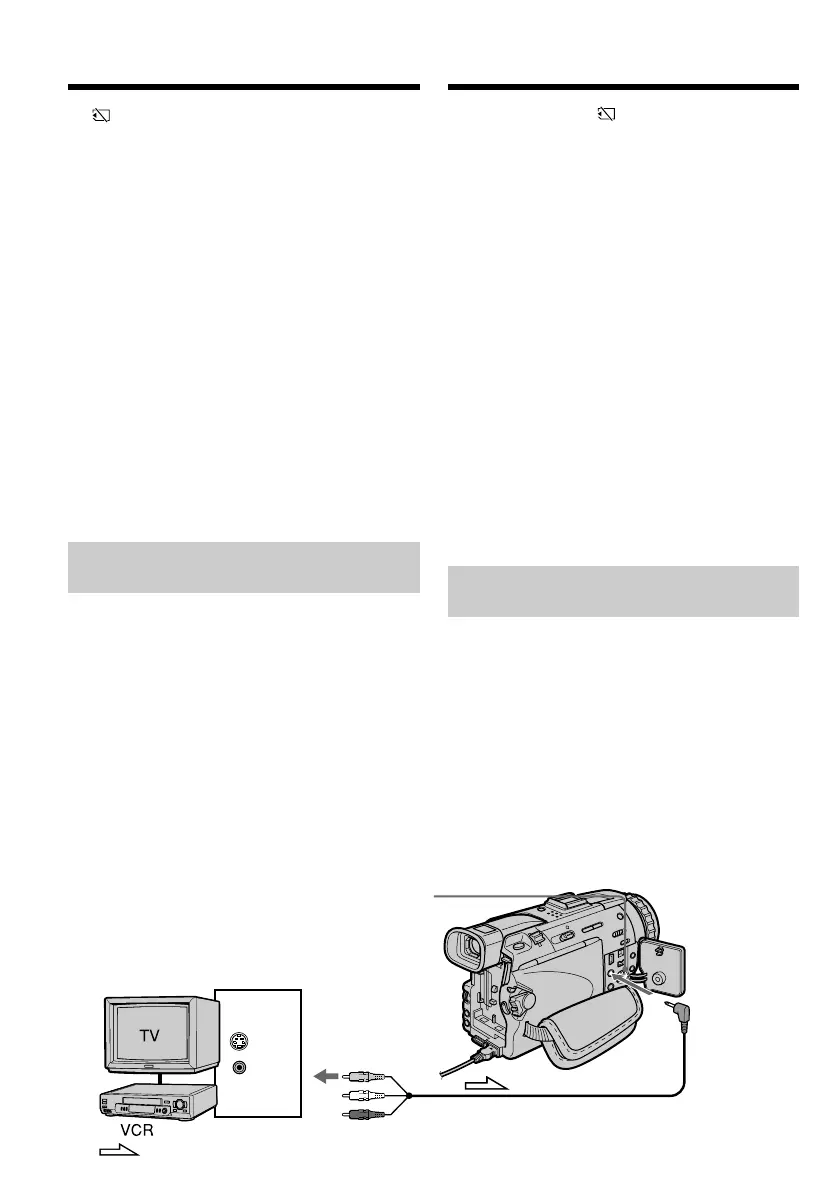
Recording a still image from
other equipment
Before opration
Set DISPLAY to LCD in the menu settings. (The
default setting is LCD.)
(1)Set the POWER switch to VCR.
(2)Play back the recorded tape, or turn the TV on
to see the desired programme.
The image of the other equipment is
displayed on the screen.
(3)Follow steps 3 and 4 on page 161.
Using the A/V connecting cable
Een scène van een cassette
overnemen als stilstaand beeld
Als de aanduiding “ ” op het scherm
verschijnt
Dan is er een “Memory Stick” geplaatst die
vanwege een andere formattering niet geschikt is
voor opnemen met deze camcorder. Controleer
de formattering en vervang de “Memory Stick”
door een die wel geschikt is.
Als u tijdens afspelen licht op de PHOTO toets
drukt
Dan zal de camcorder het afspelen even
onderbreken.
Geluid van de opnamen op de cassette
Bij deze opnamefuncties kan het geluid niet
worden overgenomen van de cassette.
Titels die zijn opgenomen op de cassette
U kunt geen titelbeelden opnemen op de
“Memory Stick”. Bij het overnemen van een
stilstaand beeld met de PHOTO toets zal een
eventueel titelbeeld worden weggelaten.
Als u op de PHOTO toets van de
afstandsbediening drukt
Dan zal uw camcorder onmiddellijk het beeld
opnemen dat op het scherm zichtbaar is wanneer
u op de toets drukt.
Een stilstaand beeld overnemen
vanaf andere video-apparatuur
Voor u een beeld gaat overnemen
Zet het onderdeel DISPLAY in het instelmenu op
“LCD”. (De oorspronkelijke instelling is ook
“LCD”.)
(1)Zet de POWER schakelaar in de “VCR” stand.
(2)Start de weergave van de videocassette met de
gewenste opnamen of schakel het TV-toestel
in om het gewenste programma te zien.
De beelden van de aangesloten apparatuur
worden nu ook weergegeven op het scherm.
(3)Volg de aanwijzingen 3 en 4 op blz. 161.
Opnemen via het audio/video-
aansluitsnoer
S VIDEO
VIDEO
OUT
AUDIO/
VIDEO
S VIDEO
: Signal flow/Signaalstroom













 To Next Page