Shooting with manual adjustment
Using tile ND filter (tile ND filter 1 setting corresponds to 1/4 of tile quantity of light
and tile ND filter 2 setting corresponds to 1/32 of tile quantity of light), you carl record
a picture clearly by adjusting light amounts, even if you shoot under too bright
conditions.
When the ND1 or ND2 indicator flashes on the LCD screen or in
the viewfinder
Tile ND filter is necessary.
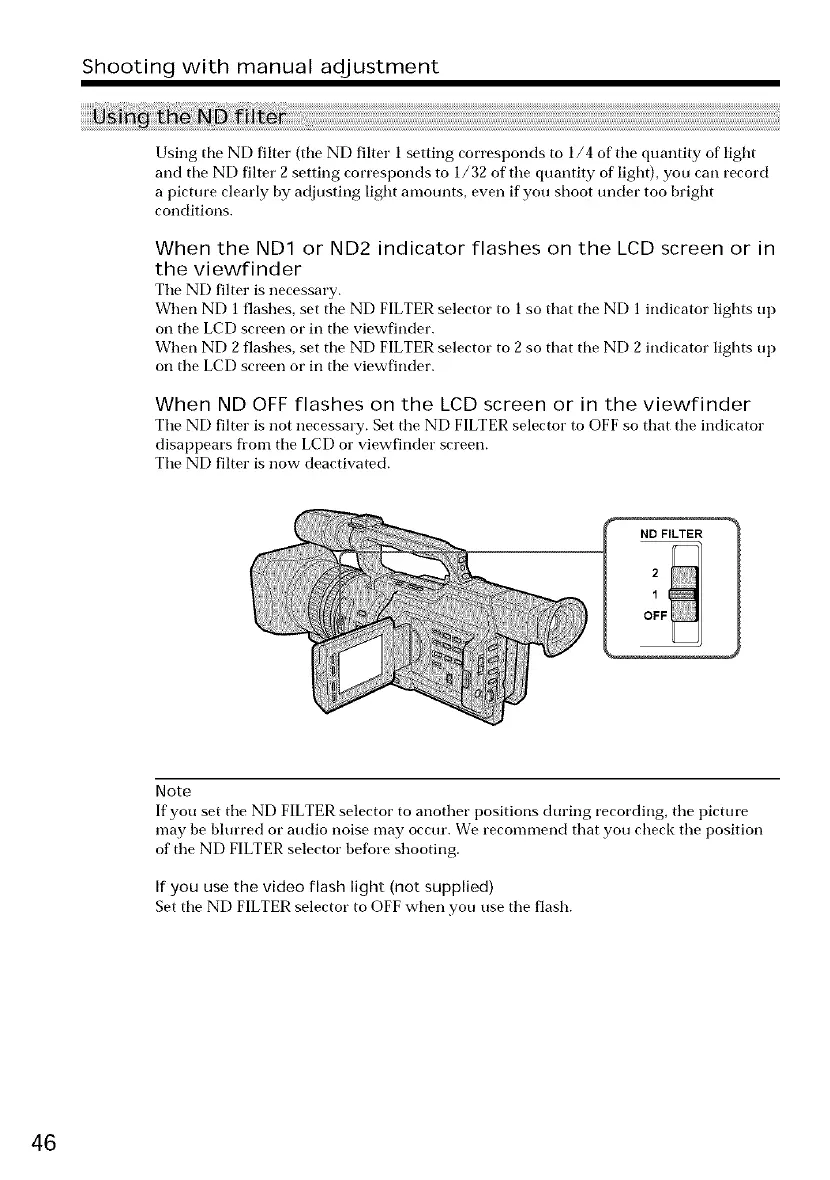
When ND 1 flashes, set tile ND FILTER selector to 1 so that tile ND 1 indicator lights up
on tile LCD screen or in tile viewfinder.
When ND 2 flashes, set tile ND FILTER selector to 2 so that tile ND 2 indicator lights up
on tile LCD screen or in tile viewfinder.
When ND OFF flashes on the LCD screen or in the viewfinder
Tile ND filter is not necessary. Set tile ND FILTER selector to OFF so that tile indicator
disappears from tile LCD or viewfinder screen.
Tile ND filter is now deactivated.
I ND FILTER
Note
If you set tile ND FILTER selector to another positions during recording, tile picture
may be blurred or audio noise may occur. We recommend that you check tile position
of tile ND FILTER selector before shooting.
If you use the video flash light (not supplied)
Set tile ND FILTER selector to OFF when you use tile flash.
46















 To Next Page