Shooting with manual adjustment
You can set tile camcorder to display a zebra pattern (diagonal stripes) in tile portion of
tile picture on tile LCD screen or in tile viewfinder with a subject whose brightness
exceeds a certain level. Tile portion of tile picture where zebra pattern appears is an area
of high brightness and overexposure. You can check the picture level of a subject by
displaying the zebra pattern. Use tile zebra pattern as a guide for adjusting the exposure
and shutter speed so that you can get tile desired picture.
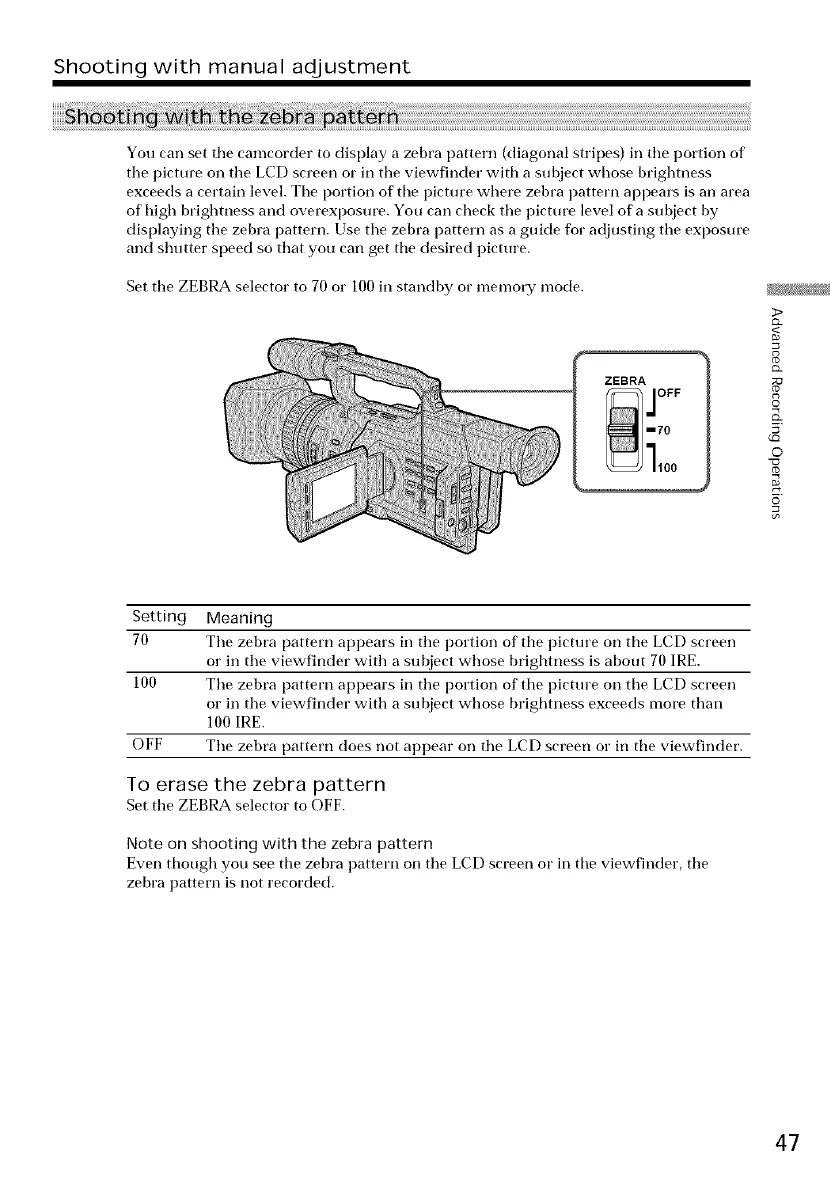
Set tile ZEBRA selector to 70 or 100 in standby or memory mode.
ZEBRA 1
m70
>
<
©
o
Setting Meaning
70 Tile zebra pattern appears in tile portion of tile picture on tile LCD screen
or in the viewfinder with a subject whose brightness is about 70 IRE.
100 Tile zebra pattern appears in tile portion of tile picture on tile LCD screen
or in the viewfinder with a subject whose brightness exceeds more than
100 IRE.
OFF The zebra pattern does not appear on the LCD screen or in tile viewfinder.
To erase the zebra pattern
Set tile ZEBRA selector to OFF.
Note on shooting with the zebra pattern
Even though you see tile zebra pattern on tile LCD screen or in tile viewfinder, tile
zebra pattern is not recorded.
47















 To Next Page