Shooting with manual adjustment
When tile SteadyShot function is working, tile camcorder coml)ensates for camera-
shake.
You can release tile SteadyShot flmction when you do not need to use it. Tile "_'
indicator appears on tile LCD screen or in tile viewfinder. Do not use tile SteadyShot
flmction when shooting a stationary object with a tripod.
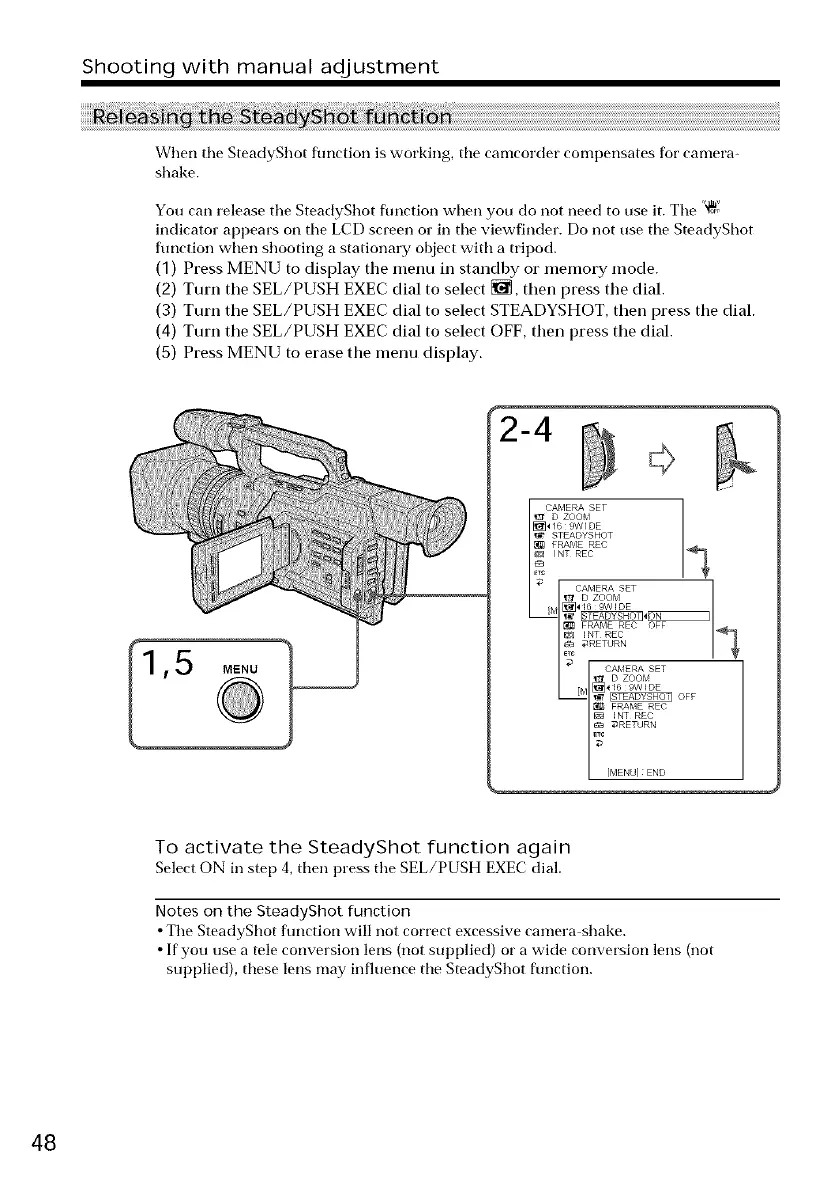
(1) Press MENU to display the menu in standby or memory mode.
(2) Turn the SEL/PUSH EXEC dial to select _, then press the dial.
(3) Turn the SEL/PUSH EXEC dial to select STEADYSHOT, then press the dial.
(4) Turn the SEL/PUSH EXEC dial to select OFF, then press the dial.
(5) Press MENU to erase the menu display.
2-4
To activate the SteadyShot function again
Select ON in step 4, then press tile SEL/PUSH EXEC dial.
Notes on the SteadyShot function
• The SteadyShot flmction will not correct excessive camera shake.
• If you use a tele conversion lens (not supplied) or a wide conversion lens (not
supplied), these lens may influence the SteadyShot flmction.
48















 To Next Page