Presetting the adjustment for picture quality
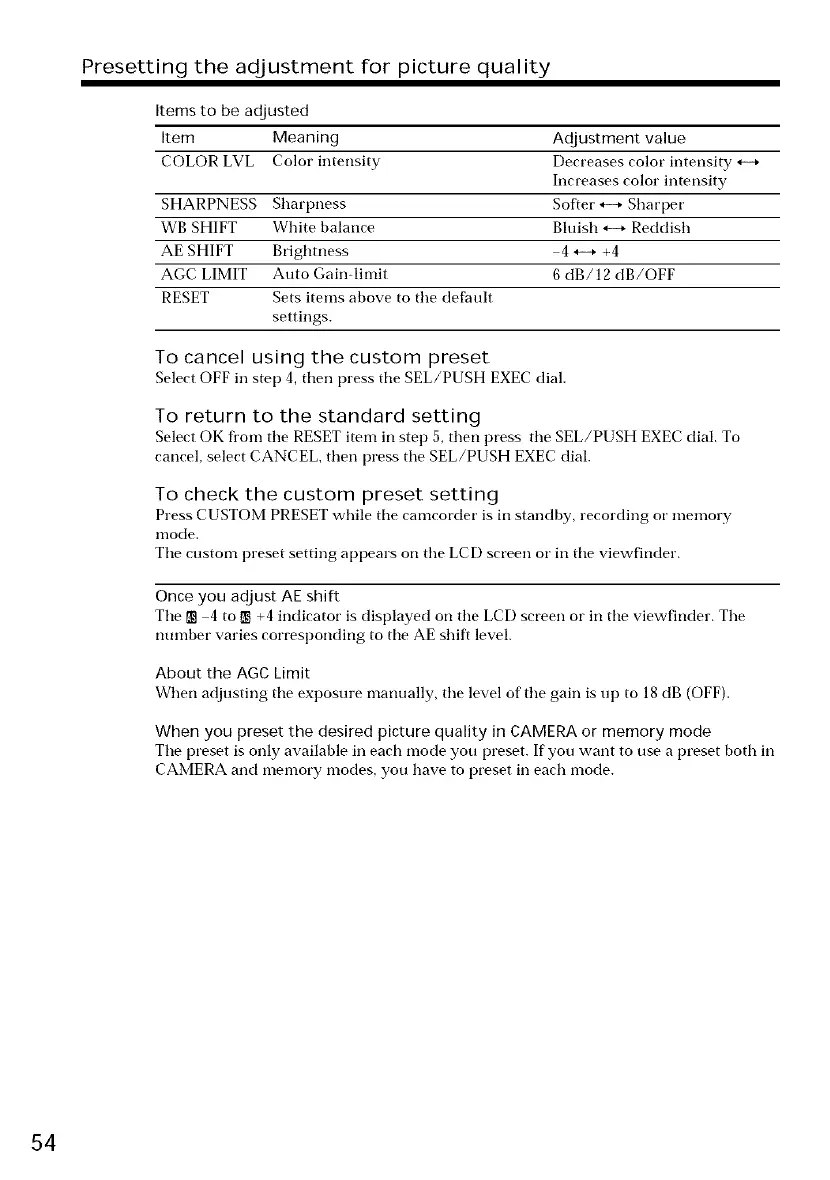
Items to be adjusted
Item Meaning Adjustment value
COLOR LVL Color intensity Decreases color intensity,_+
Increases color intensity
SHARPNESS Sharpness Softer*--+ Sharper
WB SHIFT White balance Bluish *--+ Reddish
AE SHIFT Brighmess 4 *--+ +4
AGC LIMIT Auto Gain-limit 6 dB/12 dB/OFF
RESET Sets items above to tile def',qult
settings.
To cancel using the custom preset
Select OFF in step 4, then press the SEL/PUSH EXECdial.
To return to the standard setting
Select OK fl'om tile RESET item in step 5, then press tile SEL/PUSH EXEC dial. To
cancel, select CANCEL, then press tile SEL/PUSH EXEC dial.
To check the custom preset setting
Press CUSTOM PRESET while tile camcorder is in standby, recording or memory
nlode,
Tile custom preset setting appears on tile LCD screen or in tile viewfinder.
Once you adjust AE shirt
Tile _] 4 to m +4 indicator is displayed on tile LCD screen or in tile viewfinder. Tile
number varies corresponding to the AE shift level.
About the AGC Limit
When adjusting tile exposure manually, tile level of tile gain is up to 18 dB (OFF).
When you preset the desired picture quality in CAMERA or memory mode
Tile preset is only available in each mode you preset. If'you want to use a preset both in
CAMERA and memory modes, you have to preset in each mode.
54















 To Next Page