Displaying minimum indicators
(Easy Shooting)
This mode reduces the minimum number of settings. The text size increases and
indicators become easier to see.
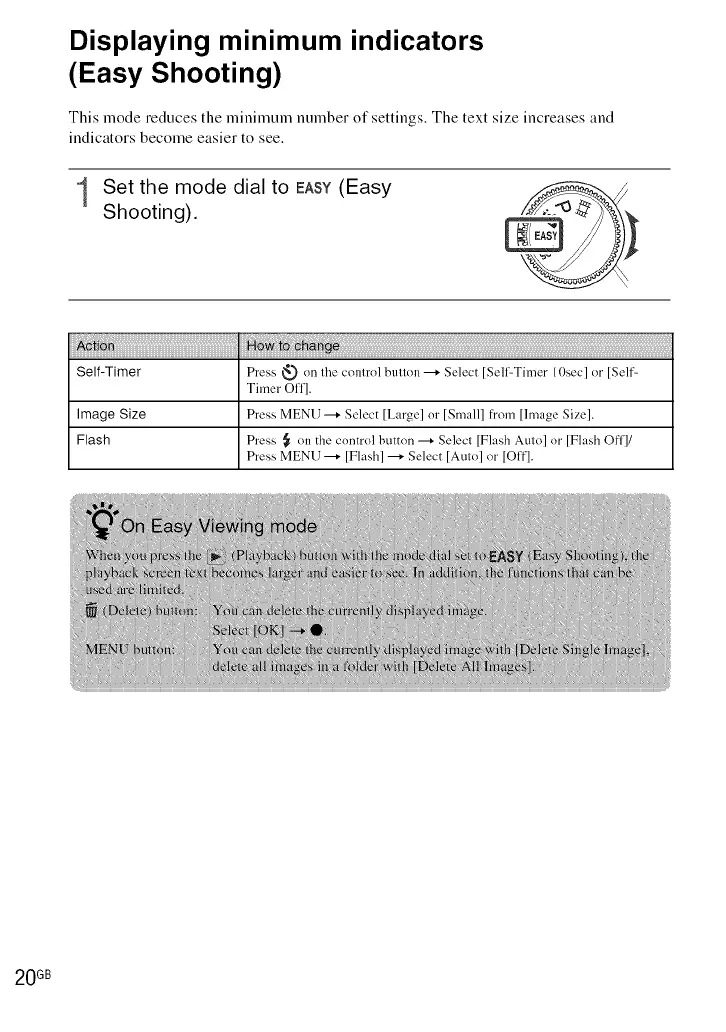
1 Set the mode dial to EASY(Easy
Shooting).
i!i!i!i!i_!i_i_i_i_i_i_i_i_i_i_i_i_i_i_i_i_i_i_i_i_i_i_i_i_i_i_i_i_i_i_i_i_i_i_i_i_i_i_i_i_i_i_i_i_i_i_i_i_i_i_i_i_i_i_i_i_i_i_i_i_i_i_i_i_i_i_i_i_i_i_i_i_i_i_i_i_i_i_i_i_i_i_i_i_*i!i!ii_i_!:i!!_!i_i_i!_!!ii_!!_i!!!!_i!!!!_i!!!!_i!!!!_i!!!!_i!!!!_i!!!!_i!!!!_i!!!!_i!!!!_i!!!!_i!!!!_i!!!!_i!!!!_i!!!!_i!!!!_i!!!!_i!!!!_i!!!!_i!!!!_i!!!!_i!!!!_i!!!!_i!!!!_i!!!!_i!!!!_i!!!!_i!!!!_i!!!!_i!!!!_i!!!!_i!!!!_i!!!!_i!!!!_i!!!!_i!!!!_i!!!!_i!!!!_i!!!!_i!!!!_i!!!!_i!!!!_i!!!!_i!!!!_i!!!!_i!!!!_i!!!!_i!!!!_i!!!!_i!!!!_i!!!!_i!!!!_i!!!!_i!!!!_i!!!!_i!!!!_i!!!!_i!!!!_i!!!!_i!!!!_i!!!!_i!!!!_i!!!!_i!!!!_i!!!!_i!!!!_i!!!!_i!!!!_i!!!!_i!!!!_i!!!!_i!!!!_i!!!!_i!!!!_i!!!!_i!!!!_i!!!!_i!!!!_i!!!!_i!!!!_i!!!!_i!!!!_i!!!!_i!!!!_i!!!!_i!!!!_i!!!!_i!!!!_i!!!!_i!!!!_i!!!!_i!!!!_i!!!!_i!!!!_i!!!!_i!!!!_i!!!!_i!!!!_i!!!!_i!!!!_i!!!!_i!!!!_i!!!!_i!!!!_i!!!!_i!!!!_i!!!!_i!!!!_i!!!!_i!!!!_i!!!!_i!!!!_i!!!
Self-Timer Press _ on the control button ---+ Select [SelffTimer 10sec] or [Self-
Timer Off].
Image Size Press MENU ---+ Select [Large] or [Small] from [lmage Size].
Flash Press _ on the control button --+ Select [Flash Auto] or [Flash Offl/
Press MENU ---+ [Flash] ---+ Select [Auto] or [Off].
20 GB













 To Next Page