Selecting the display format (View Mode)
Allows you to select the display format for viewing multiple images when using
"Memory Stick Duo" media.
1
2
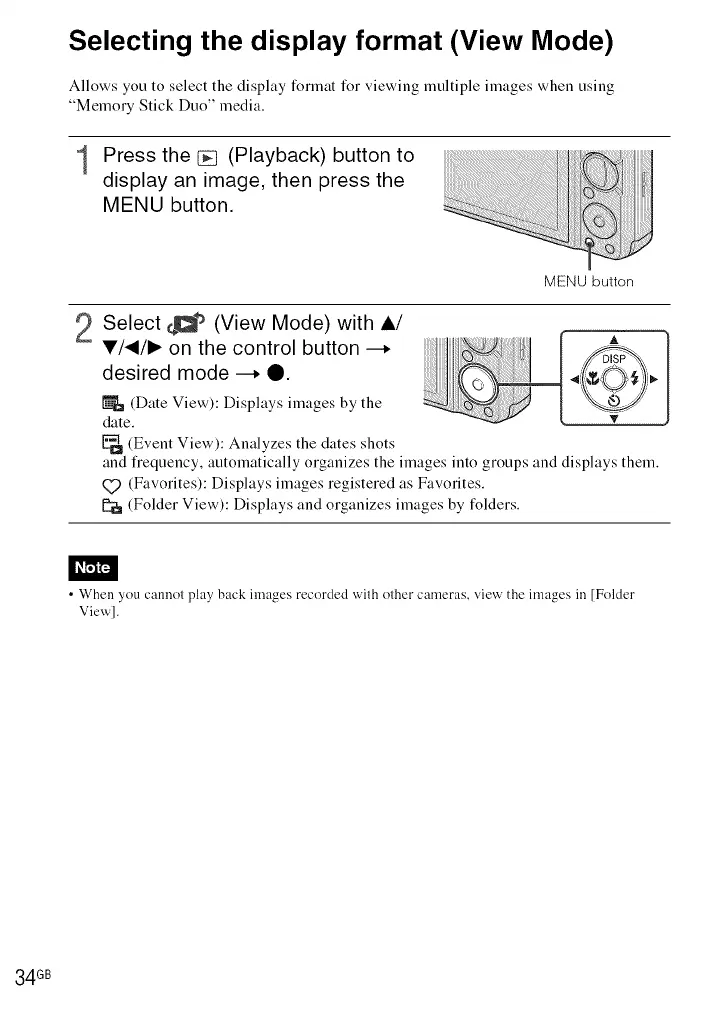
Press the _ (Playback) button to
display an image, then press the
MENU button.
MENU button
Select _C_tb (View Mode) with A/
V/_/I_ on the control button --,
desired mode --. 0.
(Date View): Displays images by the
date.
(Event View): Analyzes the dates shots
A
and fiequency, automatically organizes the images into groups and displays them.
(_ (Favorites): Displays images registered as Favorites.
[_ (Folder View): Displays and organizes images by folders.
• When you cannot play back images recorded with other cameras, view the images in [Folder
View].
34 GB













 To Next Page