Viewing still images with music (Slideshow)
1
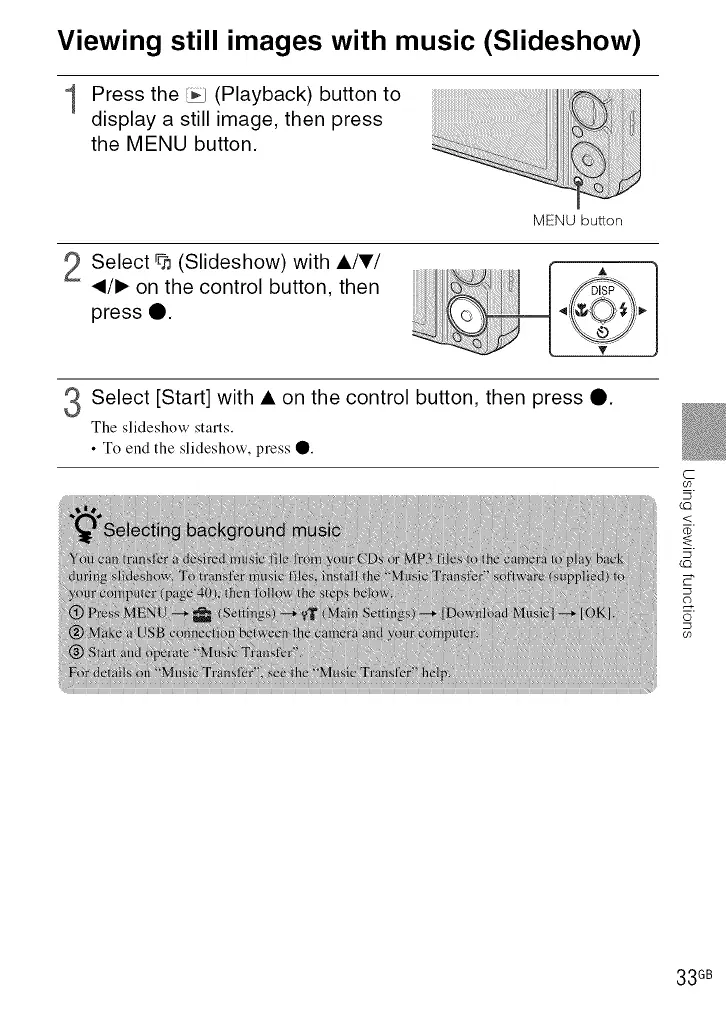
Press the _ (Playback) button to
display a still image, then press
the MENU button.
............
i_i_il;!!ii_''''!_iii''_i_?,;/_i!'!i%;!!
!;_!!ilili_iiii_i_ii" _!i!_iiliiiiii!_iii!i!i!i!iii_i_!iii
MENU button
2 Select % (Slideshow) with AITI
_/1_ on the control button, then
press 0. _iiiilJliil
Select [Start] with • on the control button, then press Q.
The slideshow starts.
• To end the slideshow, press 0.
C
O9
5
LQ
<
¥-
5
LQ
E"
O9
33 GB













 To Next Page