Deleting images
1
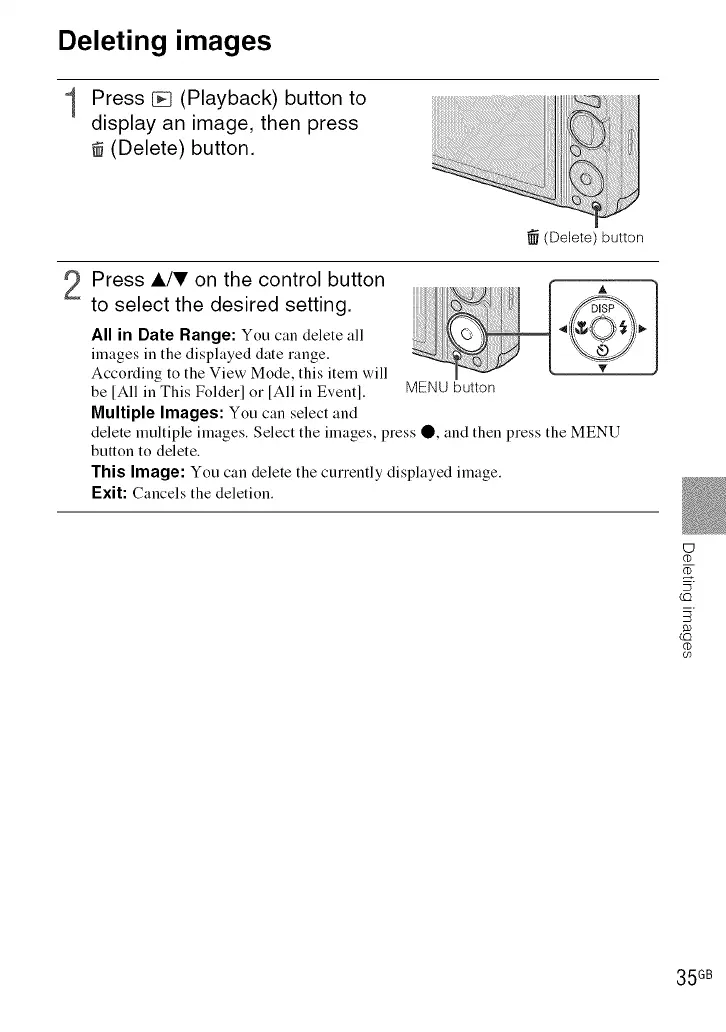
Press _ (Playback) button to
display an image, then press
(Delete) button.
li_i_i_iiiiiiiiiiiiiiiii_iiii_ii_ii_ii_iii;!i!ii!_i!ii!_!_!_!_!_!_!_!_!_!_!i_ii_ii_ii_iiiiiiiii_iiiiiiiiii_iiiiiiiiiiiiiiiiiiiiiiiiiiiiiiiiiiiiii_i_!!!!iiii_i_i_i!_i_i "!illiiiiiiiii_;i!i_iiii_iiiiiiiiii'i_!i_!i!
_il¸l_lz_l_lll!iiiliii_iili!!!lil_iiilllliillilil_liillllililil_lilililililililililililiilllliiiil_l_!!iiiiiiiiiiiiiiiIII
_i_!_!_!_lllllllllllllllllllllli_i_i_!_!_iiiiiiiiiiiiiiiiiiiiiiii!_iiliili_i_iiiii__iii__i ,_iiiii!i_illiiiilili:_:_!_ii_ii:_ii!i!i!i!iiii!!ili
(Delete) button
Press A/'!v on the control button
to select the desired setting.
All in Date Range: You can delete all
images in the displayed date range.
According to the View Mode, this item will
be [All in This Folder] or [All in Event].
Multiple Images: You can select and
A
MENU button
delete multiple images. Select the images, press O, and then press the MENU
button to delete.
This Image: You can delete the currently displayed image.
F:xit: Cancels the deletion.
UJ
_Z
(C)
(C)
(t)
09
35 GB













 To Next Page