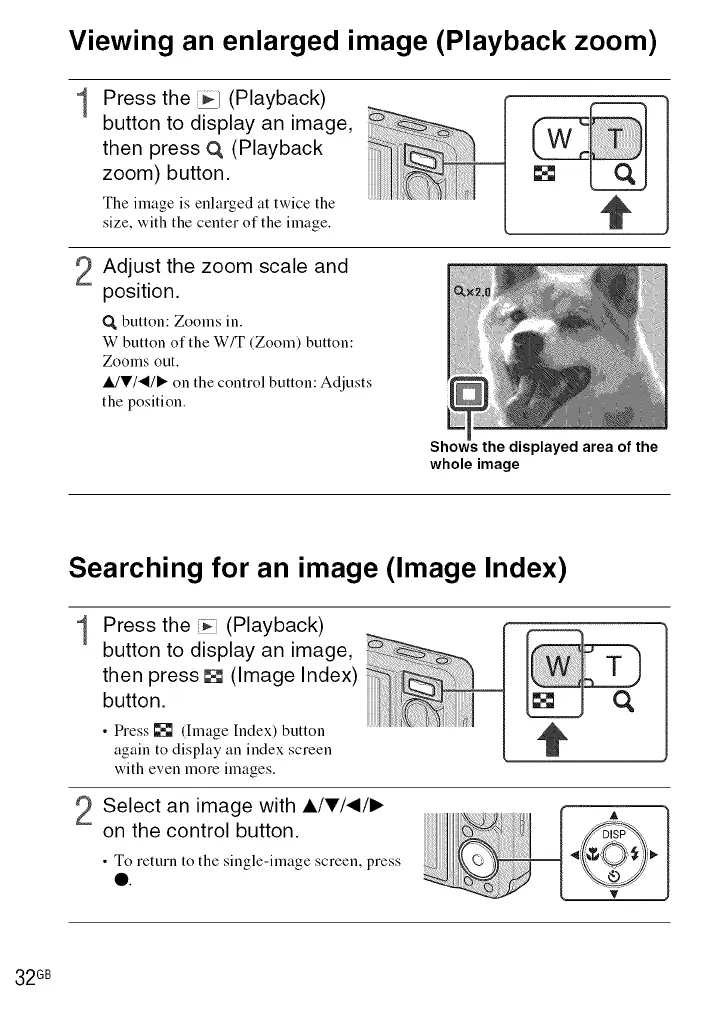
Viewing an enlarged image (Playback zoom)
1
2
Press the _1 (Playback)
button to display an image,
then press O, (Playback
zoom) button.
The image is enlarged at twice the
size, with the center of the image.
Adjust the zoom scale and
position.
Q button: Zooms in.
W button of the W/T (Zoom) button:
Zooms out.
IdV/-_/, on the control button: Adjusts
the position.
Shows the displayed area of the
whole image
Searching for an image (Image Index)
1
Press the _ (Playback)
button to display an image,
then press [] (Image Index)
button.
• Press [] (hnage Index) button
again to display an index screen
with even more images.
2 Select an image with A/V/_/I_
on the control button.
• To return to the single-image screen, press
0.
32 GB













 To Next Page