Chapter 1 Overview
20
Chapter 1 Overview
5 GAIN UP indicator (orange)
This lights when the gain is 3 dB or more.
6 Eyepiece focusing knob
Turn this to adjust the viewfinder focus to match your
eyesight. (See page 79.)
7 Accessory fixing screw hole
Attach optional video lights or other accessories here.
8 Tally lamp
When the TALLY switch is in the ON position, this
operates in the same way as the REC/TALLY
indicators 3.
9 Eyepiece release catch
To view the viewfinder screen directly, press this
catch, and hinge up the eyepiece.
0 BRIGHT (brightness) control
This adjusts the brightness of the viewfinder image.
(See page 79.)
!¡ CONTRAST control
This adjusts the contrast of the viewfinder image. (See
page 79.)
!™ PEAKING control
This adjusts the outline intensity of the viewfinder
image. (See page 79.)
!£ TALLY switch
Set this switch to the ON position to use the tally lamp
8.
!¢ Viewfinder connector (20-pin)
Connect this to the VF connector (front) on the camera
head.
Location and Function of Parts
Chapter 2 Fitting and Connections
Chapter 2 Fitting and Connections
21
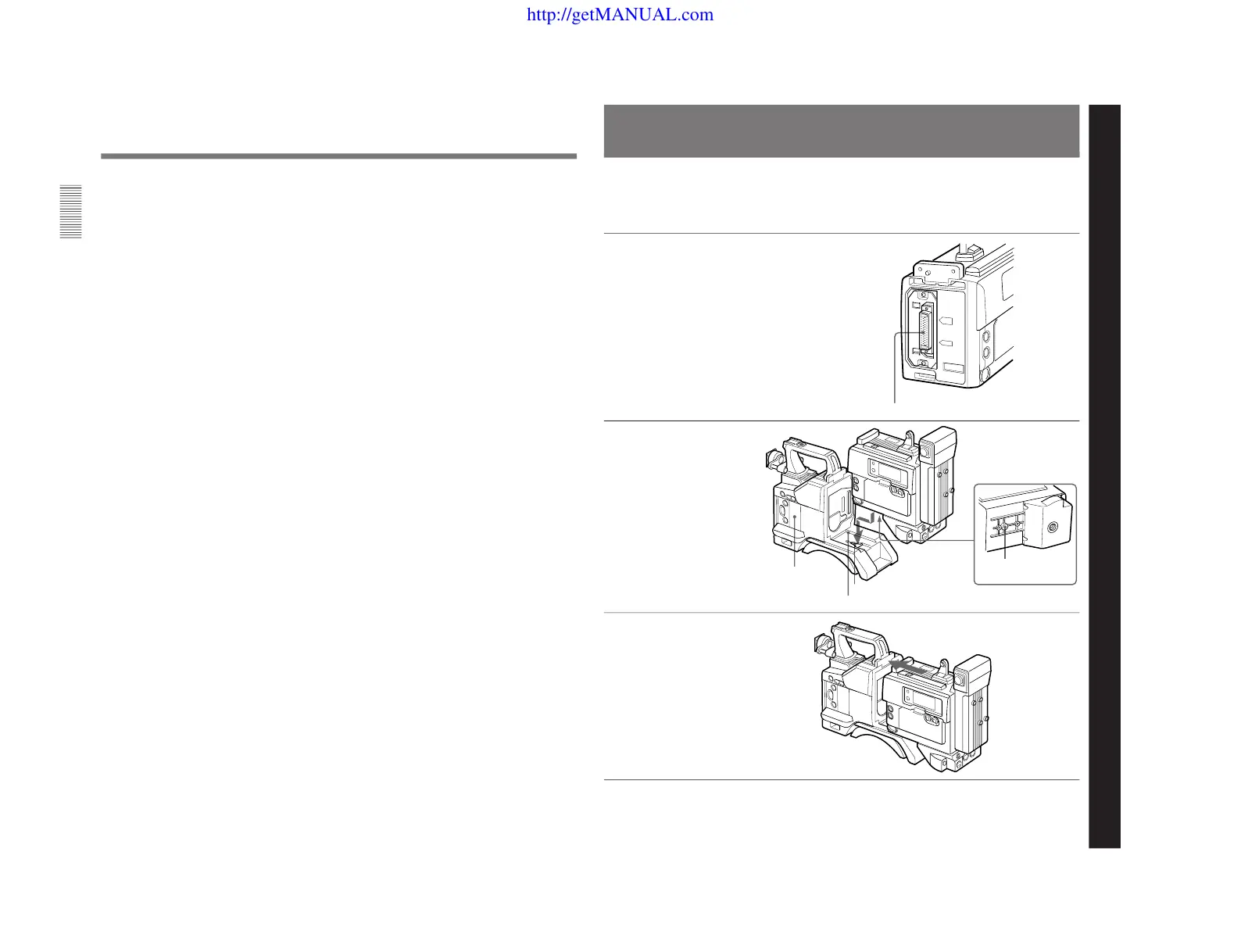
Fitting a VTR
1
Set the PRO 76-pin DIGITAL
connector on the DSR-1/1P.
For details, see the operating
instructions for the DSR-1/1P.
2
Align the projection on the
bottom of the DSR-1/1P with
the slot on the camera head.
3
Slide the DSR-1/1P and the
camera head together in the
groove as far as possible.
Chapter 2 Fitting and Connections
This section explains how to attach the DSR-1/1P to
the camera head. The method for attaching a PVV-3/
3P is similar.
When replacing the camera head grip with a camcorder
grip, see “Using the Camcorder Grip” (page 23).
Camera connector (PRO 76-pin DIGITAL)
DSR-1/1P
Projection
Slot
Groove
Camera head
(continued)



 To Next Page